
When you create a cycle to settle assess the a restructuring cost center to the reporting cost center, you COPA in PF1, you must follow the following rulesrule:
Status colour Blue title Step 1
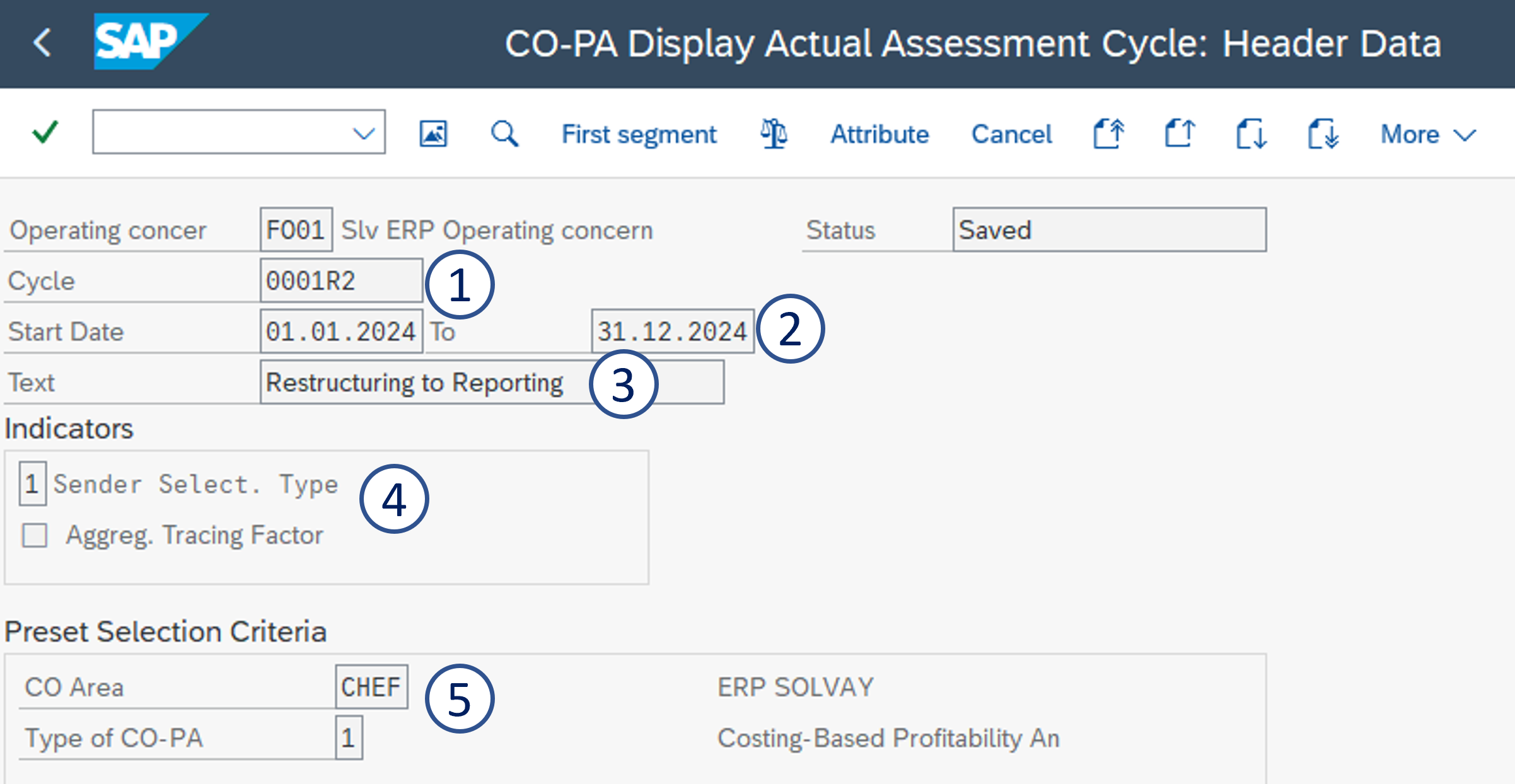
Create a assessment COPA cycle with KSU1 KEU1 - Create Actual Assessment to CO-PA
1. Cycle Cycle = CCCCR2
2. Start Date = 01.01.20YY to 31.12.20YY
3. Text = Restructuring Restructuring to Reporting

4. Sender Select. Type = 1
5. CO Area = CHEF & Type of CO-PA = 1
Status colour Blue title Step 2
Then for each cost center, you need to create 3 segments
A - Allocation to the value field VVK10
B - Allocation to the value field VVK05
C - Allocation to the value field VVK15

| Panel | ||||
|---|---|---|---|---|
| ||||
Segment A - Allocation to value field VVK10 - K10 Rev.restr.Accr |
Enter:
1. Segment name = Cost center +
Create the first segment
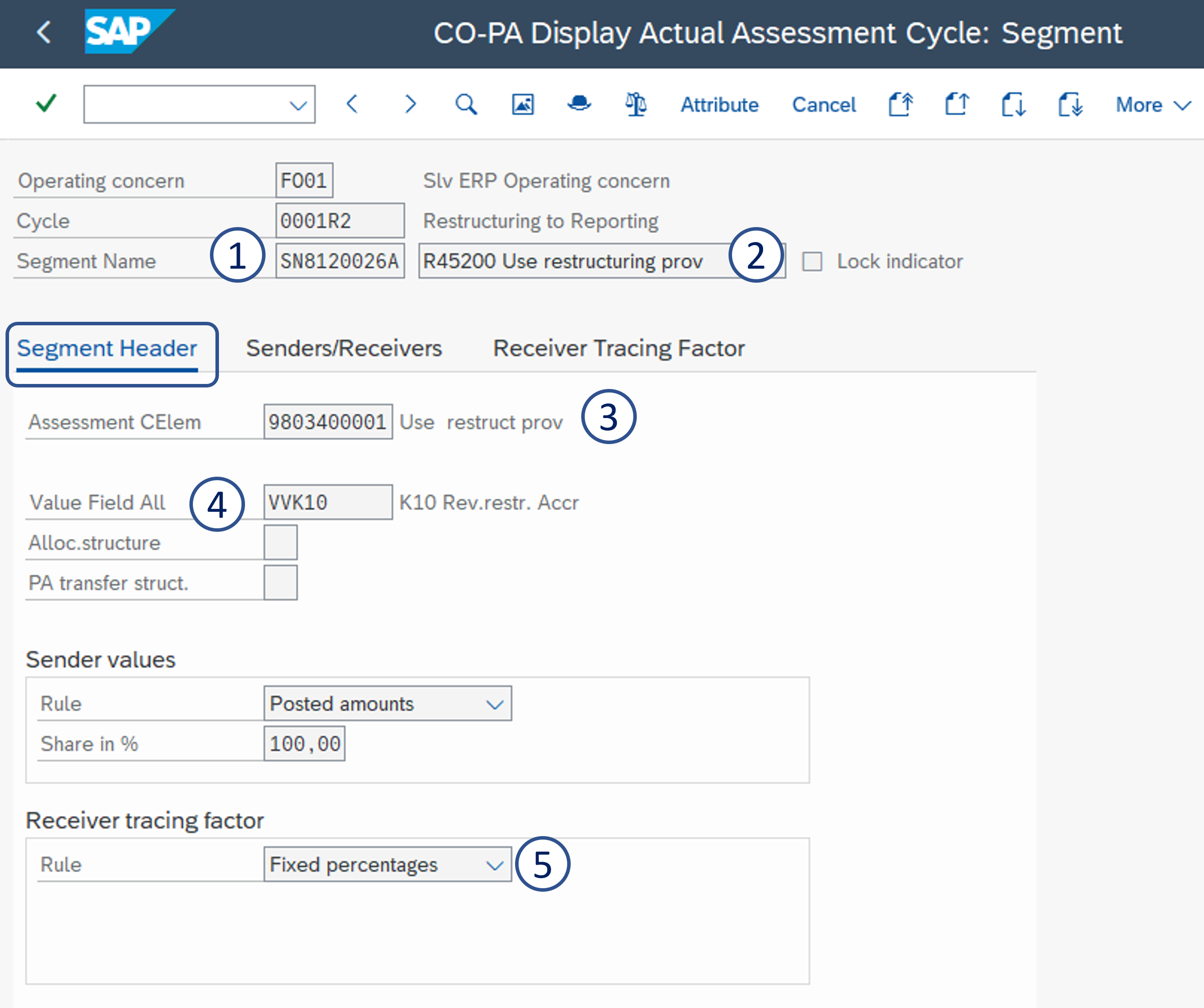
1. Segment name = cost center code A
2. Segment description = R45200 R45200 Use restructuring prov
3. Assessment CEle = 9803400001 Use 9803400001 Use restruct prov
4. Receiver rule = Fixed percentages

Value Field All = VVK10
5. Rule = Fixed percentages
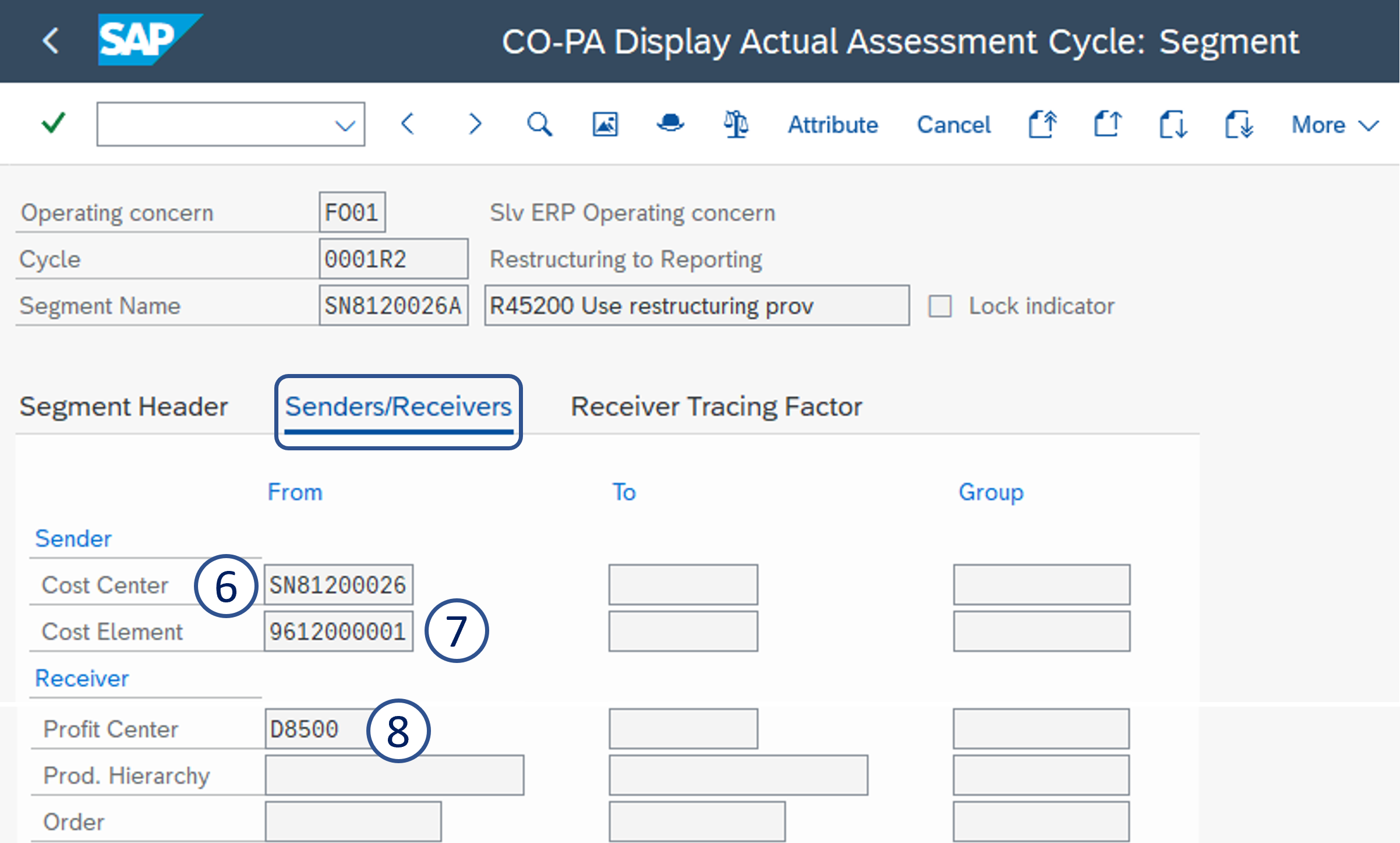
6. Sender cost element center = 9612000001Restructuring cost center
7. Receiver cost center = reporting cost center

Cost Element = 9612000001
8. Profit Center
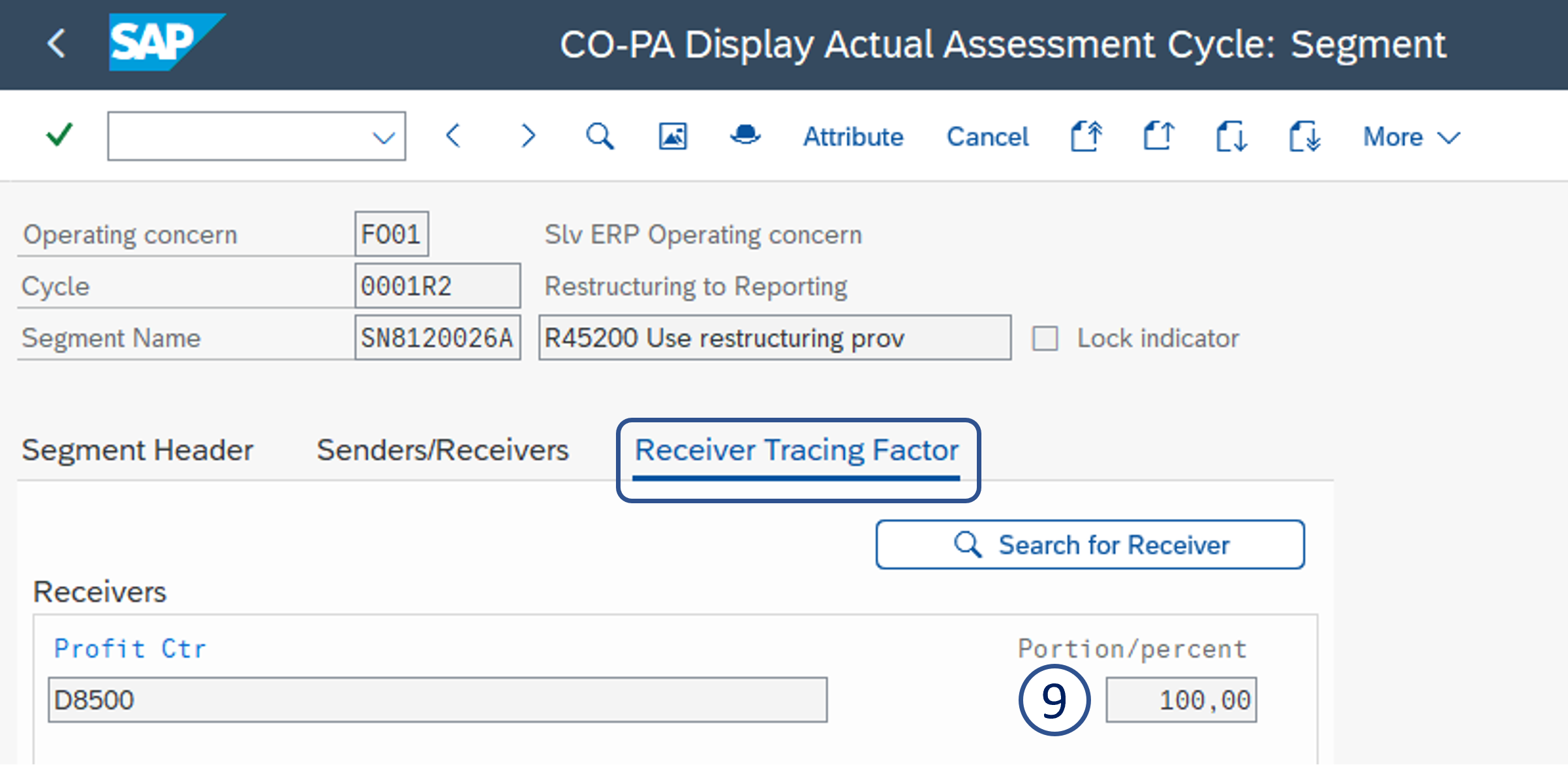
9. Portion/percent = 100
| Panel | ||||
|---|---|---|---|---|
| ||||
Segment B - Allocation to value field VVK05 - K05 Cur.Yr.restr.exp |
Enter:
1. Segment name = Cost center +
Create the second segment
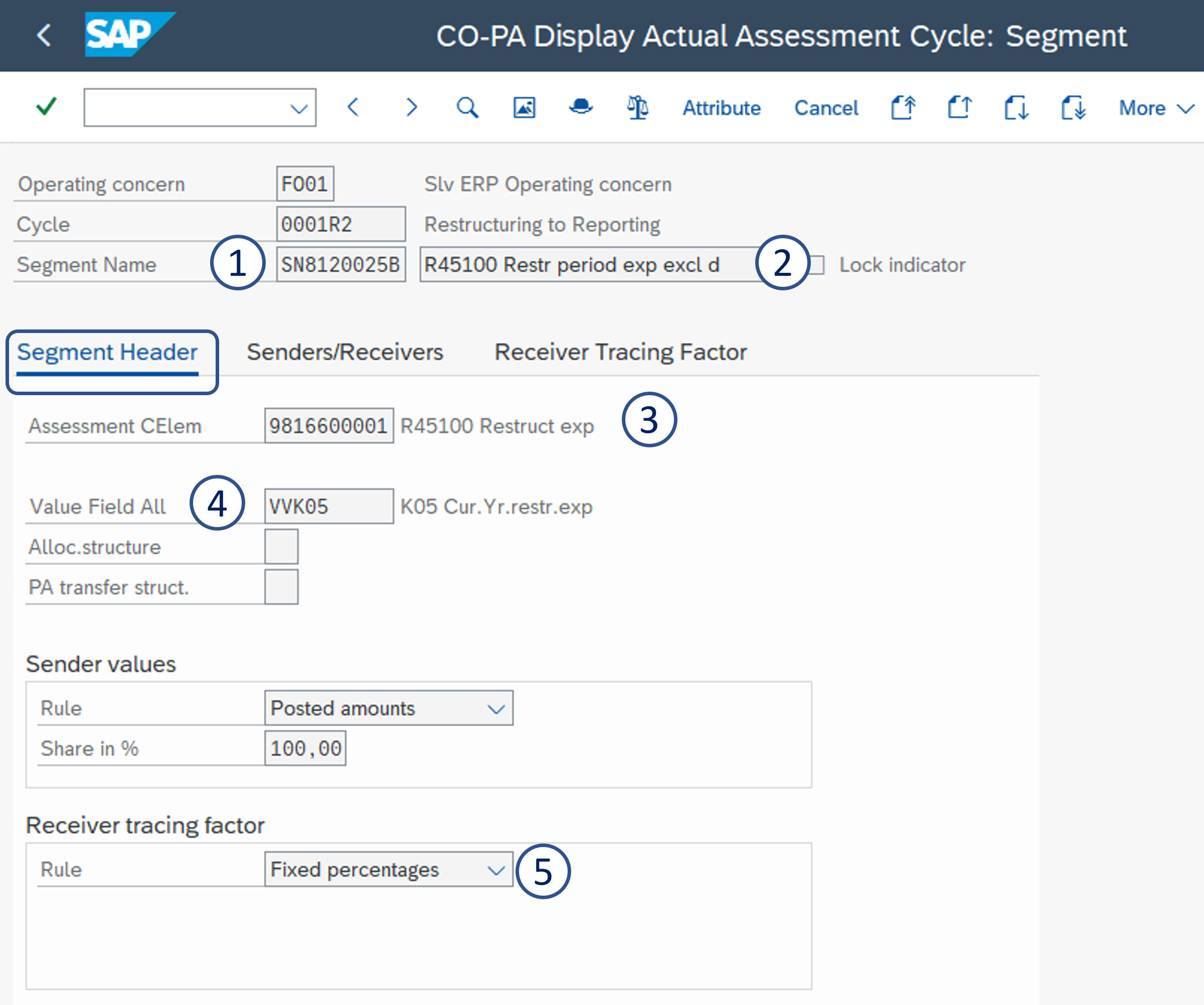
1. Segment name = cost center code B
2. Segment description = R45100 R45100 Restr period exp excl d
3. Assessment CEle = 9816600001 R45100 9816600001 R45100 Restruct exp
4. Value Field All = VVK05 - K05 Cur.Yr.restr.exp
5. Rule . Receiver rule = Fixed percentages

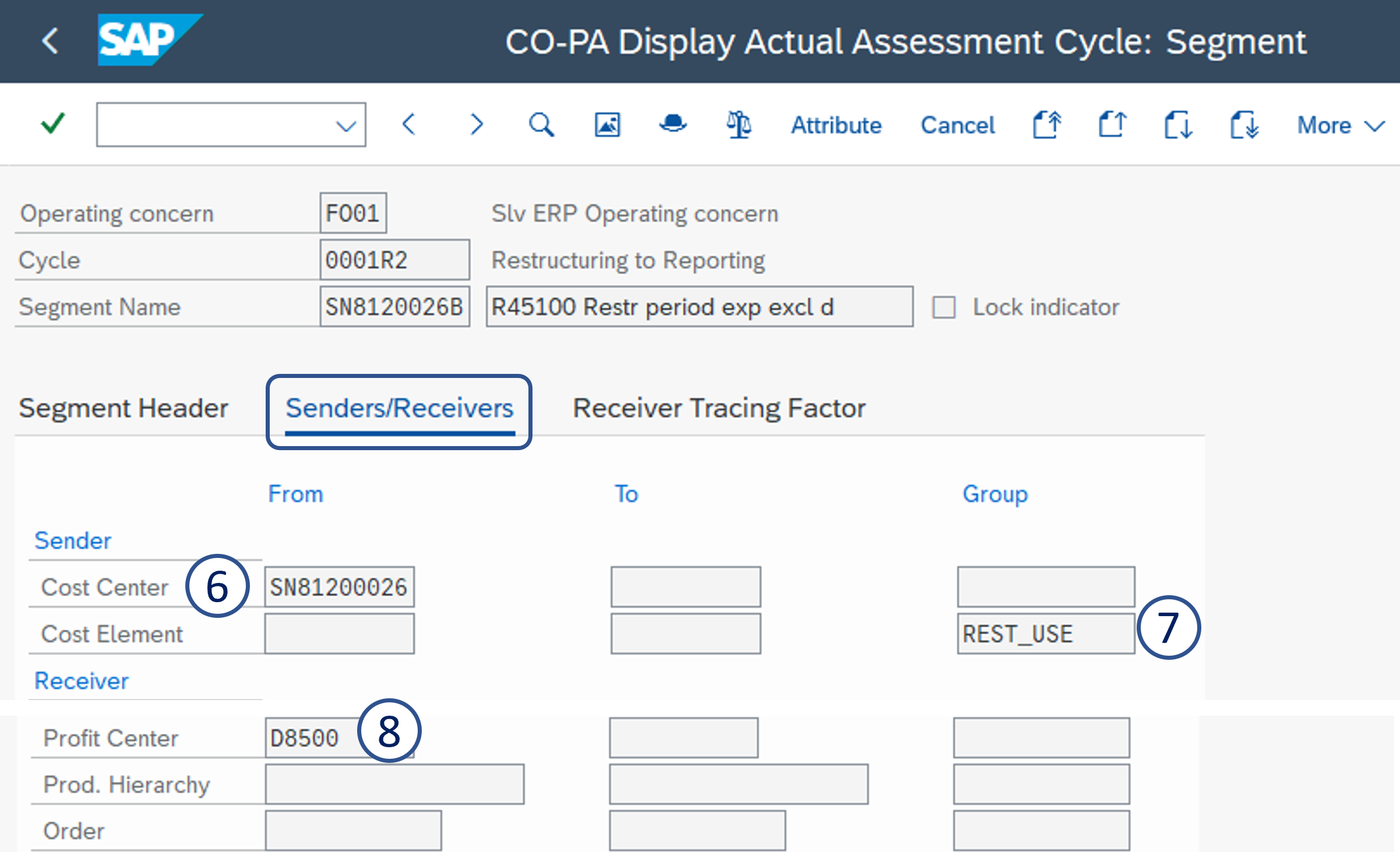
6. Sender cost center = Restructuring cost center
7. Cost Element group = REST_USE
8. Profit Center
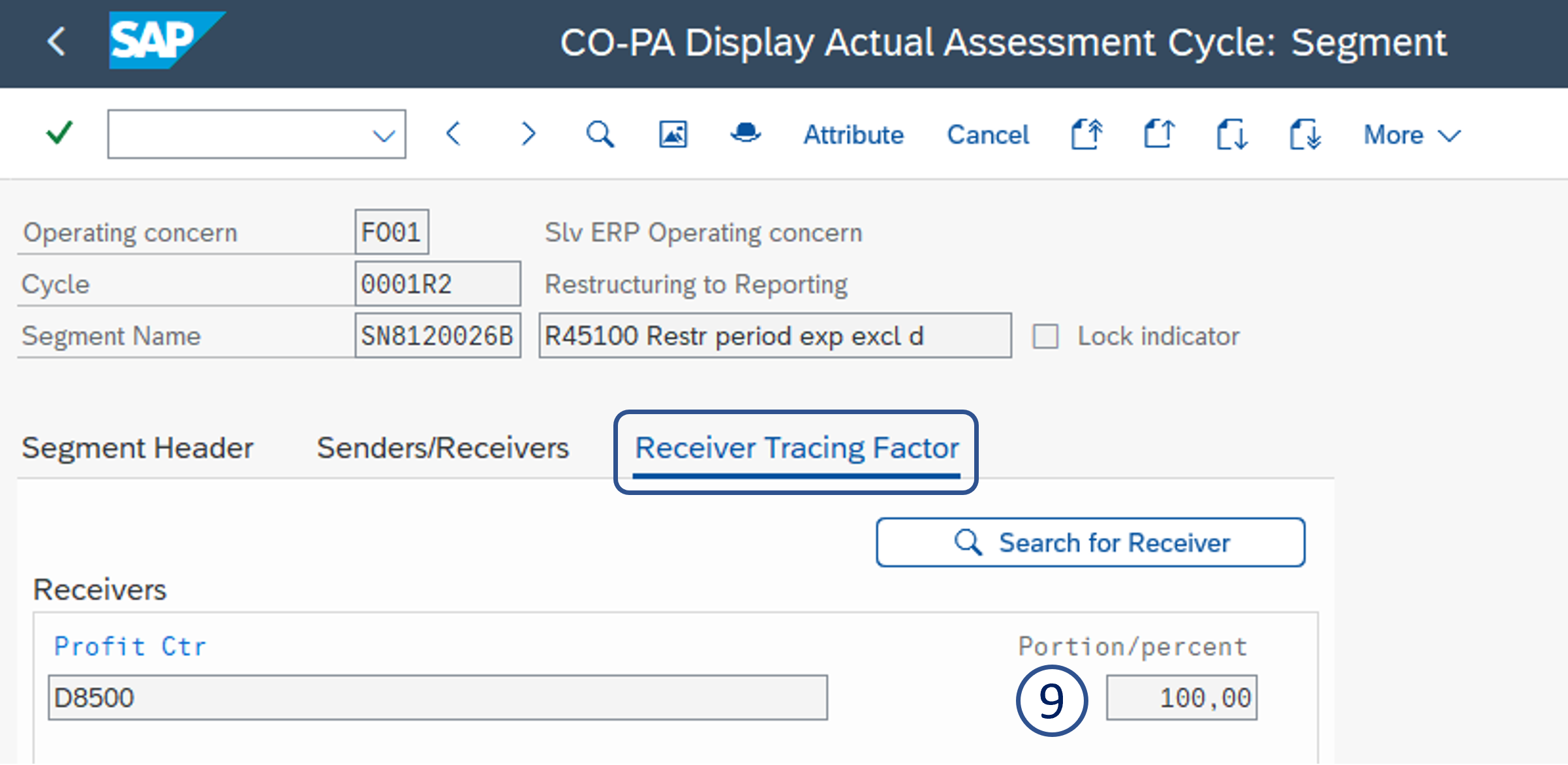
9. Portion/percent = 100
| Panel | ||||
|---|---|---|---|---|
| ||||
Segment C - Allocation to value field VVK15 - K15 New Restruct. |
Enter:
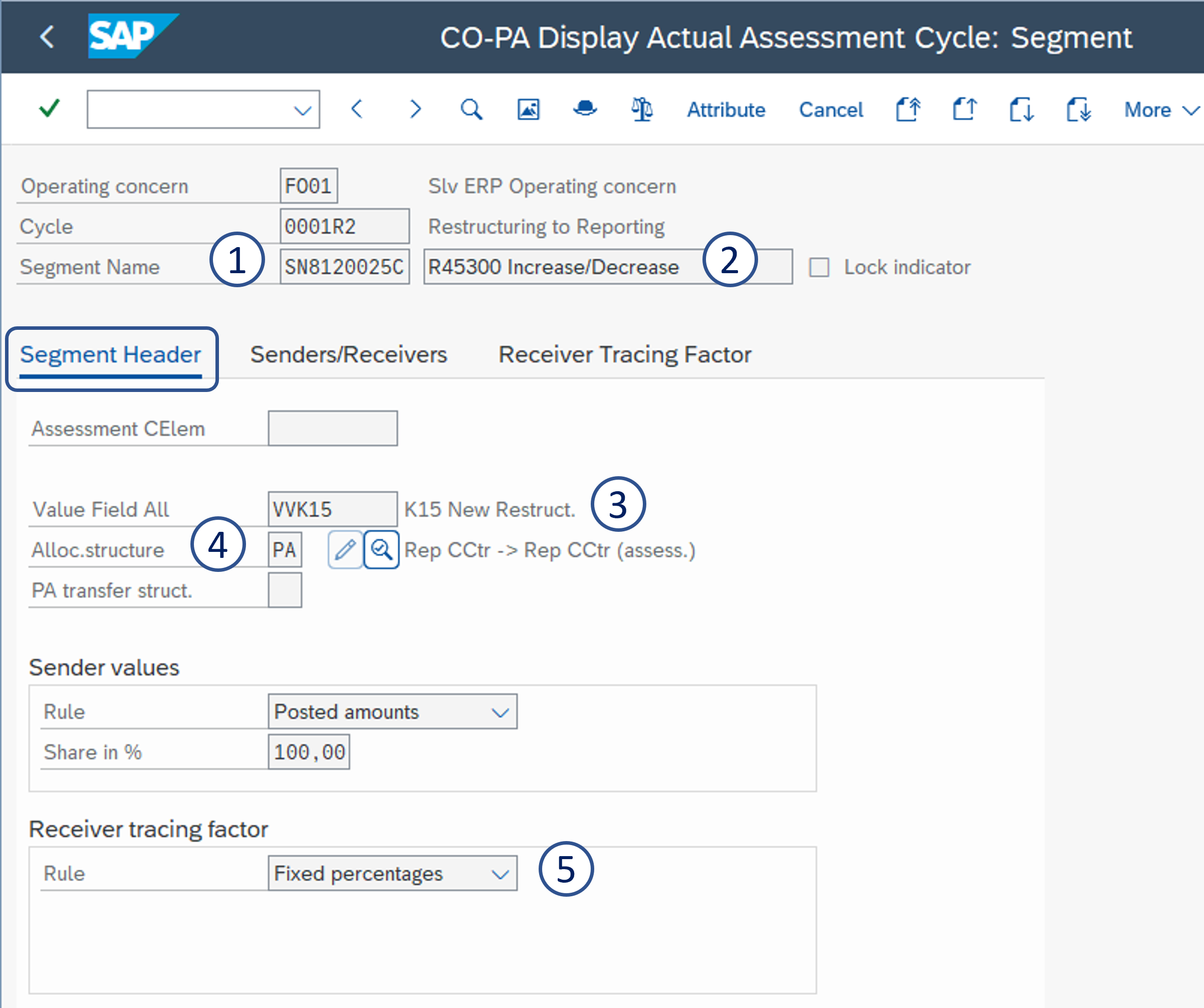
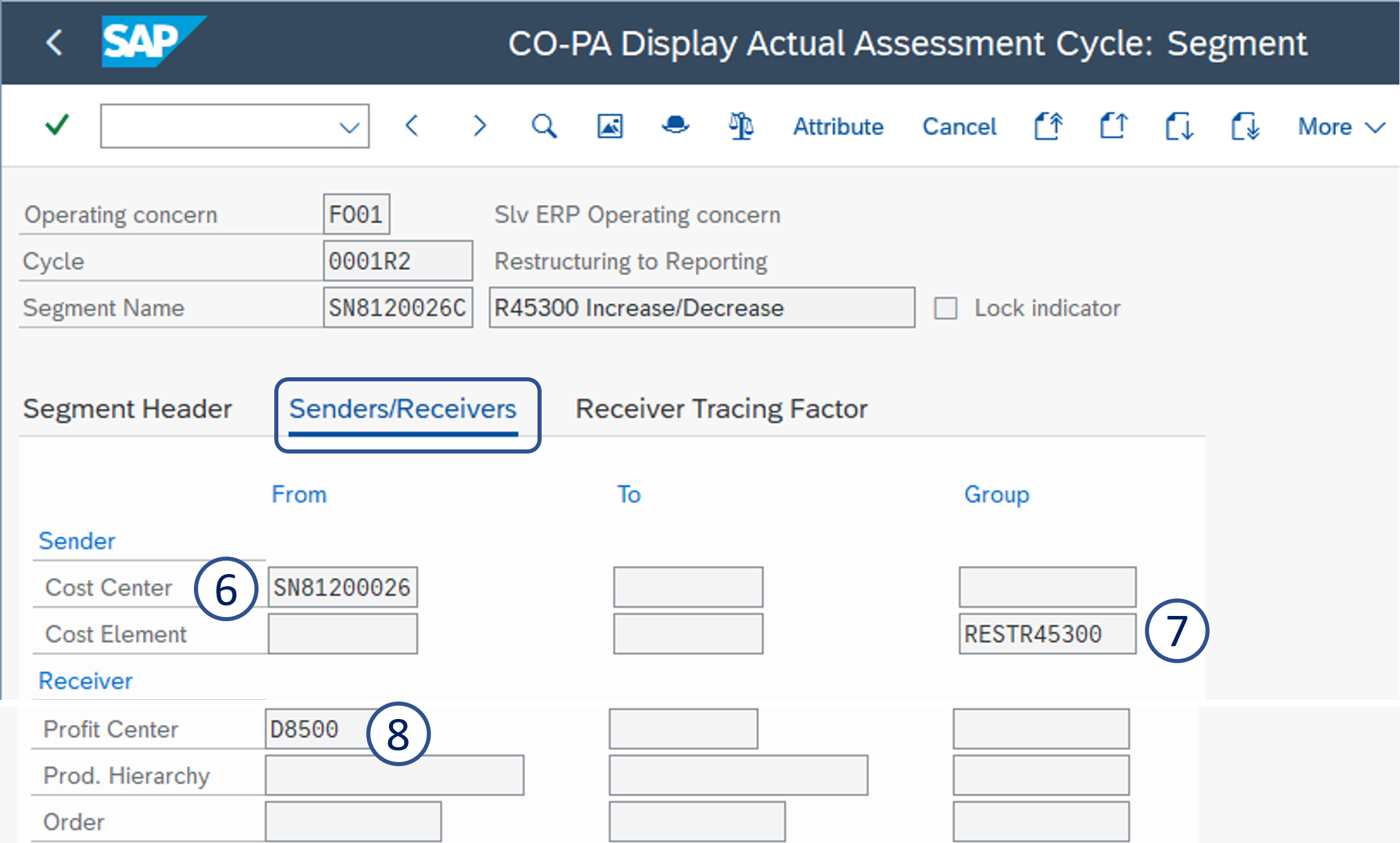
1. Segment name = Cost center + C
2. Segment description = R45300 Increase/Decrease
3. Value Field All = VVK15 - K15 New Restruct.
4. Assessment CEle = PA - Rep CCtr -> Rep CCtr (assess.)
5. Rule = Fixed percentages
6. Sender cost elements range = 6000000000 to 7999999999
7. Receiver cost center = reporting cost center
center = Restructuring cost center
7. Cost Element group = RESTR45300
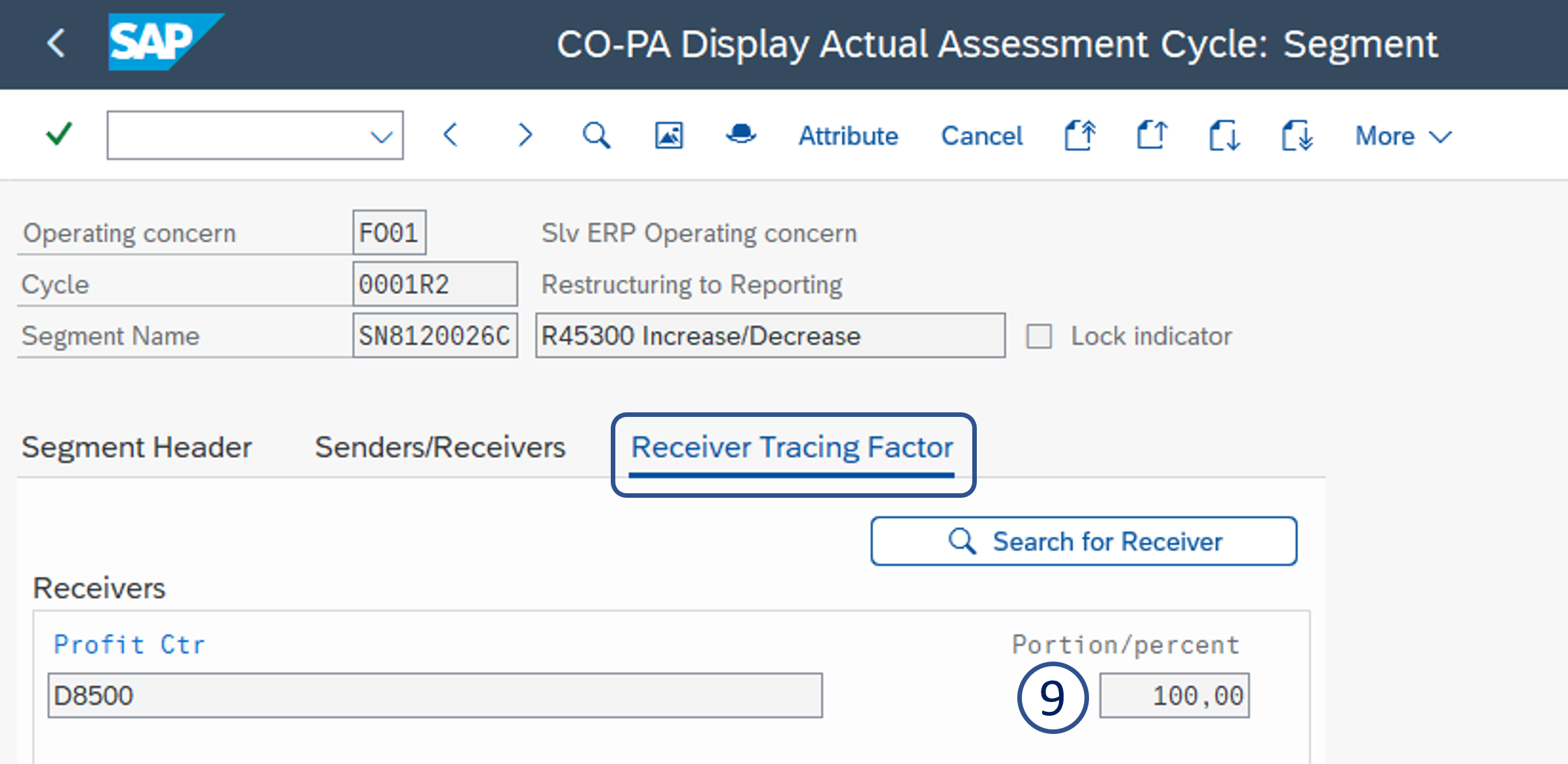
8. Profit Center
9. Portion/percent = 100

| Viewtracker | ||
|---|---|---|
|