
When you create a cycle to distribute corporate IAS19 costs in PF1, you must follow the following steps:
Status colour Blue title Step 1
Create a distribution cycle with KSV1 - Create Actual Distribution Cycle
1. Cycle = CCCCDV
2. Start Date = 01.01.20YY to 31.12.20YY
3. Text = Distribution (IAS19)

Status colour Blue title Step 2
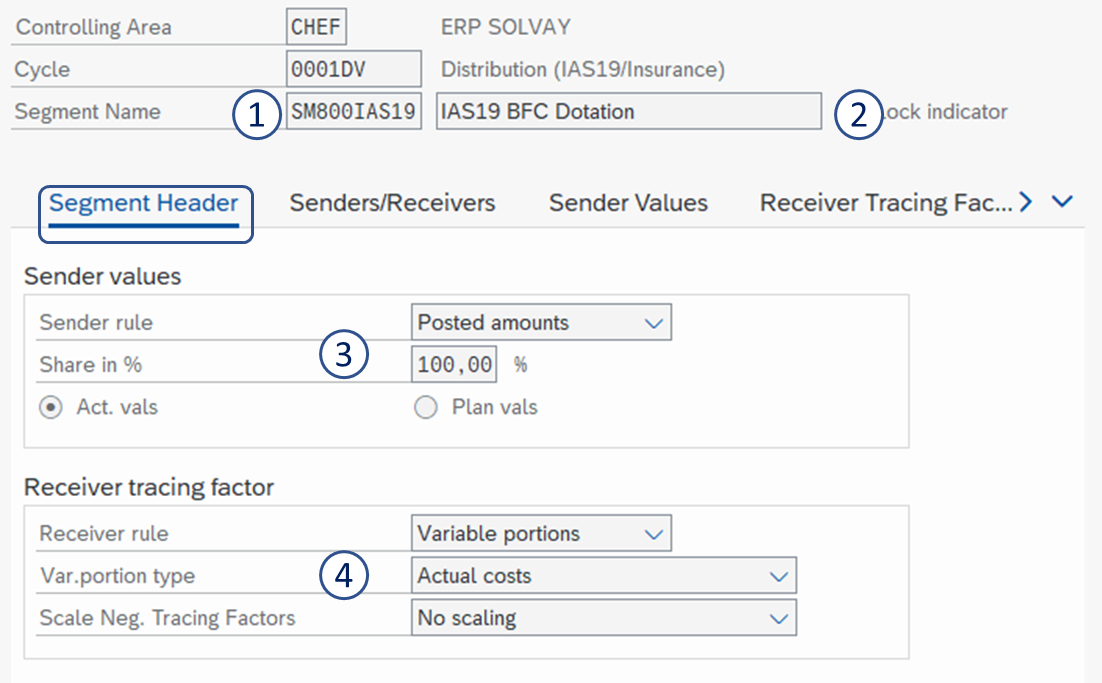
Only one segment needs to be created
1. Segment name = EE800IAS19
2. Segment description = IAS 19 BFC Dotation
3. Sender values =
- Sender rule: Posted amounts
- Share in %: 100
- Act. vals
4. Receiver tracing factor
- Receiver rule: Variable portions
- Var.portion type: Actual costs
- Scale Neg. Tracing Factors: No scaling
5. Sender cost center = EE 800IAS19
6. Sender cost elements = 6350000000 to 6354999999group = ZSO-P20010
7. Receiver cost centers group = E_CCCC (= all cost centers of the company)

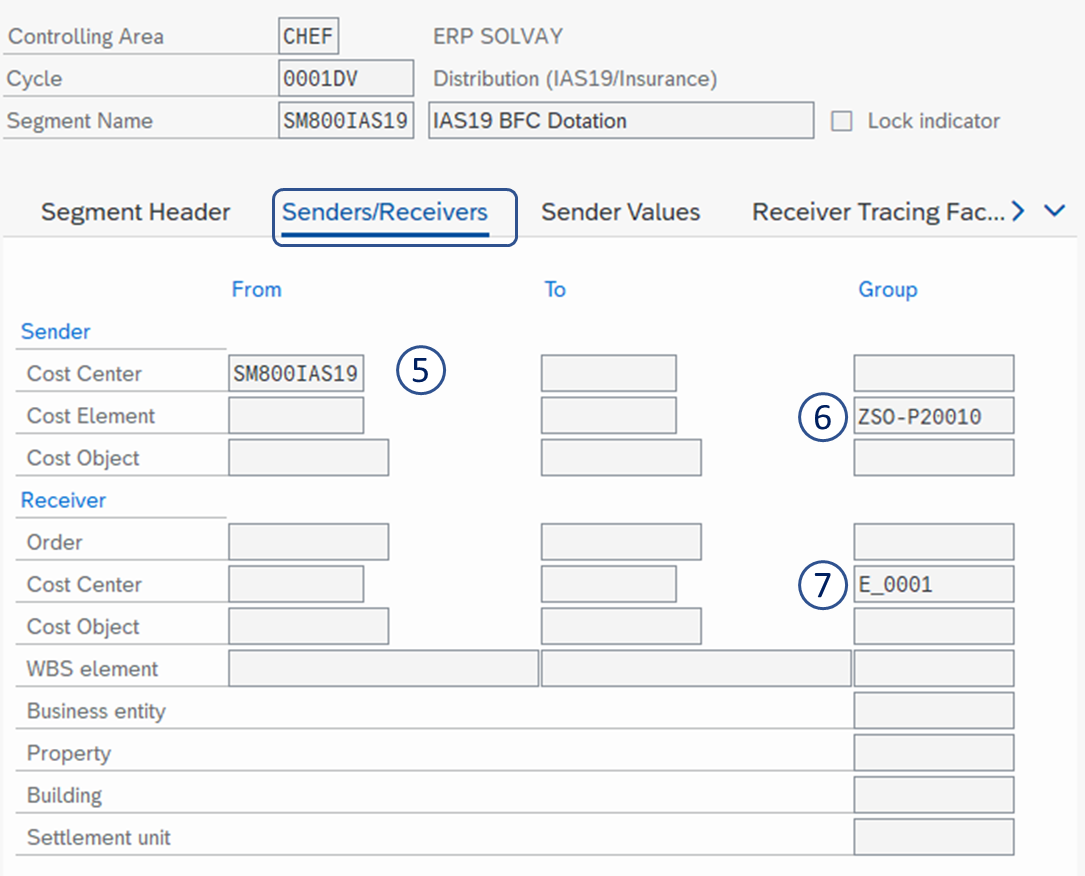
8. Cost Element Group = IASSERV
SAVE 

| Viewtracker | ||
|---|---|---|
|