Overview
RFIs are web forms : your suppliers will fill in them directly in Convergence. |
Table of content
Step-By-Step
To Create a ”New RFI”
1- In Tabs => Click on “Accounts”
2- In View Menus => Select “My Accounts”
3- In ListViews => Click on “Account Name” eg.SAP SE

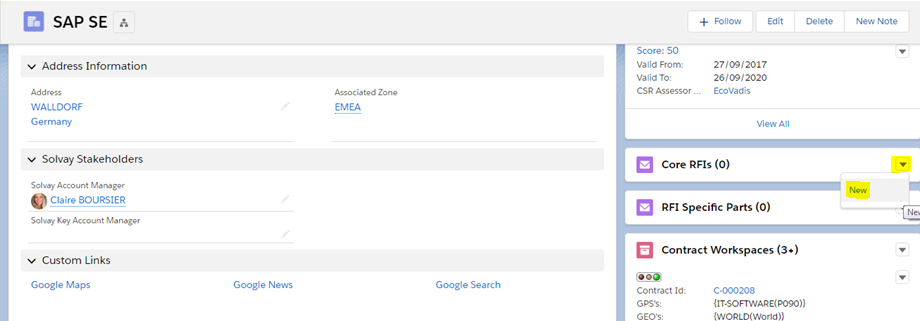
Go to the "Core RFIs" related list on the right of your screen and click on the button "New“
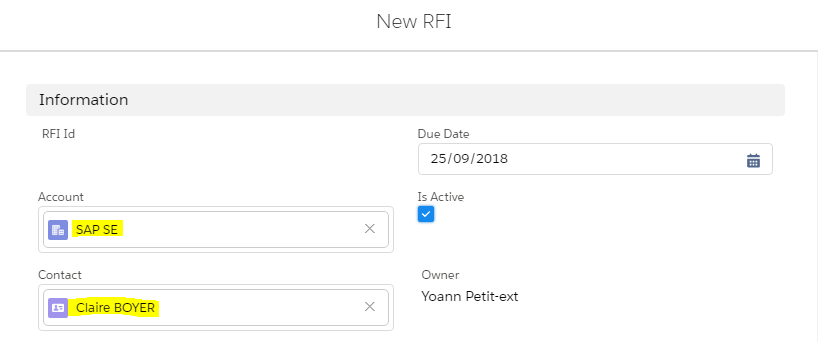
Account is automatically filled in this square eg. SAP SE
1- Fill Contact
You must have a contact related to your account to send a RFI (A1311 - Account Contacts and related contacts) |
❑ Go To Next Step
In status, select Sent in View menus

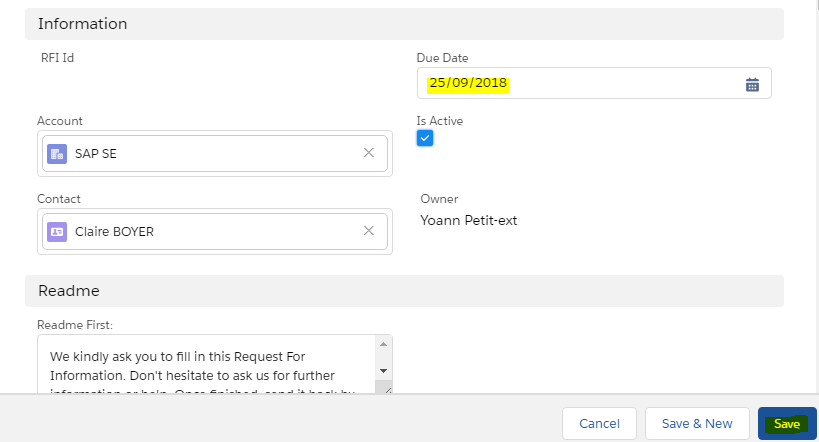
1- Fill the Due Date
2- Click on Save
You can attached an Excel file in the Core RFI to receive answer from suppliers on specific RFI. |
Need help?