Overview
Use Notes, our enhanced note-taking tool in Salesforce, to add important information to your records.
|
Table of content
Step-By-Step
1- In Tabs => Click on “Accounts”
2- In View Menus => Select “My Accounts”
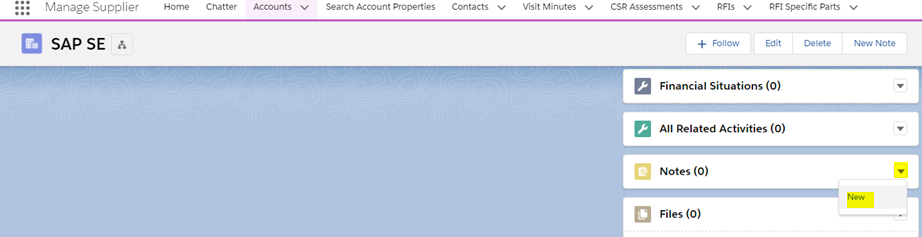
3- In ListViews => Click on “Account” e.g. SAP SE

Scroll down to the "Notes" related list and click in the button "New"
1- Replace the “Untitled Note" by a title
Write the note in the free text zone.
2- Click on "Done"

Need help?