- Make sure you are not trying to get connected during DynaSys unavailability timeframe : from 00:30 to 01:30 AM CET / 0Cn6:30 pm to 07:30 pm EST / 07:30 pm to 08:30 pm BR time
- Check that your VPN is working. DynaSys is only accessible via intranet.
- Try to just “Sign out” and connect again. No password is needed when connecting (leave empty)
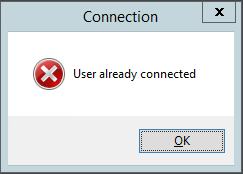
- You might already be connected, check if you already have a DynaSys window opened
- You didn't disconnect correctly last time you used the software, you need to wait few minutes before trying to reconnect
- A SBS employee may be using your profile to apply some changes in the database or in your workspace.