User guide for the library AODOcs SBS - Procure to Pay - Country Specificities |
To access the library SBS - Procure to Pay - Country Specificities |
Click on the icon of the library or click here
The homepage is displayed. You can
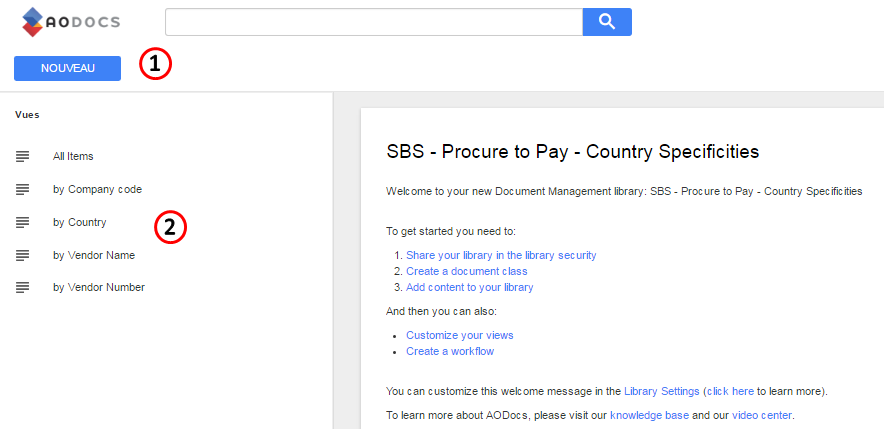
1. Create a new entry
To create a new entry you must be part of the google group $AODocs.PtP Accounts Payable-Contributors If you are not, ask the manager of the group to be included. |
Upload a document by clicking the button 

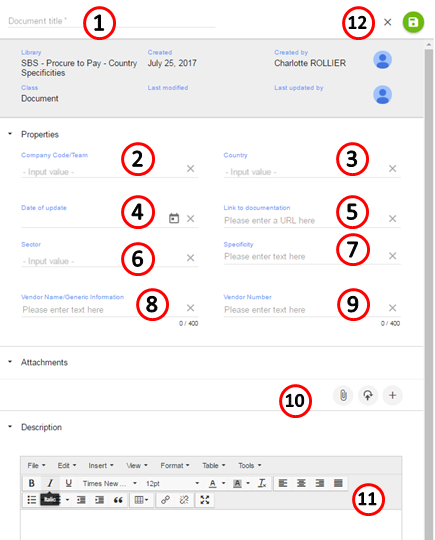
Fill the form with:
- The document title (mandatory)
Company code

- Country
- Date of update
- Link to documentation
- Sector
- Specificity
- Vendor name
- Vendor number
- Attachments
- Description
- SAVE by clicking

If you can not find a value in a list, you can add it manually
2. View existing documents
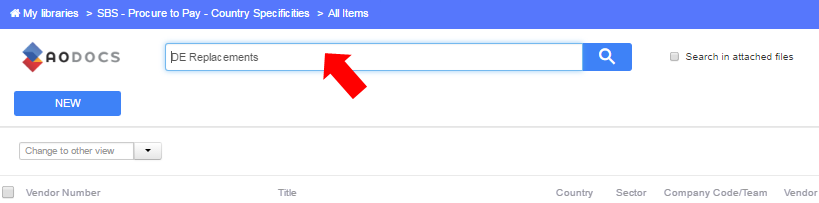
2.1 Using the search bar
Enter the name of the document in the search bar and click 
2.2 Using a predefined view
Select a predefined view:
Views are managed by the administrator of the library |

All items to display all items
(note: it corresponds to the view "All items" that was used in the former library in Teamsite)

By Company code to browse by Company code
(note: it corresponds to the view "Company Code" that was used in the former library in Teamsite)

By Country to browse by Country
(note: it corresponds to the view "Country" that was used in the former library in Teamsite)
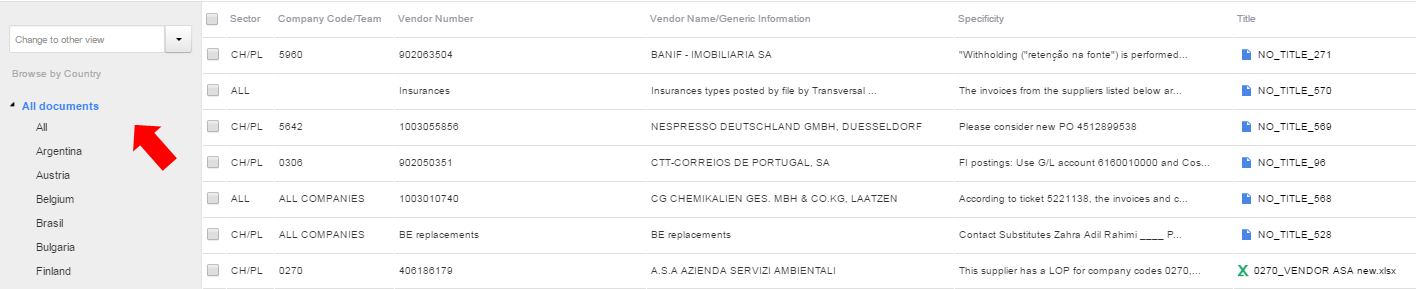
By Vendor name to browse by Vendor name
(note: it corresponds to the view "Vendor name" that was used in the former library in Teamsite)

By Vendor Number to browse by Vendor Number
(note: it corresponds to the view " Vendor Number" that was used in the former library in Teamsite)

Click  to filter the content of your library
Filters are managed by the administrator of the library |


Go to AODOCS to find user guides and trainings |