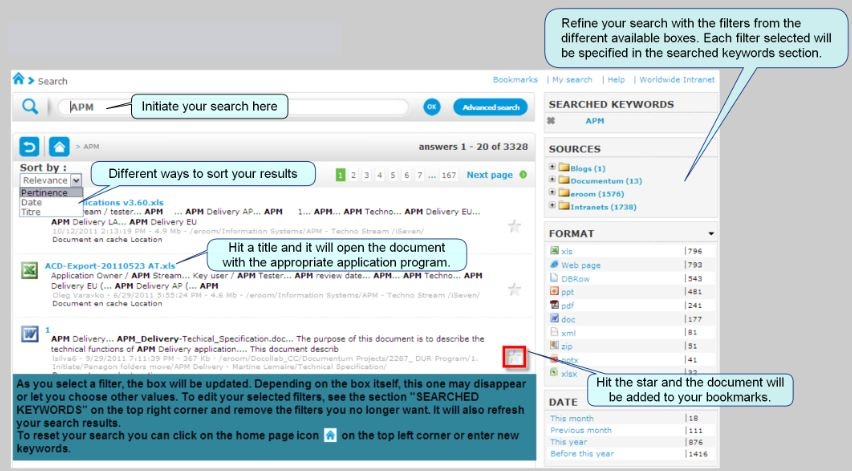
For begginers, see the Sinequa EHS portal e-learning module: Sinequa EHS
The Sinequa interface is the same for all search engines listed here.
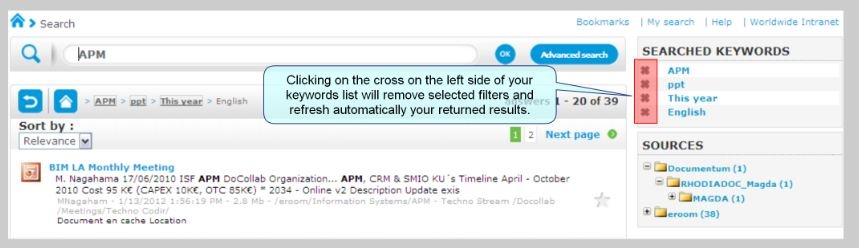

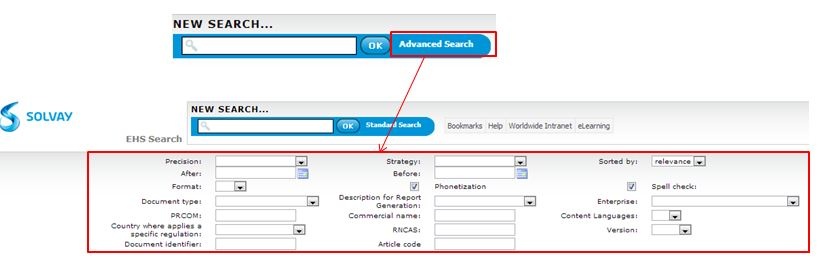
EHS Sinequa search engine :
ABSIS Sinequa search engine :
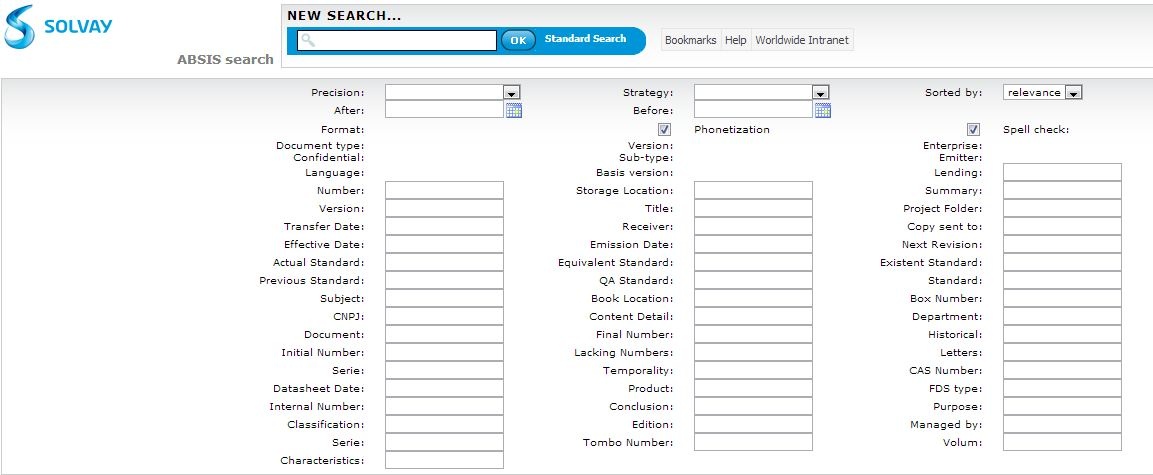
• If the * wildcard is not used, the fields in the “Advanced Search” form will only return those records that have an exact match in the first word
o For example, if user entered “SECURITE” in the “Title” field, only those records that have “SECURITE” as the first word in the “Title” will be returned in the search results
o If the first word of the title is “SECURITE”, it will be returned in the search results
o If the first word of the title is “XXXSECURITE” or “SECURITEZZZ” or “XXXSECURITE ZZZ”, it will not be returned in the search results
• If the * wildcard is used, the fields in the “Advanced Search” form will only return those records that begin with the word
o For example, if user entered “SECURITE*” in the “Title” field, all records that begin with “SECURITE” in the “Title” will be returned in the search results
o If the title begins with “SECURITE” or “SECURITEZZZ”, it will be returned in the search results
o If the title begins with “XXXSECURITE” or “XXXSECURITE ZZZ”, it will not be returned in the search results.
o if user entered “SECURITE or “*SECURITE” in the “Title” field, no record will be returned because the * wildcard can only be used at the end of the word
See also some documentation related to different requested client interfaces:
|
If you can't access a document within eRoom, you will be able to retrieve it thank to Sinequa :
2. Click on 'Document en cache'

See more details here.