Miro offers a variety of Templates to help you boost your workflow and give a quick start to any project.
One of them is called "Kanban". You can use this to follow up on actions and projects tasks.
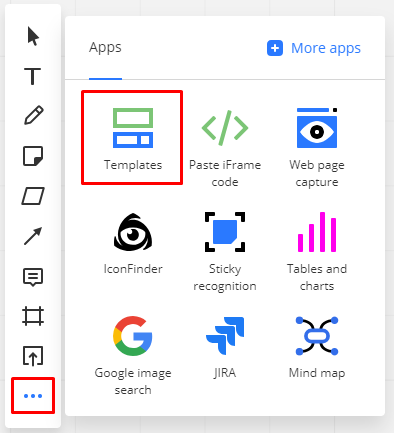
To add a Kanban template to your board click on the + button on the Toolbar and choose "Templates".
Look for Kanban Framework and click on "Add"

Manage your work visually with the Kanban interactive template.
Customize it to build your own workflows from a simple to do list to complex scrum framework board!
<iframe width="340" height="200" src="https://www.youtube.com/embed/swSXJIDmdXc" frameborder="0" allow="accelerometer; autoplay; encrypted-media; gyroscope; picture-in-picture" allowfullscreen></iframe> |