Enter Transaction CJ01
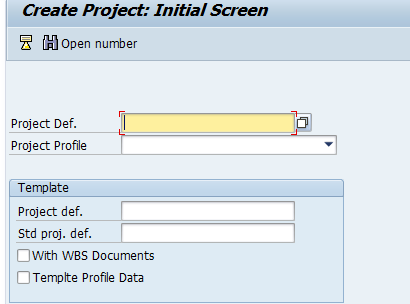
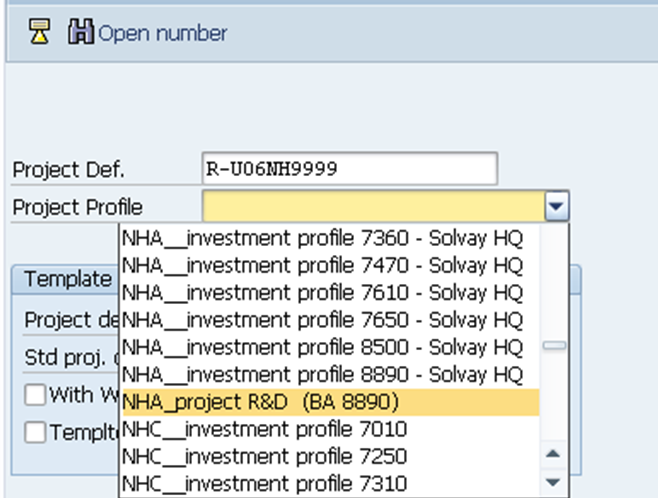
Insert the project definition and choose the project profile according to the plant of the company. This information is available in the template received.
The Project Profile should be always “ XXX_project R&D (BA XXXX)”. |

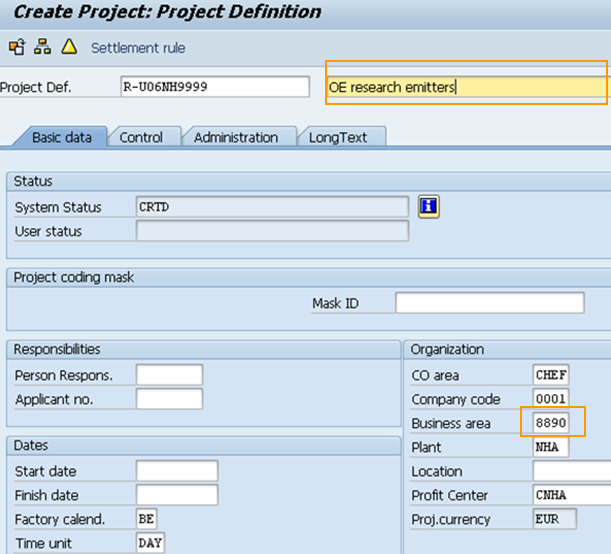
- Include the Project Name send in the template
- Check if the Business Area is correctly filled.
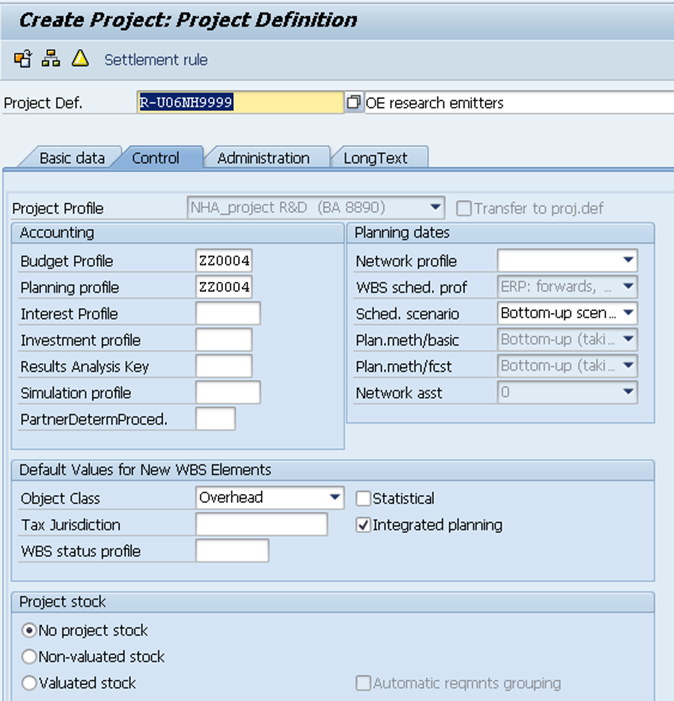
Enter the Control tab in order to confirm that the object class is “Overhead”.
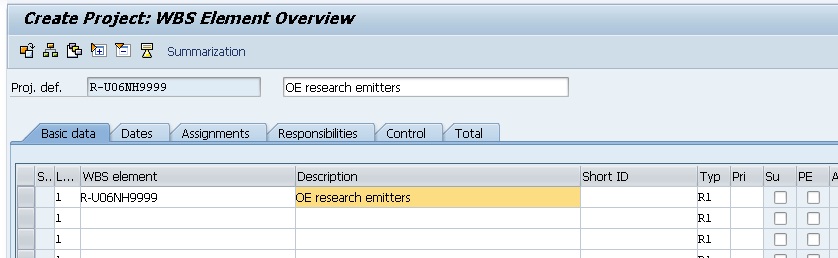
- Click on the WBS overview

- Fulfill the level 1of the WBS by inserting the WBS element and Description as per the received template.
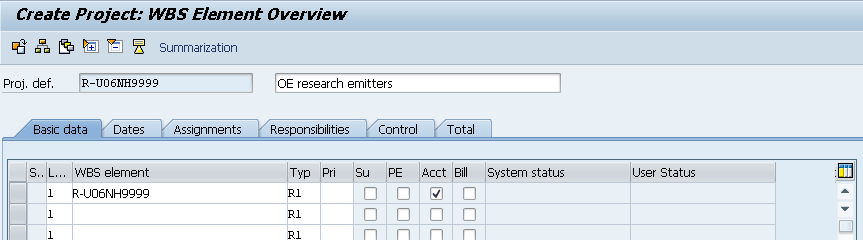
- Flag the "Acct" Column.
Column ''Typ'' is set by default to R1. Change it only if it's mentioned in the template file.
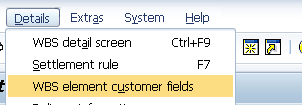
- Go to Details menu and enter in WBS element customer fields.
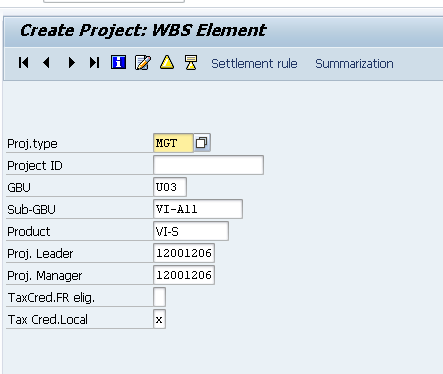
Fill in the following fields, as per template:
- Proj. type
- GBU
- Sub-GBU
- Product
- Proj. Leader
- Proj. Manager
- Tax Cred. Local
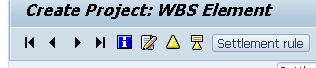
Click on  , in order to define the settlement rule of the WBS.
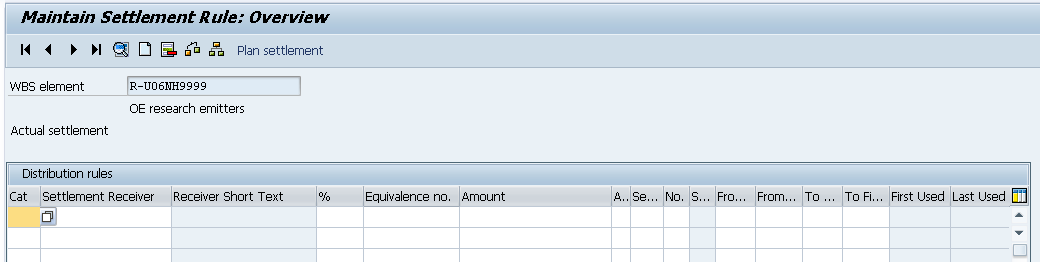
Click twice on the first line.
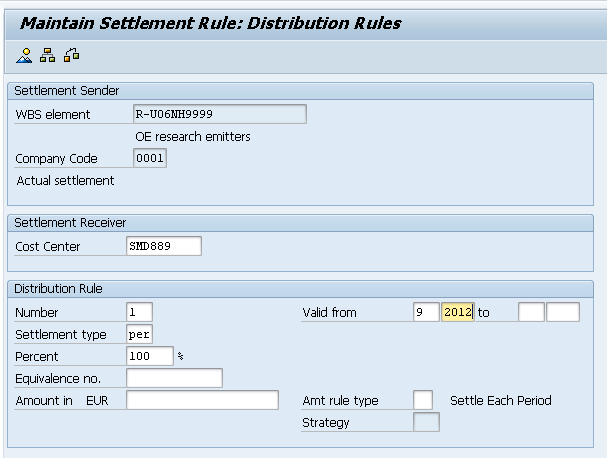
Fill in the following fields:
- Cost Center – (received in the template)
- Number – Usually 1, this field should be adapt according to the number of receivers
- Settlement type – PER
- Percent – Usually 100% it’s variable according to the number of receivers
- Valid from – month and year of the creation of the WBS
In the end go back by pressing until you arrive to the WBS first screen.
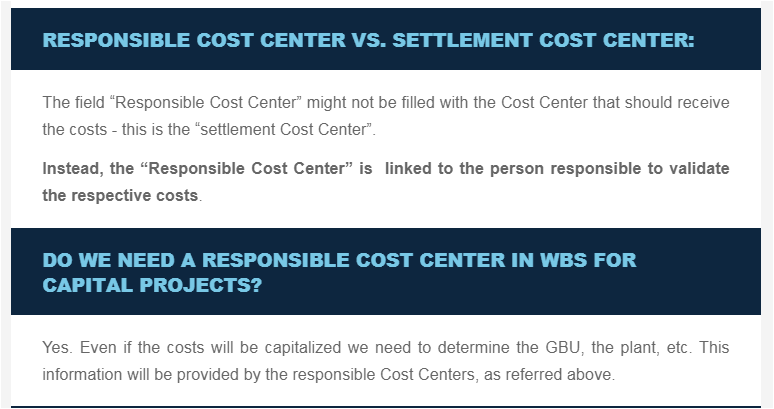
Important fields of the master data that will have an impact for CosTa Dashboards. NOTE: The "responsible CC" is not mandatory for Projects or WBS levels WITHOUT a flag in the operative indicator of "Account Assignment Element".
In order to release the WBS, you have to go to Edit > Status > Release.
Check if the status is now REL and SETC.
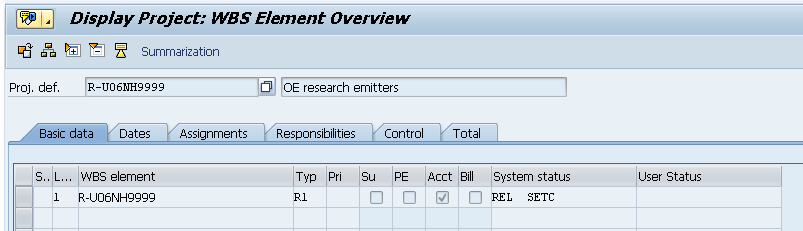
The WBS is now ready to be saved