Tasks to be completed when documenting an operation (from creation to publication)1. Enter the Title of the operation / page2. Add the following Labels :
3. Fill in all fields as described above4. Once the description of the operation is completed, ensure it is approved and published by launching the SBS-Finance approval workflow |
| Domain: Country Accounting |
Responsibility area: N/A |
By default the table of contents displays Heading 1 & Heading 2 (other levels can be added)
Scope3. Remove the icon when not applicable |

1. Objective and Scope
1.1. Objective of this Operation
The purpose of this document is to help you perform the calculation of the amounts regarding withholding taxes that need to be payed to Portuguese Tax Authority (AT).
1.2. Scope
This procedure applies to the following Portuguese companies in PF1:
- 6414: SOLVAY BIOTECNOLOGIA PORTUGAL - UNIPESSOAL, LDA
- 6424: SLV SPECIALTIES PORTUGAL, UNIPESSOAL, LDA
2. Definitions
See Finance Glossary:
3. Tasks description
This procedure consists in 2 parts basically. The first is to collect the information from SAP and fill in the excel file to help in submission.
The second part is to submit the information collected in Tax Authority site and generate the declaration for payment.
3.1. Responsibilities
- Accounting Platform – Prepares all information and submits the declaration.
- CAM – Does the payment.
It has, with no exception, to be registered by case in BMC Helix.
3.2. Periodicity
This declaration and related payment to Tax Authority must be done until day 20th of M+1. In order to enable CAM to have time to do it, the deadline for Accounting Platform to send the information to pay is the 10th of M+1.
3.3. I extract SAP information
Use the excel template file stored in Share drive Y :
\\ptcarfs01\GroupFolders\SU_FA_Other EMEA_ADM\CONTABILIDADE\IVA & SAFT & IMPOSTOS & IMPOSTO DE SELO\RETENÇÕES & IRS & IS\2022
3.3.1 I Verify the postings in SAP
Go to transaction FBL3N, and use variants:
- IMPOSTOS 6387 - for company 6387;
- IMPOSTOS 5960 - for company 5960.
Verify if all documents have text written. Example for 6387:
Before

After

3.3.2 I use the macro to extract the data from SAP
To extract the information from SAP, click on "Extract Macro" in sheet "Extract PF1".

After the macro is done and you receive the message "Process is complete", check the header information in the sheet for each company, if the reporting month is correct.
Example for 6387:

Also, for company 6387, at the end of the quarter, we need to perform two declarations, due to amounts related to royalties in account 2452000000.
Royalties are reported in a separate declaration, as we need to flag the option "Retenções a não residentes").
Go to transaction FBL3N, and use variants:
This variant has the following accounts and selection: 2452090000 Withholding taxes payable-others
And you will have a result like this:
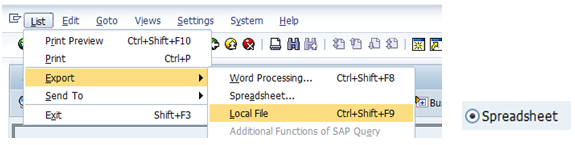
Export this information to excel:
In the excel file, you will copy the information that you extract in previous steep and paste in cells formatted in light green.
Then you need to pay attention to the "Controlo", which has to be zero, if not it's because you have a new account or you have any amount not included.
|




3.4. I submit in Portuguese Tax Authority website
3.4.1 I entry in Tax Authority website
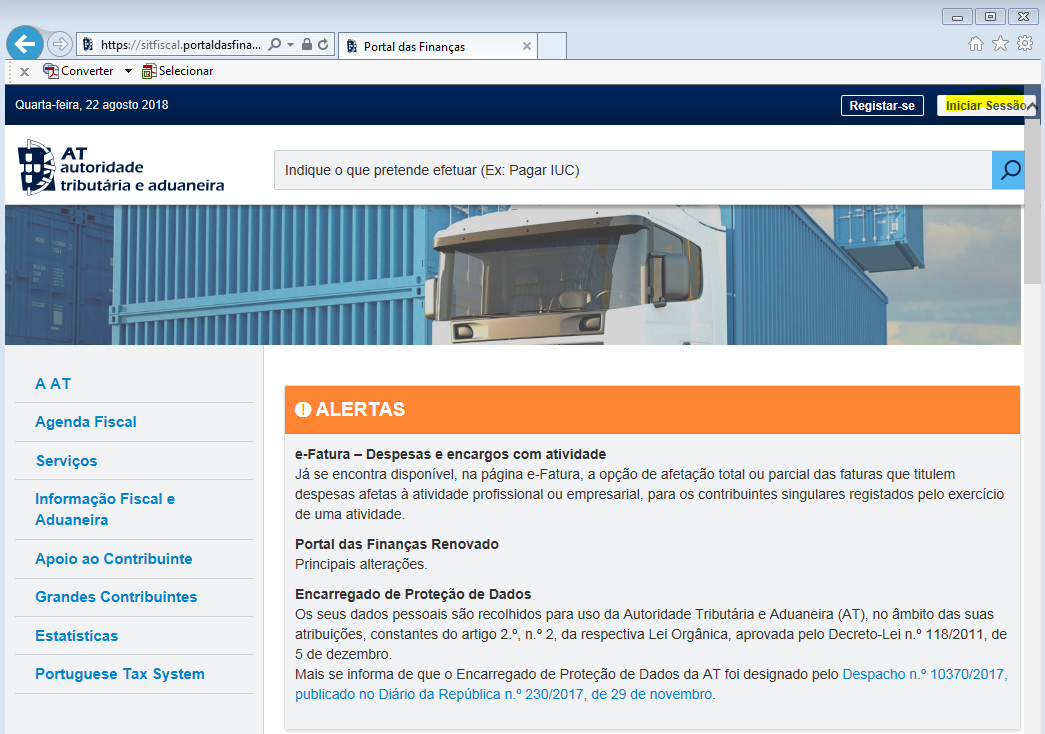
Go to the link Tax Authority Website.
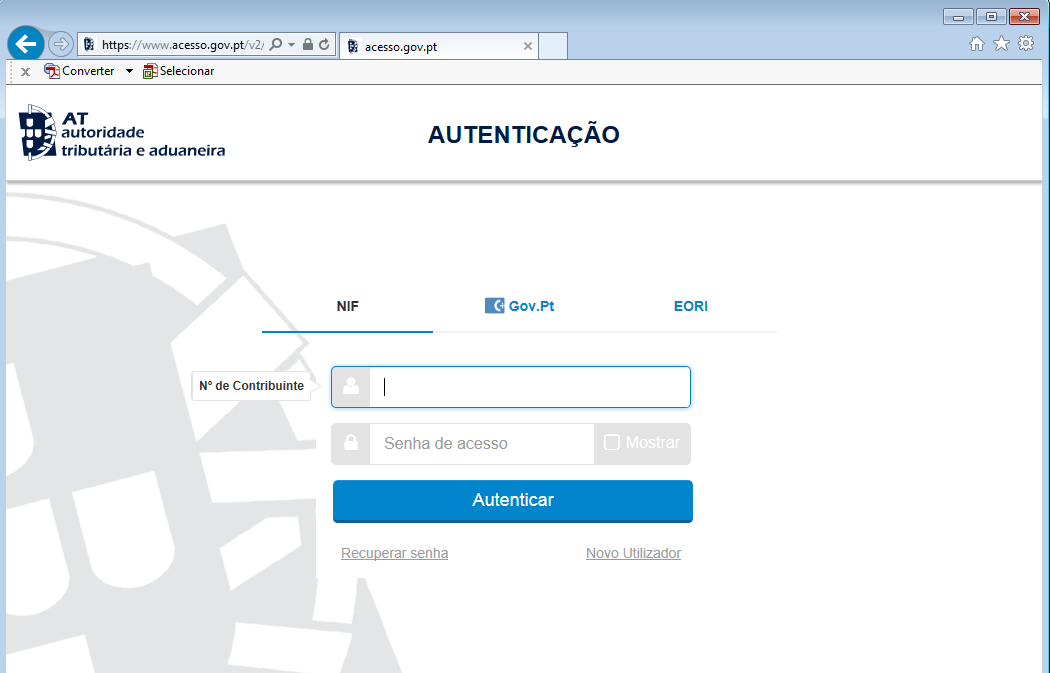
After click in "Inicar Sessão" and put NIF and password for the company that you want to make the report.
Now click in "Serviços".

Afterwards click Ctrl+F and write "Retenções IRC/IRS e I. Selo" select "Preencher Declaração".

3.4.2. I submit information in Tax Authority website
3.4.2.1. I submit the information for company 6387
Fill in with the information that you have in excel file.

In this example, you need to fill one declaration for "IRC - Prediais" and another for Royalties (has to be flagged the option "RETENÇÕES A NÃO RESIDENTES").
For "IRC - Prediais":

Then after you have declaration exactly with the same total that you have in excel you will click in "Confirmar".
And it will appear:

Then click in "Imprimir Comprovativo (PDF) and save because it will be necessary to send to CAM.

For Royalties (has to be flagged the option "RETENÇÕES A NÃO RESIDENTES"):

Then after you have declaration exactly with the same total that you have in excel you will click in "Enviar".

Then click in "Imprimir Comprovativo (PDF) and save because it will be necessary to send to CAM.

Pay attention in "Retenções a não residentes" you need to put |
 .
.3.4.2.2. I submit the information for company 5960
Fill with the information that you have in excel file.

For Tax Stamp ("imposto de selo") we need to deliver DMIS declaration in Tax Authority Website:

According to the amounts retrieved in excel template, fill as the example below:


Then after you have declaration exactly with the same total that you have in excel you will click in "Entregar".
Save the (PDF) as it will be necessary to send to CAM.

3.5. I send to CAM
Now send this information to CAM for that you need to create a ticket.

In case company 6387 when it will be paid Royalties, it's necessary send too the information to Olivier Gaspar <olivier.gaspar@solvay.com> .
3.6. I save all information in Shared Drive
Save all information in shared drive:

End of document.