If maintaining your personal data up to date is crucial for an accurate profile, payment information is also key, because this indicates how you want to get paid: cheque or direct deposit.
Important notes:
Please ensure Start Date reflects the correct start date of the pay period you want the change to be reflect in;
If the start date is not in line with the pay period, it could result in two direct deposit amounts being hitting the secondary bank accounts.
It could take up to 2 pay periods for payment bank changes to reflect on your pay checks. Do not close your previous bank account until the changes are successfully implemented.
Employees can have only 1 Main Account and several Secondary/other accounts.
Main Payment Method is the Main/Primary Account
Payroll is the Secondary/other account
Below you will find some supporting tips to help you to correctly update your payment information
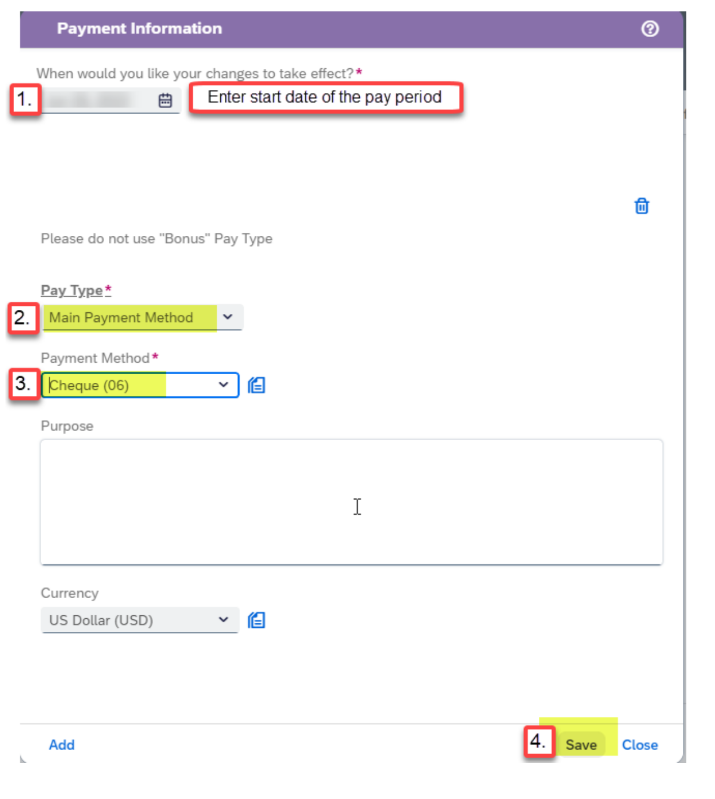
To add a cheque as a payment method
Please update only Highlighted fields.
Date: Must be the start date of the pay period you want the change to reflect in.
Pay Type: Every employee must have a Main Payment Method Set up.
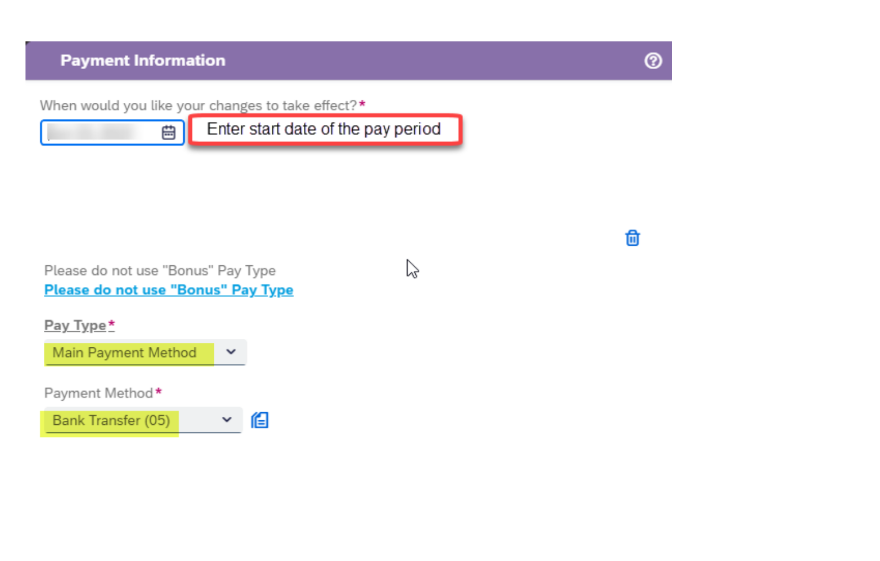
2. To add a bank transfer or direct deposit as a payment method
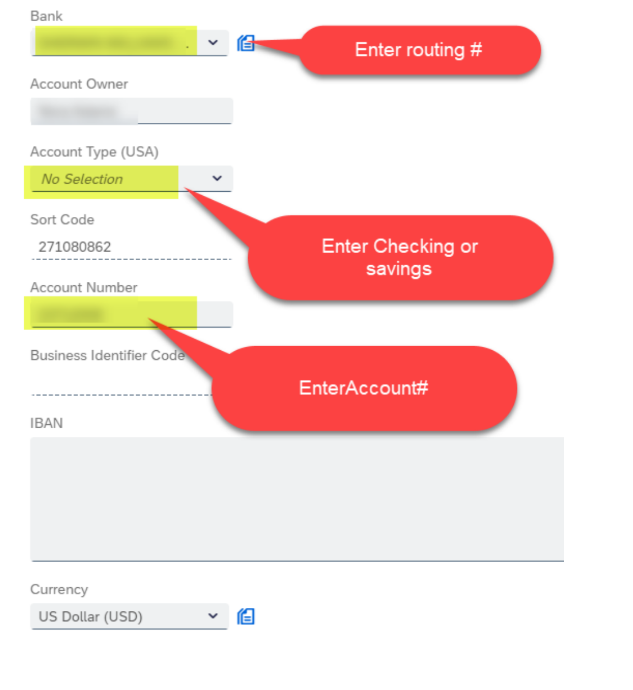
3. To add your Bank information as a payment mothod
Update the following fields:
Date: Must be the start date of the pay period you want the change to reflect in.
Pay Type: Every employee must have a Main Payment Method Set up. This is the primary bank information.
Note: If you wish to have your funds Direct Deposited, please choose Bank Transfer on the drop down menu or “Cheque” if you want to receive it via check (not recommended).
Bank: Please enter routing number
Account Type (USA): Specify checking or savings
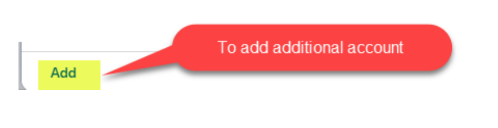
To add an additional account: To transfer a portion of your net pay to a secondary account, you can either choose a percentage or an amount.
Please enter the following information:
Date: Must be the start date of the pay period you want the change to reflect in.
Pay Type: Payroll
Note: If you wish to have your funds Direct Deposited, please choose Bank Transfer on the drop down menu or “Cheque” if you want to receive it via cheque (not recommended).
Bank: Please enter routing number
Account Type (USA): Specify checking or savings
Account Number: This is the account number where you want your funds to go to
Percent: Percentage of the fund that you want to receive in your account or Amount: The portion of your fund that you want to receive in your account.
4. How to stop/cancel/delete bank
If you delete the Main Payment Method, please add a new account for this Pay Type, otherwise there will be a payroll error and this will cause a delay in your payment.
Refer to Step 1 on how to add Main Account.
If you have any questions please open a ticket viaService One.