As a Strategic Business Partner or Site HR Partner, you play a key role in supporting Managers in developing Syensqo’s leadership talent.
There are two main tools available for HR in order to view and use our talent and succession data.
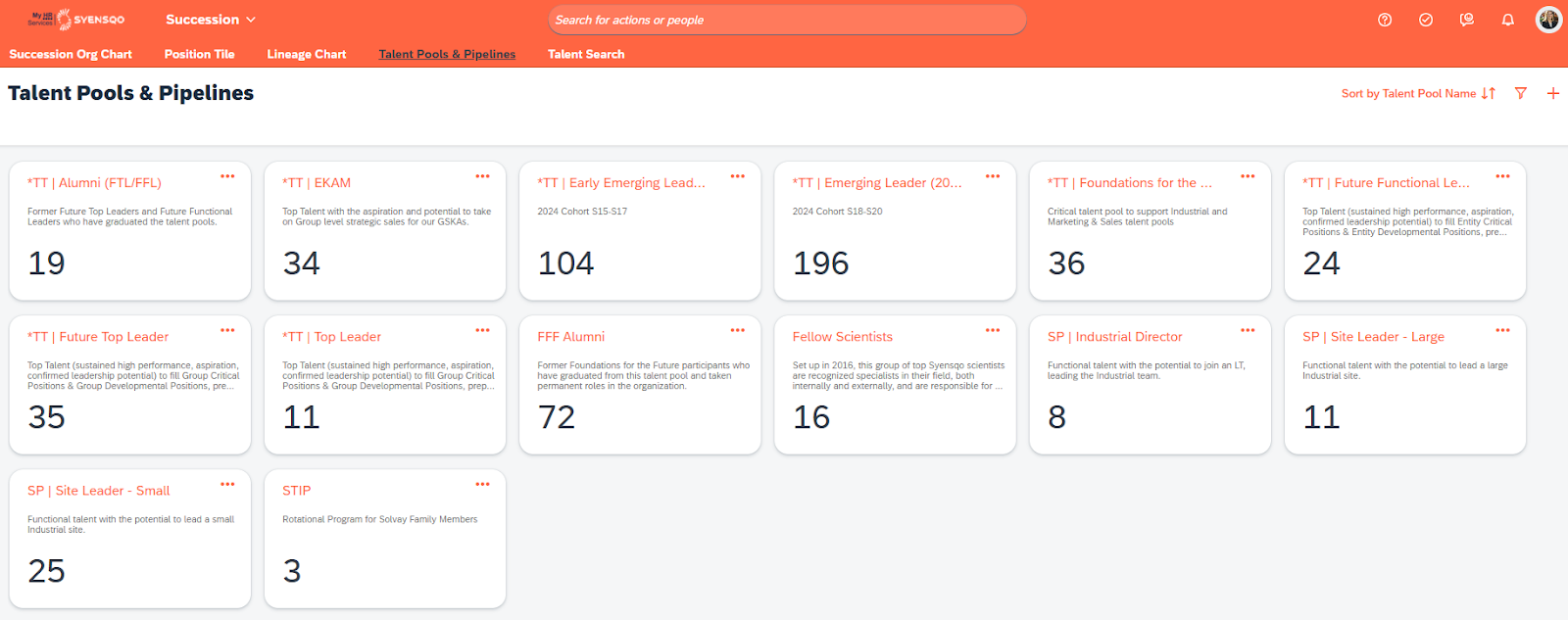
You have direct access to view members of our talent pools within your SuccessFactors scope.
You have the ability to run self-service pre-built reports that give you further insight into our talent populations, critical positions, and succession.
Viewing Talent Pools in My HR Services
In My HR Services, you will find clearly labeled leadership talent pools, which are managed and maintained by the Talent Growth Platform.
You may see other pools related to Functional Expertise (such as EKAMs, Fellow Scientists, etc.) and pipelines that are managed by the Function/BSA.
Instructions for accessing the talent pools can be found in this user guide(slide 10).
How can you use this information?
You can tap into these lists of leadership talent pool members in a variety of ways. For example:
Do you have a Senior Leader visit your site? Use this as an opportunity to provide exposure to your talent by organizing a breakfast/lunch/coffee Q&A or meet and greet.
Does your site have a project or opening coming up? Benefit from cross-functional perspectives by reviewing the talent pool lists when project opportunities, mentoring experiences, or developmental/stretch roles or assignments arise locally at your site or in your GBU/Function.
Talent and Succession Dashboards & Reports in My HR Services
Accessible in My HR Services under the Reporting tab, two main reports are available relating to our leadership talent & succession:
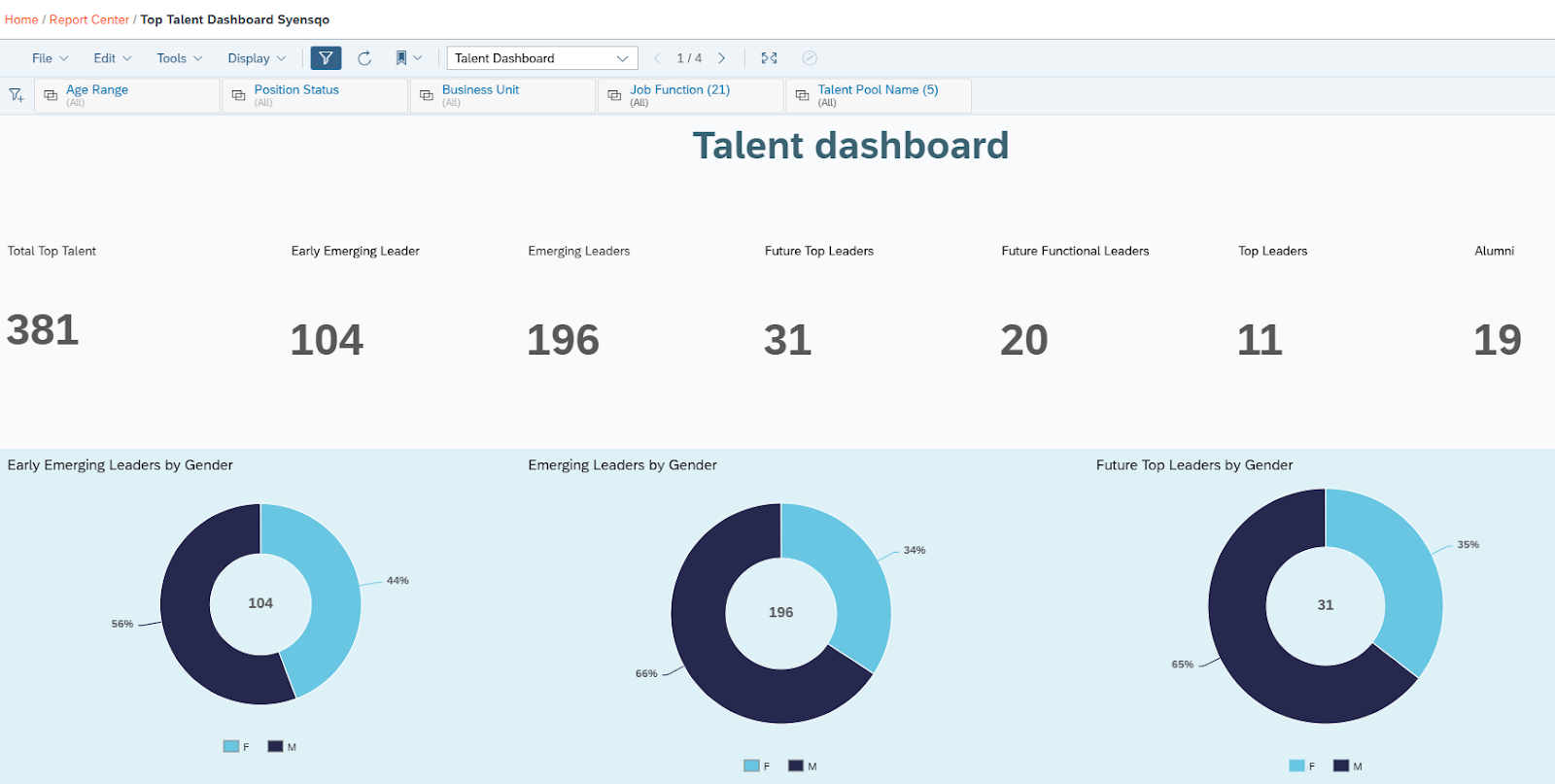
Top Talent Dashboard Syensqo | allows you to view details and filter data by various dimensions for our leadership talent pool population.
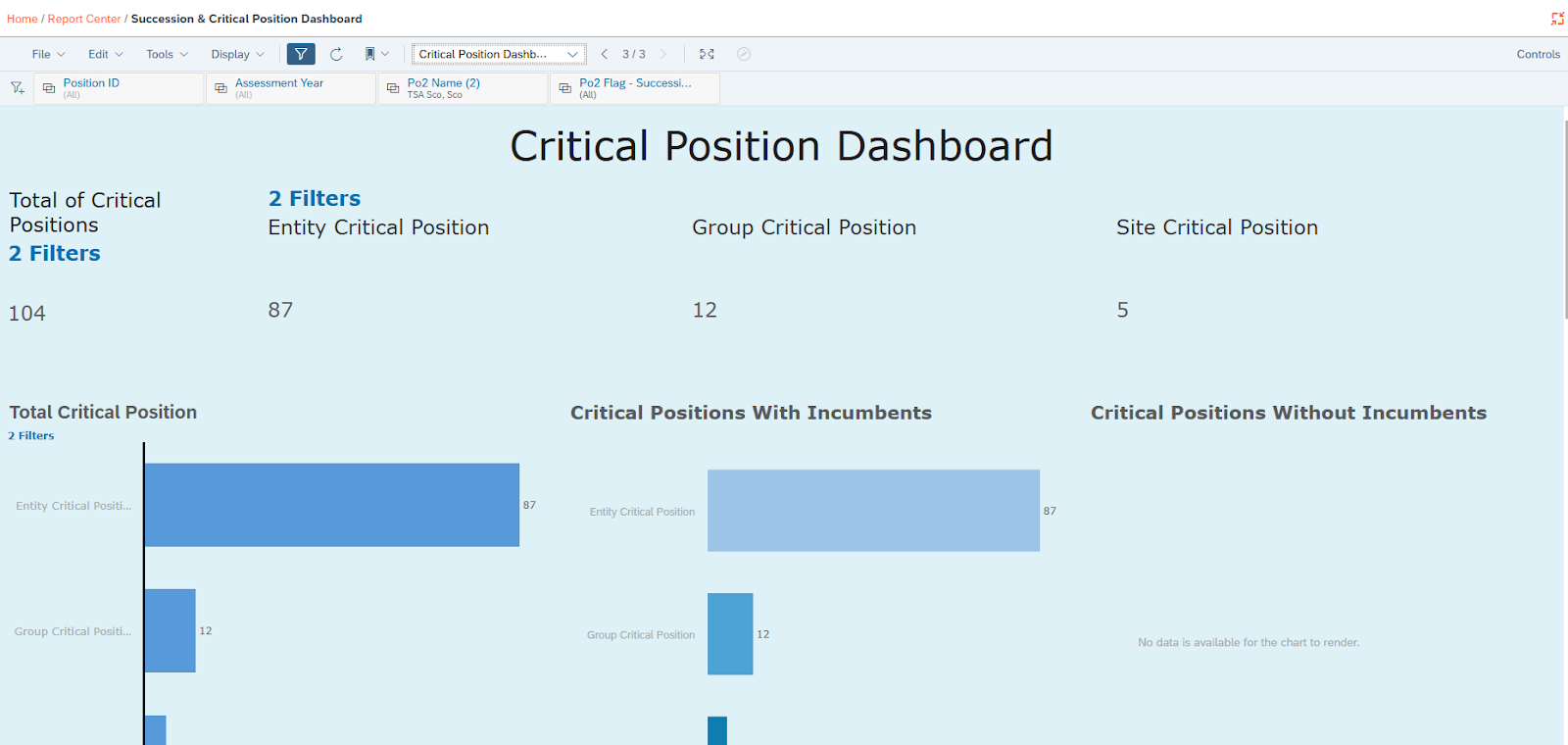
Succession & Critical Position Dashboard | displays all positions that have identified successors, along with their successor details; provides a view of critical positions across the organization, with the ability to filter on the type of critical position to display further details; ability to view performance details of incumbents occupying critical positions within the organization.
How can you use this information?
Access to these reports and dashboards allows you to:
Have a graphical view of Top Talent in your scope and the related demographics of the various leadership talent pools.
Filter by your site or GBU/Function to view critical positions and/or successors for your scope.