📝Note: Use of PAM from requester Point of View
PAM access provides elevated permissions and must be requested only for valid business or emergency needs.
Clearly document the reason, scope of work, and expected activities when raising the request.
Requests with insufficient or incomplete information will be rejected.
All user activities are logged and monitored, and users are responsible for their actions. During the hypercare period, access will automatically expire within one week according to the default duration, until the Release 4 solution is implemented for Release 2.
If reviewed, users must explain why access was used, confirm approvals for any direct production changes, and provide accurate details including before and after values where applicable
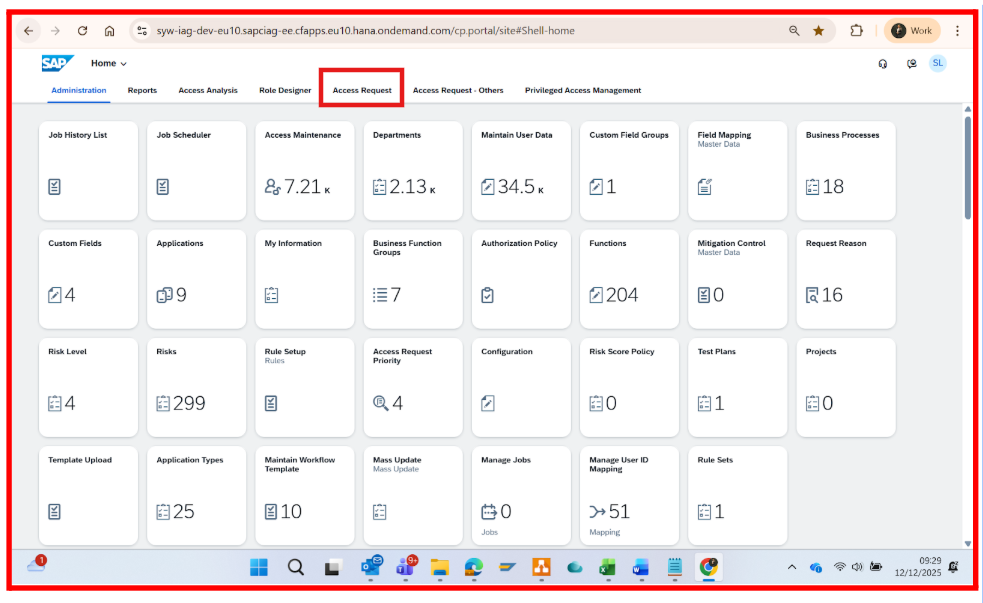

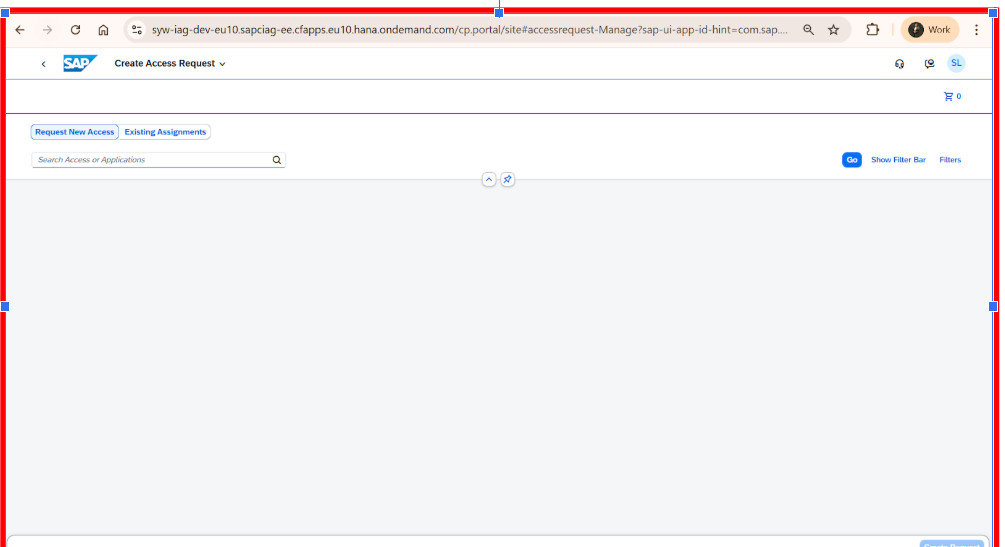
 , search the role by prefix string PAM_ and all PAM related Business roles will be visible here.
Choose from the available PAM roles as below with justification explained in the description section after PAM role selection
SAP Ariba PAM Roles
Ariba Template Manager – Creates and maintains sourcing templates.
Ariba User Admin – Monitors correct user provisioning from IAG to Ariba.
Ariba Master Data Manager – Reviews integration of master data into Ariba.
Ariba System Admin – Super user for exceptional tasks or defect fixes.Icertis PAM Roles
IT Icertis Master Data Admin – Manages master data only; no system/workflow access.
IT Icertis User Management Admin – Administers users, groups, orgs, and technical role assignments; no transactional data access.
IT Icertis Admin Extended – Same as Support + access to transactional data (excluding confidential contracts).
IT Icertis Config Admin – Full system configuration control; no access to contracts or transactional data; technical roles assigned via User Management Admin.
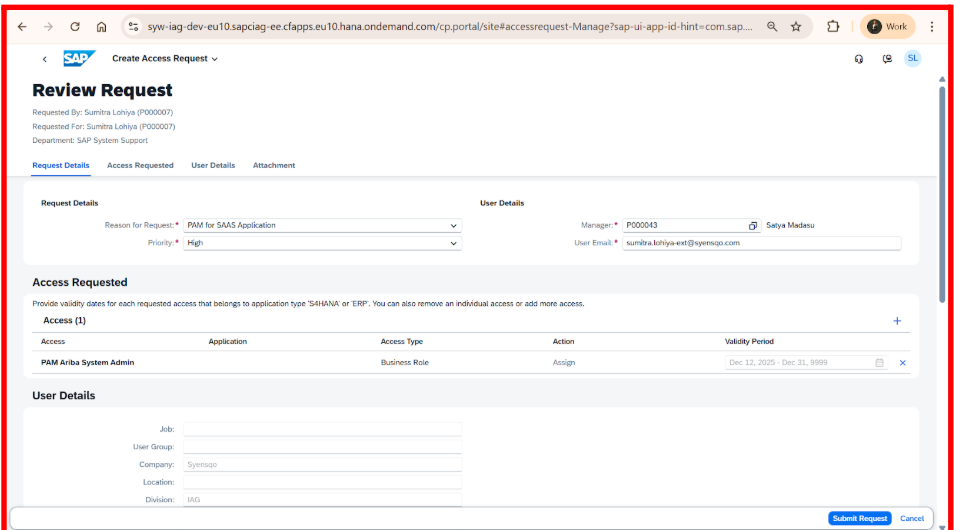
Provide the below information for the PAM access request.