April 3, 2026 - v1
This document describes the user onboarding process for SyWay users that need to gain access to Syniti ADMM platform to perform data collection, data cleansing and/or other data migration related tasks.
The process highlights the step by step actions to be performed by SyWay Security Admin. The access will be provided as per approved request based on the roles needed for each user. This document is only focused on the Syniti ADMM access process, the Security Admin should ensure this is performed only for pre-approved users.
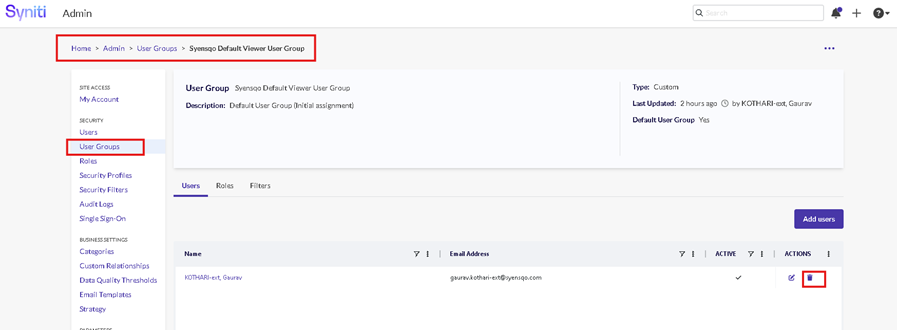
Syniti ADMM User Group | Syniti ADMM Construct Role |
Syensqo Business A2D | Migration.Syensqo Business A2D |
Syensqo Business H2R | Migration.Syensqo Business H2R |
Syensqo Business I2M | Migration.Syensqo Business I2M |
Syensqo Business L2C | Migration.Syensqo Business L2C |
Syensqo Business P2F_MFG | Migration.Syensqo Business P2F_MFG |
Syensqo Business P2F_SCM | Migration.Syensqo Business P2F_SCM |
Syensqo Business R2R | Migration.Syensqo Business R2R |
Syensqo Business S2P_ARIBA | Migration.Syensqo Business S2P_ARIBA |
Syensqo Business S2P_MM | Migration.Syensqo Business S2P_MM |
Syensqo Business S2P_PIR_QA | Migration.Syensqo Business S2P_PIR_QA |
Syensqo Business S2P_VM | Migration.Syensqo Business S2P_VM |
Syensqo Business S2S | Migration.Syensqo Business S2S |
Syensqo Data Team A2D | Migration.Syensqo Data Team A2D |
Syensqo Data Team H2R | Migration.Syensqo Data Team H2R |
Syensqo Data Team I2M | Migration.Syensqo Data Team I2M |
Syensqo Data Team L2C | Migration.Syensqo Data Team L2C |
Syensqo Data Team P2F_MFG | Migration.Syensqo Data Team P2F_MFG |
Syensqo Data Team P2F_SCM | Migration.Syensqo Data Team P2F_SCM |
Syensqo Data Team R2R | Migration.Syensqo Data Team R2R |
Syensqo Data Team S2P | Migration.Syensqo Data Team S2P |
Syensqo Data Team S2S | Migration.Syensqo Data Team S2S |
Syensqo Data Team Read Only | Migration.Syensqo Data Team Read Only |
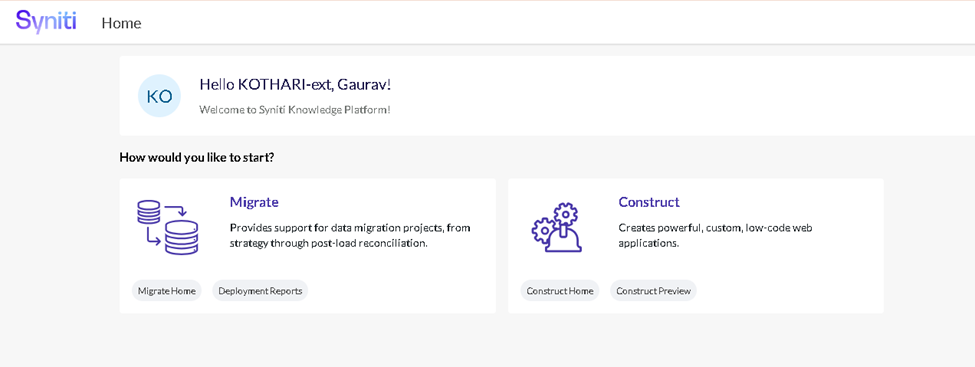
2. User logs into https://knowledge.syniti.eu/ using Syensqo SSO (use lower case name@syensqo.com) . He/she will see the page as shown below:
3. User to click on ‘Migrate Home’ and press browser back arrow to return back to above screen
4. User to click on ‘Construct Home’ and press browser back arrow to return back to above screen
5. Security Admin logs in to SKP and performs below mentioned steps to provision the access to the user.
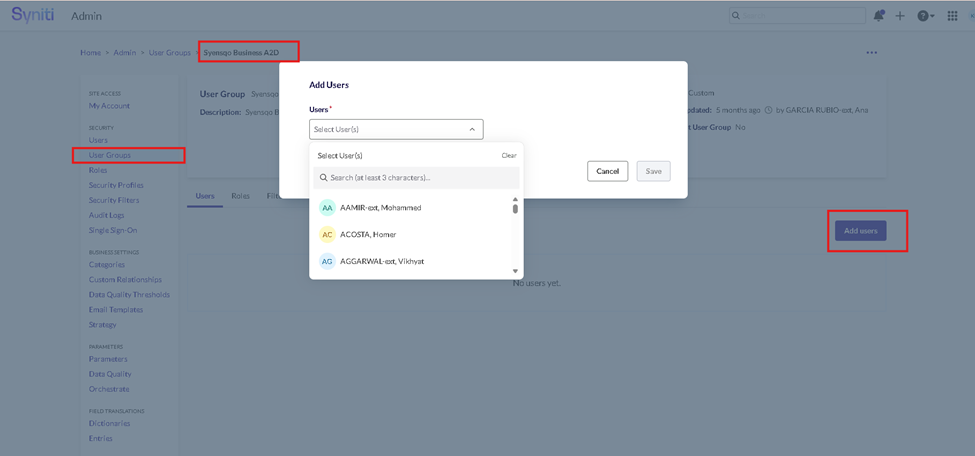
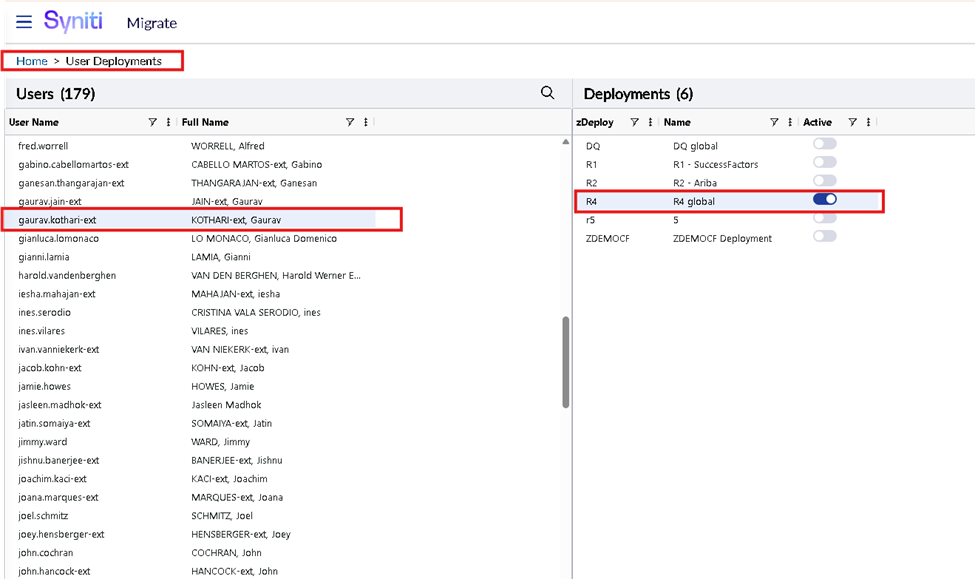
6. Security Admin to add user to ‘Migrate Deployment’ using ‘SKP -> Migrate -> Administer -> Security -> User Deployment’ and locating the user record and enabling ‘R4’ Deployment.
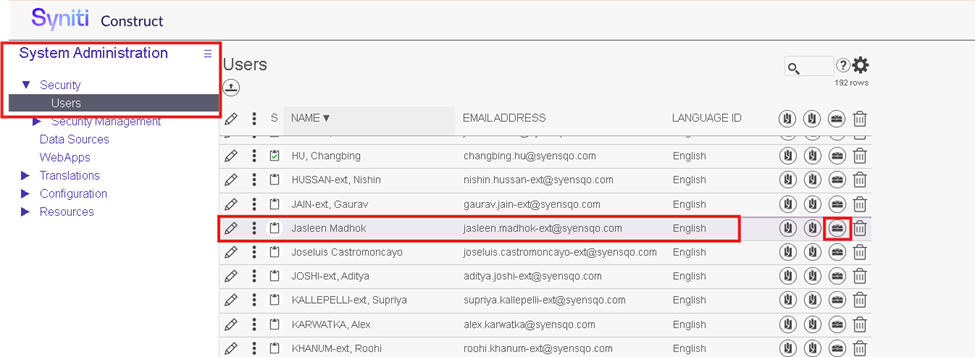
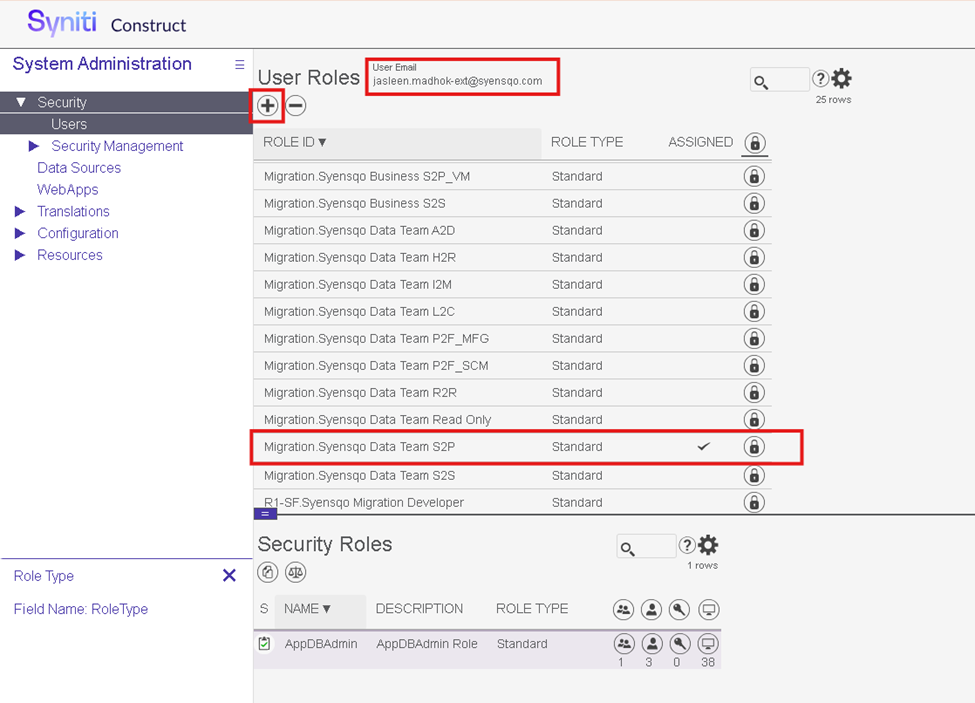
7. Security Admin to assign user to Construct role using ‘Construct -> Construct Home -> Admin -> Security -> Users and clicking on ‘ Roles’ icon and then clicking on ‘+’ sign to add appropriate ‘Construct role’
Technical Information
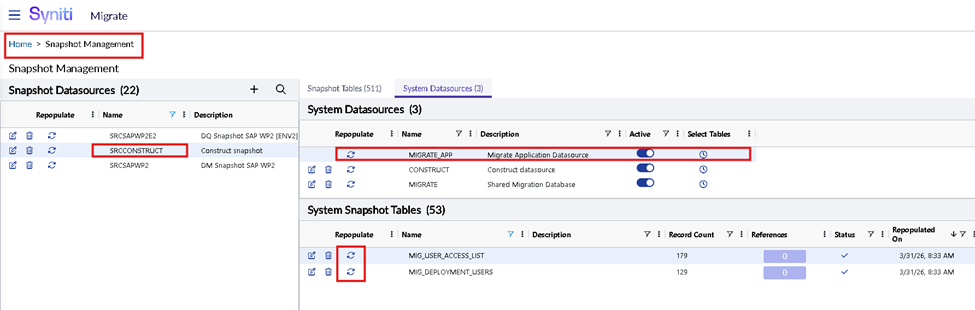
2. SKP User lists can be accessed using:
SELECT * FROM SRCCONSTRUCT.dbo.MIG_USER_ACCESS_LIST
3. Migrate Deployment user list can be accessed using the SQL
SELECT * FROM SRCCONSTRUCT.dbo.MIG_DEPLOYMENT_USERS
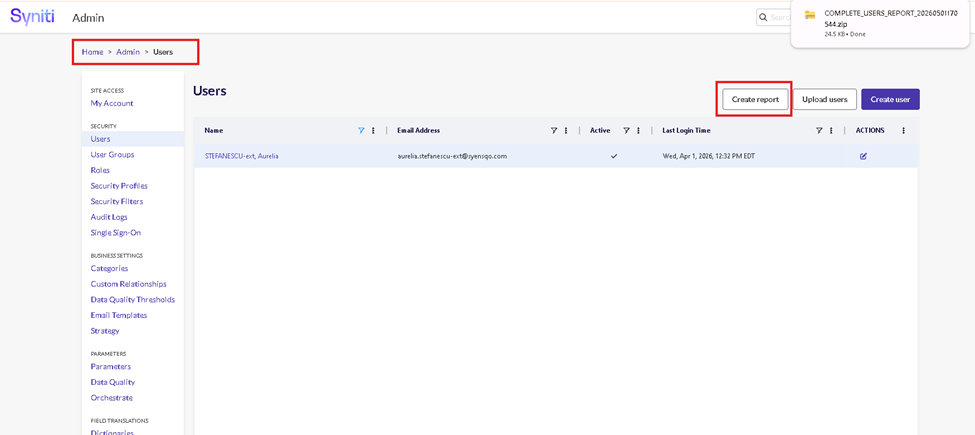
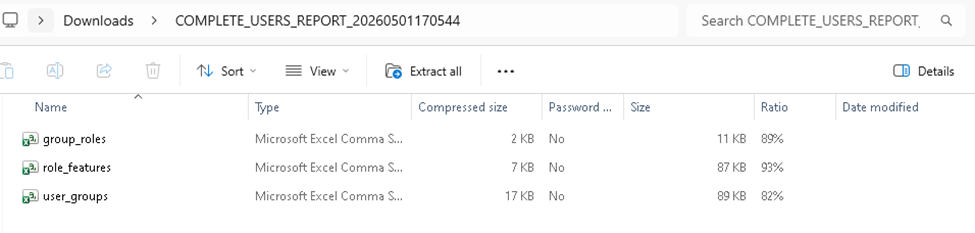
4. You can also download the SKP/ADMM User Report using SKP -> Admin -> Users and clicking on 'Create Report’. It will download ZIP file with all user security data.