


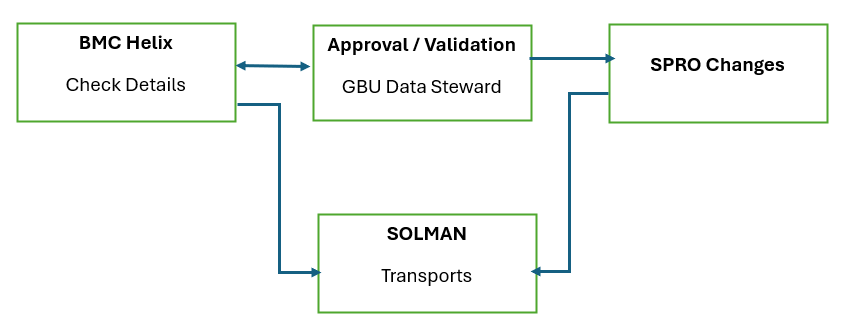
For any structure related work, we need to follow the defined procedure, among which first step is to check the assigned tickets for specific task to be performed , for which we have a ticketing tool called BMC Helix, which lists all the tickets from various stake holders
Step-by-step guide
- Browse BMC Helix Page for Strutcure related tickets
- Check the ticket details like GBU unit, Change to be made , SAP environments.
- As per provided GBU unit, Send the ticket for validation and approval from GBU Data Steward, For EX If a workorder is requested for changes to be made reference to GBU NOVACARE - Always send a mail to Peter Rollason or Yoomi Kim. Likewise follow this process as per mentioned GBU unit.
- Once approved by GBU Data Steward, analyse the ticket, like what changes to be made and in which SAP environment like WP2, PF2, MPO and All GTS systems.
For Ex: If address update is requested for a specific plant , then we need to analyse the below things (WO0000000095114)
Step 1: Check the plant existance in each SAP environment
Step 2: Check if shipping points exists for the requested plant.
Step 3: Once analysed make chaanges in SAP and release the transport to production environment.
Step 4: After making the requested changes we need to connect the CGI team for further updates in CRM, SCMS,PSL and I&P systems and GTS updates.
Also we need to create a SYRA ticket for intercomany vendor and customer address updates of the requested plant.
Step 5: The last step would be to update CODESAP and GBU documents with details for WO and changes made in the relevant sheet.