

Process Overview - Request Privileged Access (Requester POV)
📝Note: Use of PAM from requester Point of View
- PAM access provides elevated permissions and must be requested only for valid business or emergency needs.
- Clearly document the reason, scope of work, and expected activities when raising the request.Requests with insufficient or incomplete information will be rejected.
- All user activities are logged and monitored, and users are responsible for their actions. During the hypercare period, access will automatically expire within one week according to the default duration, until the Release 4 solution is implemented for Release 2.
- If reviewer challenges, users must explain why access was used, confirm approvals for any direct production changes, and provide accurate details including before and after values where applicable
Step 1: Login to IAG to raise the access request
- https://syw-iag-prd-eu10.sapciag-ee.cfapps.eu10.hana.ondemand.com/cp.portal/site#Shell-home
- Based upon the access application would be visible here
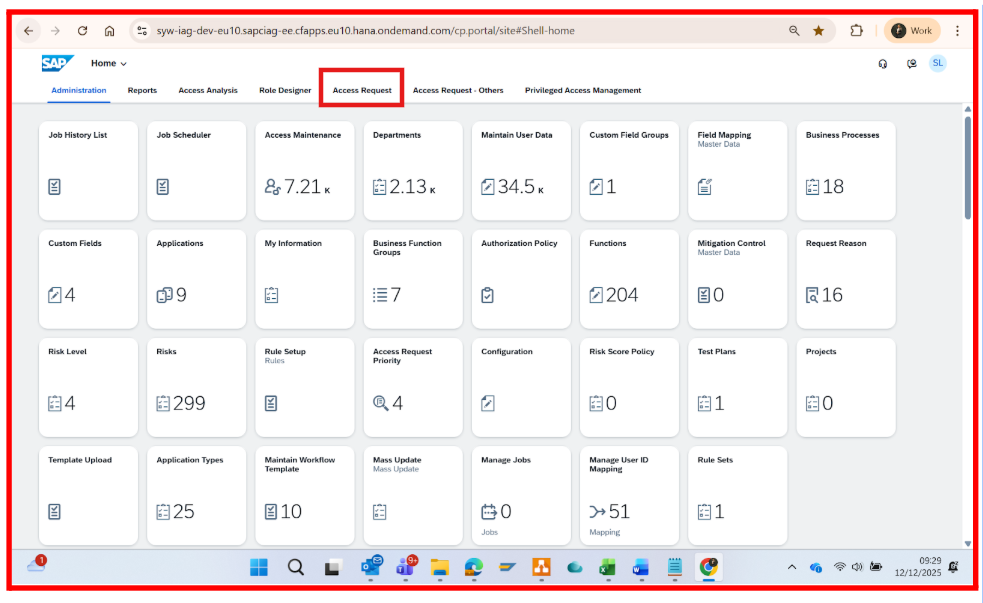
Step 2: Navigate to Access Request
- Go to the Access request tab and click on the ‘Create Access Request’ application

- Create Access Request page will appear.
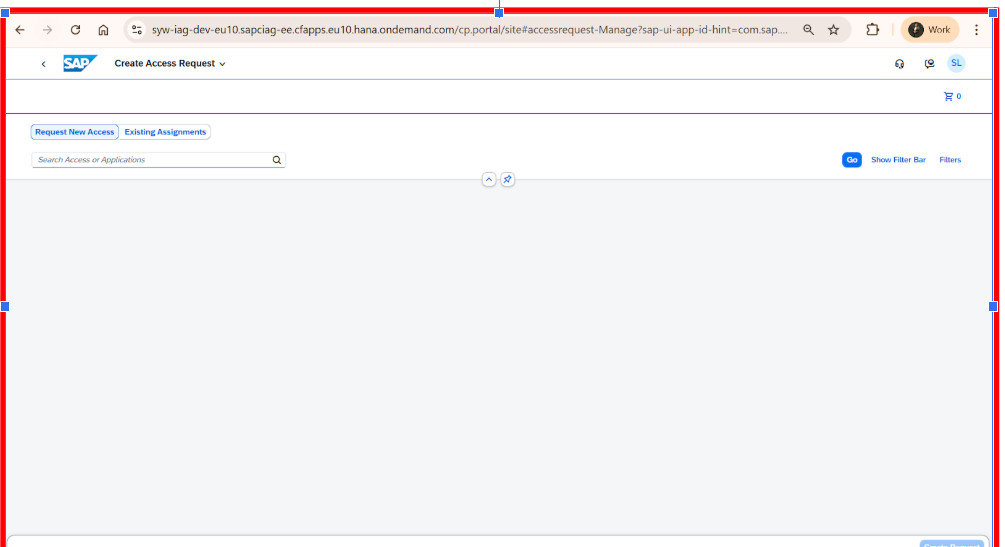
- In Search Access or Application
 , search the role by prefix string PAM_ and all PAM related Business roles will be visible here.

Step 3: Select Role and Create Request
Choose from the available PAM roles as below with justification explained in the description section after PAM role selection
SAP Ariba PAM Roles
PAM Ariba Template Manager – Creates and maintains sourcing templates.
PAM Ariba User Admin – Monitors correct user provisioning from IAG to Ariba.
PAM Ariba Master Data Manager – Reviews integration of master data into Ariba.
PAM Ariba System Admin – Super user for exceptional tasks or defect fixes.Icertis PAM Roles
PAM IT Icertis Master Data Admin – Manages master data only; no system/workflow access.
PAM IT Icertis User Management Admin – Administers users, groups, orgs, and technical role assignments; no transactional data access.
PAM IT Icertis Admin Extended – Same as Support + access to transactional data (excluding confidential contracts).
PAM IT Icertis Config Admin – Full system configuration control; no access to contracts or transactional data; technical roles assigned via User Management Admin.
- Select the appropriate PAM role and click on the Create request.
Step 4: Fill Request Details
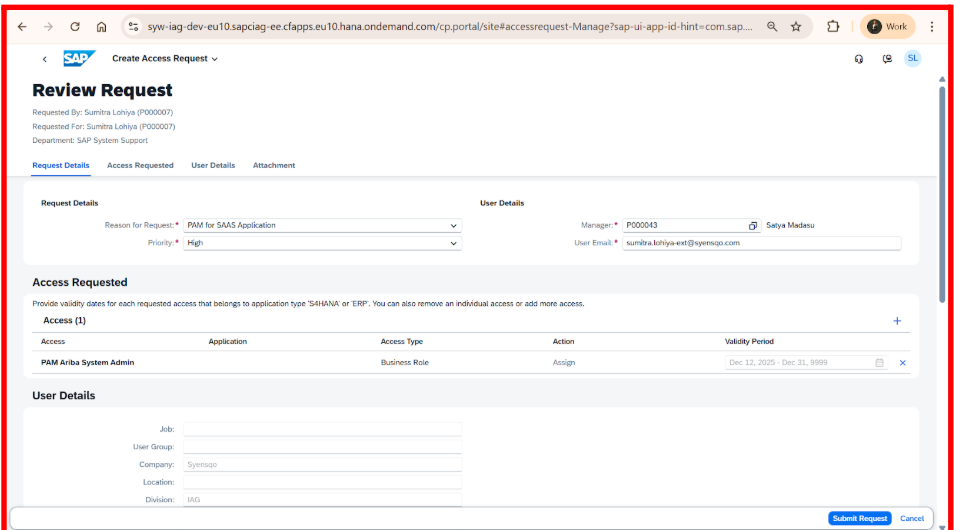
- Below page will be displayed after clicking on the Create Request button.
Provide the below information for the PAM access request to be approved.
- Reason for Request: "PAM for SAAS Application"
- Priority: Select High, Medium, Low as per the urgency basis
- Attach (Mandatory for approval) the Detailed reason for the request from the attachment section with the details below in a word document.
Subject: PAM Role Access Request
Request Details
Requester Name
XXXXXX
Incident / Ticket Number
INC0000000XXXXX
PAM Role Required
PAM XXXXXX
System / Application
Ariba
Reason for Access
Users are not able to login to child Realm
Applications to be Used During Emergency Activity (List of applications, transactions, or tools that will be accessed during the emergency activity)
Example :[Core Administration -> Site Manager -> Import/export]
Business Impact
Users are unable to log in to the child system, impacting business operations
Validity Period (Max - 1 week)
3 days
Step 5: Submit Request
- Click on the Submit Request

- Click on OK, to check request status

- Check request status for access request information.

Step 6: Receive email notification for submission
- The user receives an email notification confirming that the access request has been submitted successfully.

Step 7: Receive email confirmation for approval status
- The user receives an email confirmation on the approval or rejection status of the access request.

Step 8: Login and Use of Privileged Access in Target Applications
- Once the access request is approved and provisioned, the user may log in to the respective application, such as SAP Ariba or Icertis, and perform activities using the granted privileged access.