You are viewing an old version of this page. View the current version.

Compare with Current View Page History

« Previous Version 4 Next »

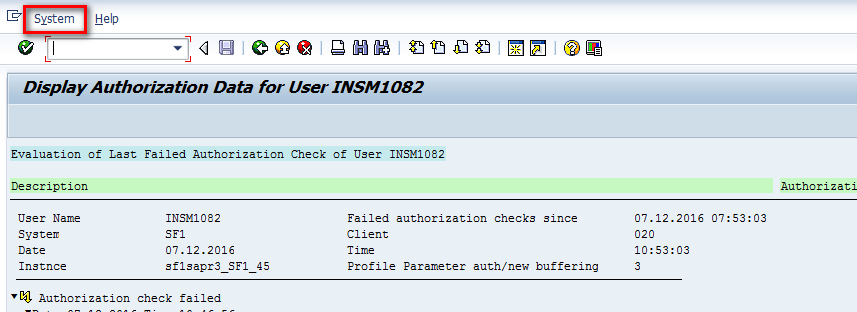
  •  Login to SAP and execute Transaction code "SU53".


  • In the “Display Authorization Data screen (SU53)” click on “Text View” button.


  • Click System button in Text view screen


  • Then in System drop-down select
    • Go through “List” -> “Save” -> “Local File”.


  • In the popup to save file Choose the option "Unconverted" .


  • Change directory to the preferred one and click “Generate”.


  • Allow the creation of the ".txt" file in the previously chosen directory.


  • Now you have the ".txt" file with the authorizations of your user. 


  • Click on "New" button and select "Ticket" button in drop-down.


  • Fill the fields with the options shown in the image below.
  • The fields Sub type, IS-Category and Application must be filled with the options correspondent to the stream of the user that is requesting the authorizations.
  • Attach the .txt file with the authorizations to the description of the ticket


  • After Filling all the details Click on Submit button and submit it.

  • No labels