Please see the SAP Analytics Approach document, section 'Documentation' for more information about the context of this document.
| Status | Approved |
|---|---|
| Functional Specification Owner | BILLING-ext, Anoop |
| Stakeholders | Guillaume Decarsin, Ruben Beeck |
| Jira Request ID | ERP-2568 - Getting issue details... STATUS |
| Jira Development (Build) ID | ERP-2794 - Getting issue details... STATUS |
| Lean IX App Link | |
| Business Process Reference (L4) | 11.11.01.02. Create & Distribute Custom Reports |
High-Level Specification
| Parameter | Value |
|---|---|
| Application System (Delivery Tool) | SuccessFactors – Story Report Module: Compensation (COMP) |
Functional Overview
- Report Type: SuccessFactors Story Report
- Module: Compensation
- Population: Active employees in scope for SIP (global)
- Usage: Pre‑cycle eligibility validation, ad‑hoc / on‑demand
- Focus: SIP eligibility determination and exception identification
- Primary Users: Enterprise compensation processors, Total Rewards and Compensation roles
Why the report / analytics is needed
The SIP Eligibility Report is required to support the Sales Incentive Plan (SIP) process by providing a pre‑cycle eligibility control view for enterprise compensation processors.
It allows the business to assess employee eligibility before launching the SIP compensation cycle, ensuring that only eligible employees are included and that exceptions are identified and addressed in advance.
Business requirements addressed
This report addresses the following business requirements:
- Identify employees in scope for the SIP process based on defined eligibility criteria
- Provide visibility of eligibility exceptions that need to be marked or corrected
- Enable pre‑cycle validation of eligibility to avoid downstream corrections during SIP execution
- Support enterprise compensation processors with a single, consolidated eligibility view
Business questions answered
The report enables the business to answer key questions such as:
- Which employees are eligible for SIP for the upcoming cycle?
- Are there any eligibility exceptions that require action before the cycle starts?
- How is SIP eligibility distributed across grades, workforce categories, and global assignment statuses?
- Are all active employees correctly evaluated against SIP eligibility criteria?
Why it is important to the business
This report is critical to ensure accurate, compliant, and timely SIP processing.
Without a dedicated pre‑cycle eligibility report, eligibility checks would rely on manual analysis across multiple data sources, increasing the risk of errors, inconsistencies, and delays.
The SIP Eligibility Report reduces operational risk, improves data quality, and supports a smoother execution of the SIP compensation cycle.
Scope
Functional Scope
- Custom SuccessFactors Story Report
- Focused on SIP eligibility and exception validation
- Used before the SIP compensation cycle
Data Scope
Eligibility information is based on employee data including:
- Grade
- Hire Date
- Bonus Eligibility Exception
- Last Date Worked
- Workforce Category
- Employee status on Global Assignment
Population Scope
- Employees in scope for SIP
- Active employees only
- Global population
Solution Overview
Content Ownership: BILLING-ext, Anoop
Input from: Guillaume Decarsin, Ruebn Beeck
The solution delivers a custom Story Report named “SIP Eligibility Report” within the Compensation module, enabling:
- Eligibility overview
- Exception identification
- Pre‑cycle validation for SIP processing
Story Definition
Overview Page
- Summary KPIs
- Eligibility distribution charts
- Detailed employee eligibility table
Story Page 1 – SIP Eligibility Overview
Page Objective
Provide a clear and consolidated overview of SIP‑eligible employees and identify eligibility exceptions prior to the SIP compensation cycle.
Page Filters
| Report Field Name | Mandatory / Optional | Prompt Type | Default Value / Restrictions |
|---|---|---|---|
| Grade | Optional | Selection option | None |
| Hire Date | Optional | Interval | None |
| Workforce Category | Optional | Selection option | None |
| Global Assignment Status | Optional | Selection option | None |
Page Level Input Controls
As defined by the page filters above.
Calculations
- Number of employees eligible for SIP
(All eligibility logic is derived from employee and Compensation data; no additional custom calculations defined.)
Layout
Story Report layout focused on:
- Eligibility overview
- Exception identification
- Pre‑cycle validation use
Layout elements:
- Syensqo logo in the top‑left corner
- Summary KPIs aligned horizontally
- Charts (pie and bar)
- Detailed table
- Filters pinned at the top of the page
Dashboards / Charts
Chart 1 – SIP Eligibility Overview
- Type: Pie chart
- Fields:
- Number of employees eligible
- Grade
- Workforce category
- Calculation: Number of employees eligible
Chart 2 – Global Assignment Status & Eligibility
- Type: Bar chart
- Fields:
- Number of employees eligible
- Employee status on Global Assignment
- Calculation: Number of employees eligible
Tables / Lists
Employee‑level Eligibility Table
Key fields / columns include (non‑exhaustive):
- User ID
- First Name
- Last Name
- Grade
- Hire Date
- Bonus Eligibility Exception
- Last Date Worked
- Workforce Category
- Global Assignment Status
Story Filters (Global)
| Report Field Name | Mandatory / Optional | Prompt Type | Default Value / Restrictions |
|---|---|---|---|
| Employee Status | Mandatory | Selection option | Active employees only |
Data Models
| Data Model Technical Name | Data Model Description | Jira Development ID | Link to Data Model FS |
|---|---|---|---|
| To be confirmed | SIP eligibility dataset (Compensation) | ERP‑2794 | To be added |
Business Roles
- 40-Total Rewards Specialist
- 40-GBS Compensation Specialist/Comp Admin
Design Rationale
A custom Story Report is required because:
- No existing report supports SIP eligibility checks prior to the compensation cycle
- Standard SAP / SuccessFactors reports do not provide consolidated eligibility and exception visibility
- The SIP process requires a dedicated pre‑cycle validation view
Assumptions
- Employee data and Compensation data are correctly maintained
- Eligibility exceptions are marked in source data
- Security access is managed via standard SuccessFactors RBP
Dependencies
- Accuracy of Compensation and employee master data
- Finalization of security roles for report access
- Dependency on SIP process timelines
Special Requirements
- Global scope
- Pre‑cycle usage only
- Eligibility and exception visibility is mandatory for SIP validation
Frequency of Analysis / Report Run
- Ad‑hoc / On‑demand
Testing Considerations / Dependencies
How to Test
- Validate inclusion of active employees only
- Validate eligibility counts in charts vs table
- Validate page filters (Grade, Hire Date, Workforce Category, Global Assignment Status)
- Validate visibility of eligibility exceptions
Test Conditions and Expected Results
| ID | Condition | Expected Result |
|---|---|---|
| 1 | Employee eligible for SIP | Displayed as eligible |
| 2 | Employee with eligibility exception | Exception visible |
| 3 | Inactive employee | Not included |
| 4 | Global assignment status applied | Correctly reflected in chart/table |
Other Requirements
None identified.
Screenshots
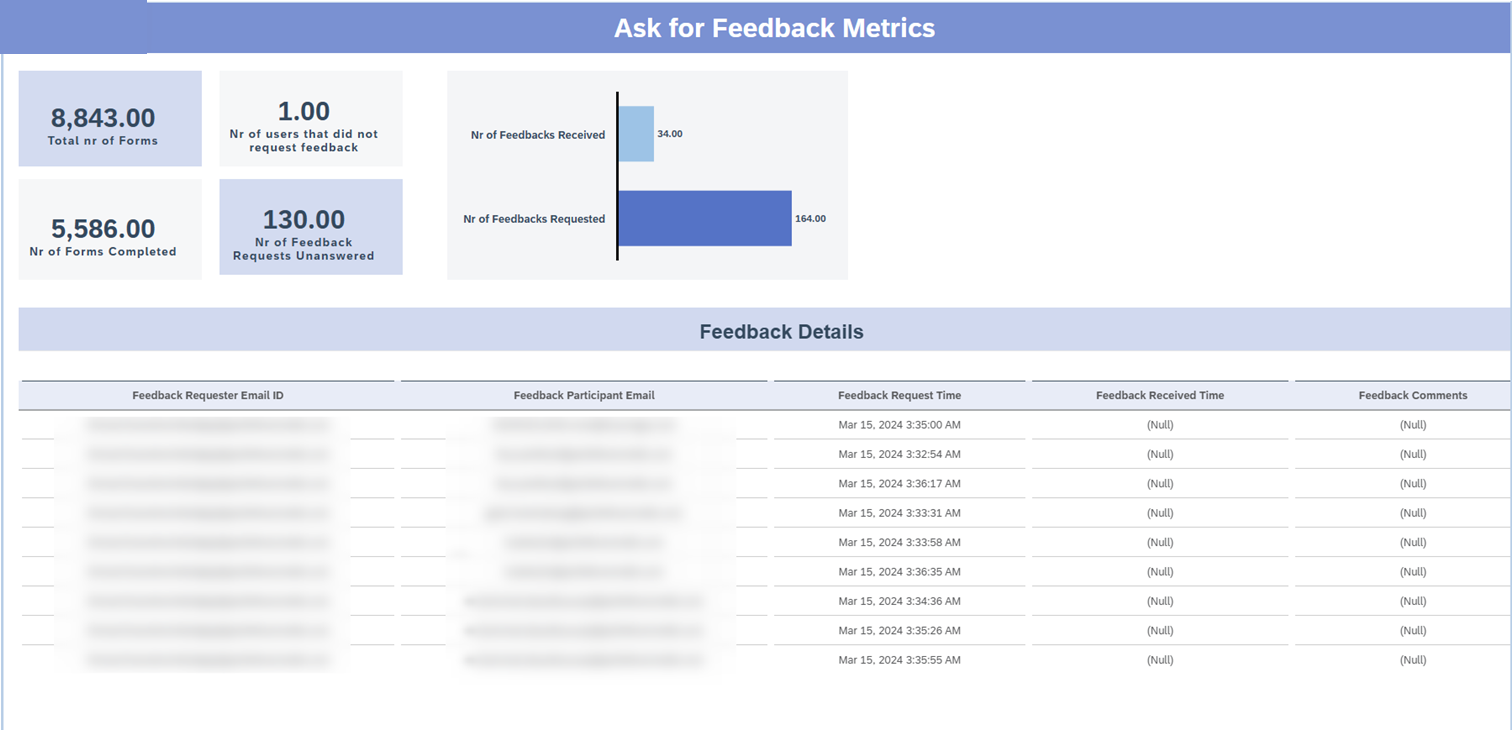
Report will follow the below format: