

Statistic Reports
There are a few out-of-box reports in the system.
To access the list of reports, go to top menu bar, select Reports

Below are the list of report available based on the role
| Reports | Idea Managers | Local Admin |
| User Activity | Yes | Yes |
| User Login Statistcs | Yes | Yes |
| Activities by Profile | Yes | Yes |
| Userpoints | Yes | Yes |
| Workflow Funnel | Yes | Yes |
| Export Users | No | Yes |
| Dashboard | No | Yes |
Most Frequent Used report:
Reports > Workflow Funnel
e.g This show all the ideas in RIC Bristol (include all challenges + the idea box) by status
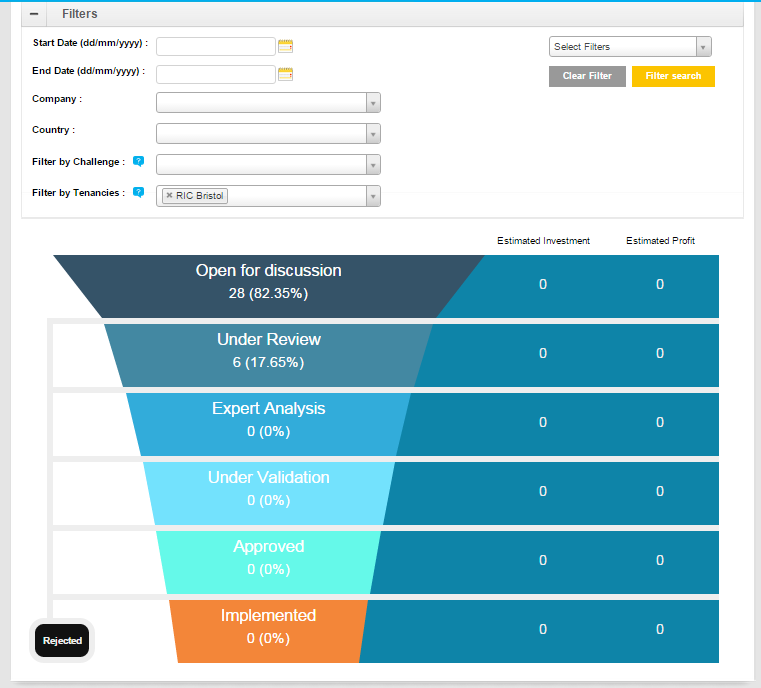
You will see the Filter by Tenancies if you are at the Group level (Check the URL if it is same as below)

This show the ideas in idea box of RIC Bristol
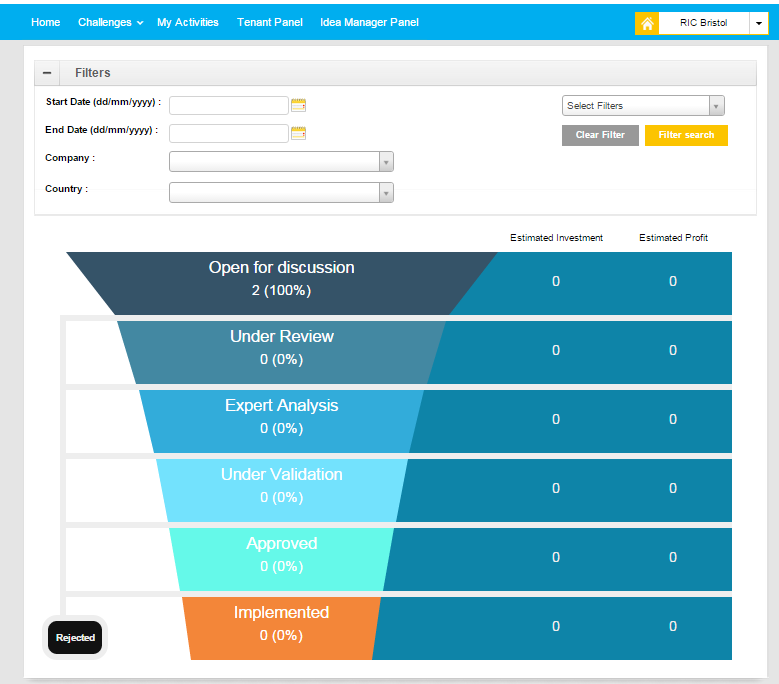
There is no Filter by Tenancies or Challenges as it is auto filter when you are in the idea box (Check the URL )

Excel Reports (Basic, Detailed, Experts Summary)
Using Advanced Search
Role: Idea Manager, Local Admin
This is to export the ideas to Excel and customize to your own report.
 The best way to get IT support is to use the new
Service One Platform.
The best way to get IT support is to use the new
Service One Platform.