- Created by Chloé Koubbi, last modified on Jul 25, 2017
![]()
IS Applications means “Information Systems Applications”.
This term is used to identify IT Applications such as programs or software like SAP, SRM7, Qlikview, Dynasis, Documentum, Salesforce ....
IS Infra means “Information Systems Infrastructure” This term includes hardware such as computers, printers, networks, telephones.
It also includes the local software installed on the PC (Microsoft office, Chrome…).
If you have an issue concerning IS Infrastructure, you can report it by contacting your local helpdesk available here.
The IS Applications Contact Center can be reached via Freshdesk tool or by phone on ** 9100 (Cheyenne Sites) or 351 21 831 9100.
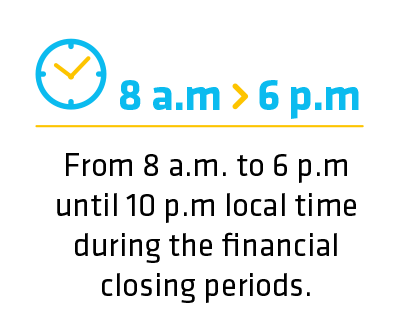
For urgent tickets (P1, P2) and only if the ticket is in English, handling time is extended to 24hx5. Urgent tickets are handled by the IS Applications Contact Center open at the time of ticket takeover. For example, at 11pm GMT tickets P1, P2 are handled by Curitiba IS Applications Contact Center.
The IS Applications Contact Center is located in three geographical zones:
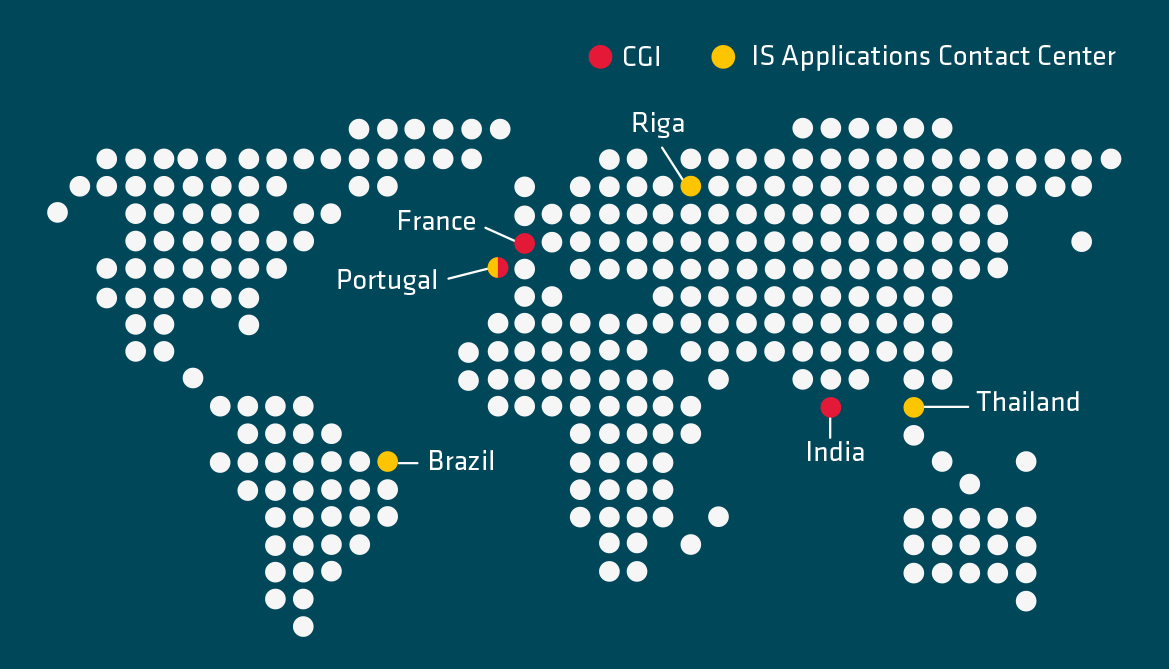
- Lisbon in Portugal for EMEA,
- Curitiba in Brazil for the Americas zone,
- and Bangkok in Thailand for the Asia Pacific zone.
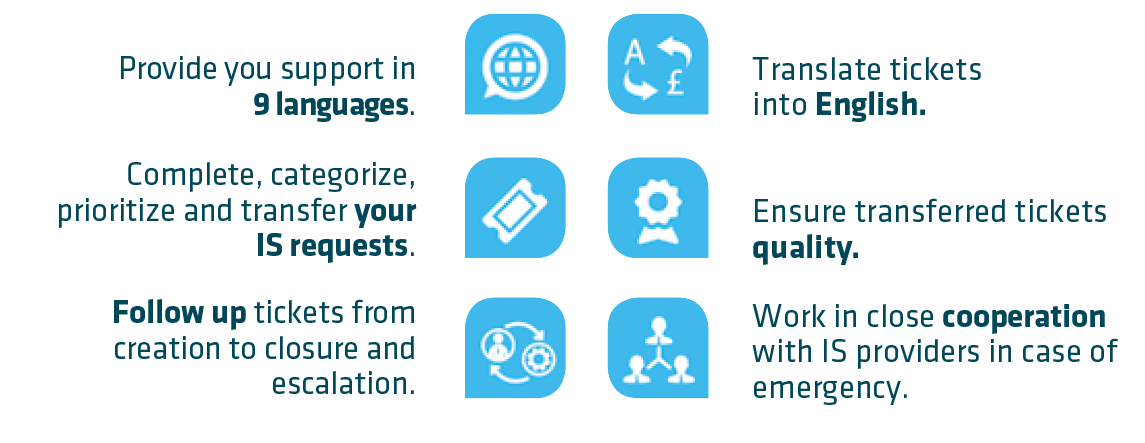
No, it is not possible but CGI can contact you to get clarification if your ticket was created in English. Otherwise, communication will be with the IS Applications Contact Center teams.
No, If you use Sbs-solvay.freshdesk.com (support@solvaysbs.freshdesk.com) it automatically creates a new ticket not affected. So for any request, you need to call the IS Applications Contact Center **9100 or +351 21 31 9100 or go to Freshdesk (IS Request).
Escalation can be requested in the following cases:
- When urgent tickets (P1, P2) are not updated for more than one hour
- When a deadline planned in the ticket resolution engagement is overtaken.
In those cases, it is necessary to contact the IS Applications Contact Center by phone on ** 9100 ( Cheyenne Sites) or 351 21 831 9100. In case the answer provided by the IS Applications Contact Center is not satisfactory, you can contact the BRM or CRM of your entity.
![]()
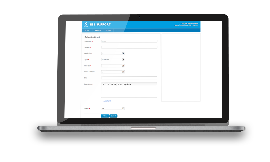
A ticket allows you to submit a request created in the Freshdesk tool when you have a problem on IS Applications such as SAP, SRM7, Qlikview, Dynasis, Documentum, Salesforce., etc.
Freshdesk is the tool used by Solvay to follow IS Applications requests, Procurement-to-Pay (PtP –for suppliers), Hire-to-Retire (HtR – for employees), Order-to-Cash (OtC – for clients), Record-to-Report (RtR – for accounting - soon in Freshdesk) requests.
It is possible to create a ticket in 9 languages:
- English,
- French,
- Portuguese,
- Spanish,
- German,
- Italian,
- Chinese,
- Korean,
- and Thai.
However, It is strongly recommended to create your ticket in English for a faster and more efficient resolution of the issue.
If my request is mostly related to business activities, I will submit on the “PtP request”, “RtR request”, “OtC request”.
If my request is related to applications or software I will select “IS request”.
Finally, for all requests on HR, I will select “HtR request”.
To find out more about the 10 Best Practices to create a ticket in Freshdesk, click here
The number of resolution steps for the ticket will depend on the complexity of the request.
To know more about a ticket’s resolution process, click here.
To follow your ticket, you have to connect to Freshdesk and go to the ticket tab to find your ticket. Alternatively, you can contact the IS Applications Contact Center on **9100 (Cheyenne sites) or +351 21 831 9100.
The delay of resolution depends on the complexity and the priority of your ticket.
Click here to consult the prioritization matrix and the nature of tickets.
CGI is committed to resolve the ticket in a defined period of time for Services including Access Management, Support and Incidents in the following conditions :
- CGI is autonomous to resolve the ticket : CGI is the only stakeholder in the resolution process meaning the application is supported by CGI and no other parties need to be involved ( e.g: IBM for server, …)
- All the information has been provided.
- 24 x 5 and follow the sun principle: each Contact Center is available from 8am to 6pm local time of user. Tickets submitted outside these working hours will be handled next day.
Exception for P1/P2 tickets submitted outside normal working hours written in English that will be handled by the available Contact Center.
If I’m satisfied by the solution provided, the status of the ticket will be automatically « closed » after 7 days. If I’m not satisfied with it, I can re-open my ticket.
Just click on the link in your ticket notification and reject the solution provided with all the details possible (button reply).
![]()
Reset password:
- I forgot my password, I should reset it
- I’ve blocked my password due to several erroneous attempts
- I received my initial password but I did not connect during 14 days
Extend validity date:
- I did not connect for 90 days, my account has been deactivated
- I need to extend my user access
I need more/less authorizations
Beforehand, gather all the necessary authorizations. Consult our Customer Support. By sorting by application, you can find the corresponding form.
Do not forget: most of the time the approval of your manager is mandatory; sometimes approval of other stakeholders will also be required.
![]()
Training requests have to be created in the ISSP portal. ISSP is an online tool that provides the SBS IS training catalog for all users to properly select and request what they need.
Click here to know how to join or request a training sessions.
After your training request, you will receive a notification by email “ISSP Training notification [#xxx]” with a link that allows you to follow the status and verify that your manager has validated, which is mandatory.
After this step, trainer will contact you for the details (date, timing, logistics). In case of an in-class Training, you will be responsible for the booking of a room.
Corrective maintenance is any maintenance performed to correct errors encountered as users interact with the system day after day.
It is all the requests for change and improvements of existing applications. The main objectives of evolution are ensuring the reliability and flexibility of the applications.
By creating a ticket in Freshdesk including the exact details of the evolution.
The best way to get IT support is to use the new
Service One Platform.