

 SHARED CONTACTS
This application is to used to share contacts between persons. This allows, for example, for a team to keep one single repository of all their suppliers. Whenever one team member edits or add a contact information in that Shared Group, then it is automatically updated in all the other team members as well.
 Get started
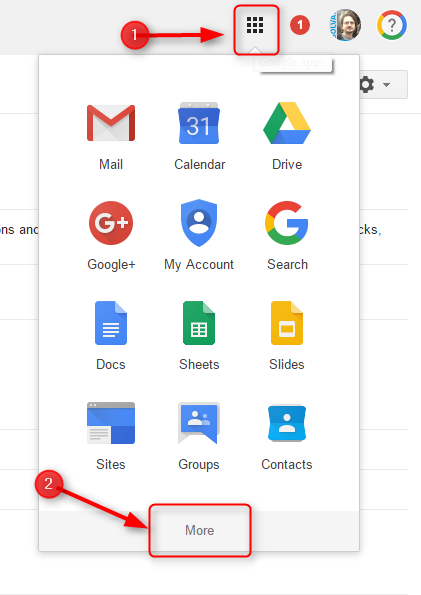
You can access to the application from any Google Apps page clicking on the App launcher on the top right, seleccting "More" and scrolling to the icon below.

Check How To section below for further instructions
 FAQ
FAQ
 How-to
You have everything you need for working with Shared Contacts in this link: https://sites.google.com/a/solvay.com/gommunity/other-apps/sharing-contacts-with-the-shared-groups-application
 Troubleshooting
If you encounter any issues using this application, contact your local IS Infrastructure service-desk. Click here for contact information.
 The best way to get IT support is to use the new
Service One Platform.
The best way to get IT support is to use the new
Service One Platform.