

The Sinequa interface is the same for all search engines listed here.
1. Type your keyword in the search field
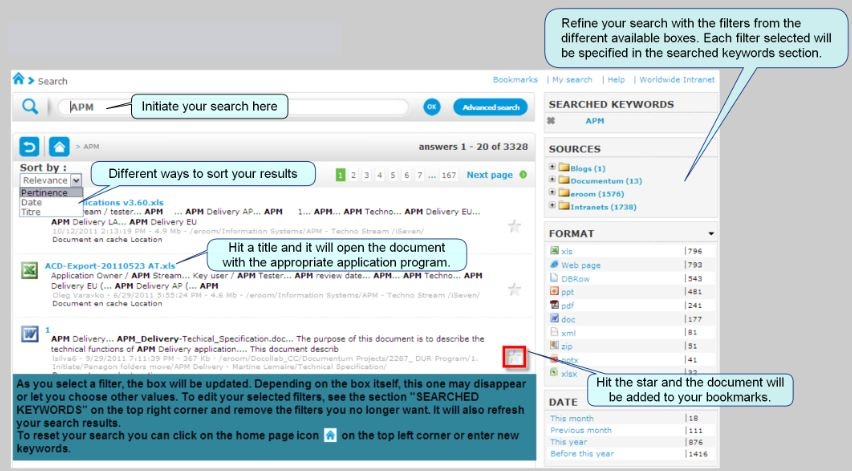
2. You can use several filters to refine your search
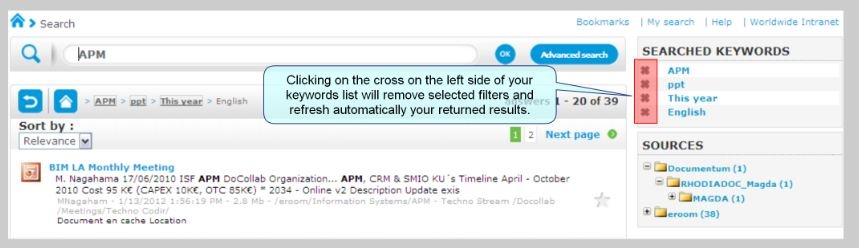
3. Use the 'Refine Search' box to search within the results returned on the right (different than a new search which will trigger an entirely new search)

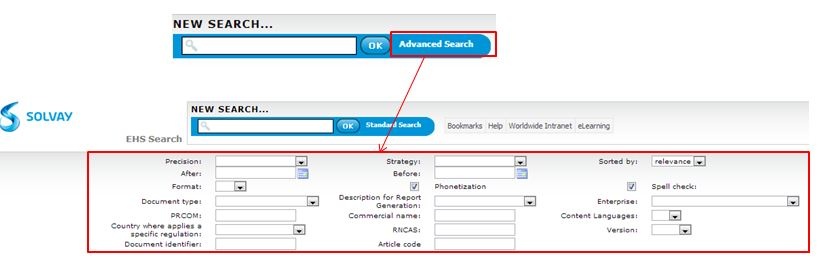
4. Advanced search features (Note that the features can be different between each search engine)
EHS Sinequa search engine :
ABSIS Sinequa search engine :
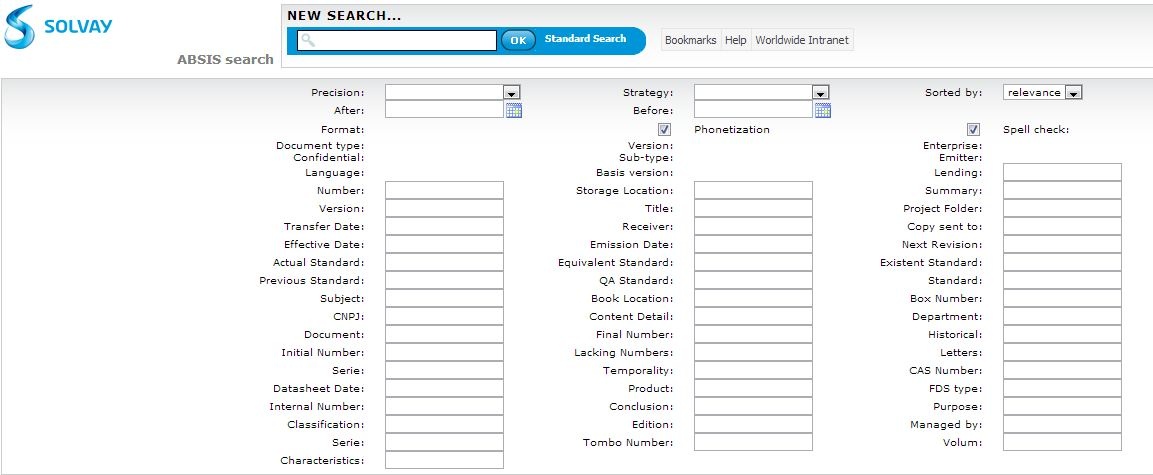
If the * wildcard is not used, the fields in the “Advanced Search” form will only return those records that have an exact match in the first word
o For example, if user entered “SECURITE” in the “Title” field, only those records that have “SECURITE” as the first word in the “Title” will be returned in the search results
o If the first word of the title is “SECURITE”, it will be returned in the search results
o If the first word of the title is “XXXSECURITE” or “SECURITEZZZ” or “XXXSECURITE ZZZ”, it will not be returned in the search results
• If the * wildcard is used, the fields in the “Advanced Search” form will only return those records that begin with the word
o For example, if user entered “SECURITE*” in the “Title” field, all records that begin with “SECURITE” in the “Title” will be returned in the search results
o If the title begins with “SECURITE” or “SECURITEZZZ”, it will be returned in the search results
o If the title begins with “XXXSECURITE” or “XXXSECURITE ZZZ”, it will not be returned in the search results.
o if user entered “*SECURITE*” or “*SECURITE” in the “Title” field, no record will be returned because the * wildcard can only be used at the end of the word
5. Authentication required for Sinequa search
Authentication is required to access Sinequa search.
However this authentication is handled by the browser and Sinequa which is transparent for user when they are using IE and Chrome. When the user access via Firefox or other browser, there will be a system pop-up to prompt user to key in their credentials. If this is the case, the user can enter their windows credential "EUA\xxx" and windows password.
Other Tips
If you can't access a document within eRoom, you will be able to retrieve it thank to Sinequa :
1. Run a search with Sinequa
2. Click on 'Document en cache'

 The best way to get IT support is to use the new
Service One Platform.
The best way to get IT support is to use the new
Service One Platform.