Attention!
Dear PSL contributor, you will not be able to create pages in the space for the foreseeable future due to the global documentation project, This action is being reserved to process experts, administrators and IS to ensure consistency and avoid duplication while the documents are under review.


To access the library SBS - Procure to Pay - Country Specificities
Click on the icon of the library or click here
The homepage is displayed. You can
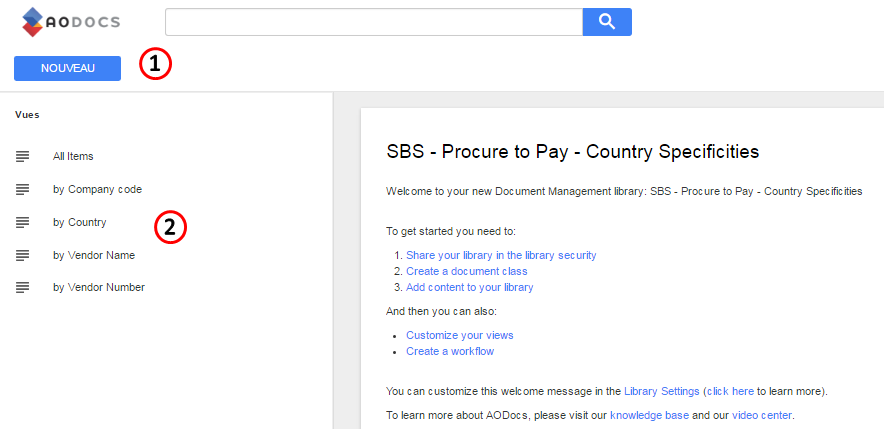
1. Create a new entry
To create a new entry you must be part of the google group $AODocs.PtP Accounts Payable-Contributors
If you are not, ask the manager of the group to be included.
Upload a document by clicking the button 

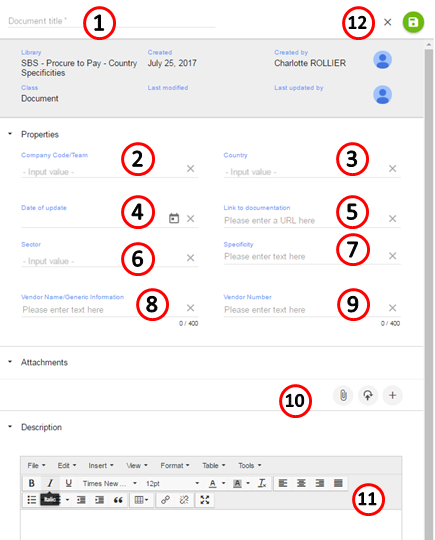
Fill the form with:
- The document title (mandatory)
Company code

- Country
- Date of update
- Link to documentation
- Sector
- Specificity
- Vendor name
- Vendor number
- Attachments
- Description
- SAVE by clicking

If you can not find a value in a list, you can add it manually
2. View existing documents
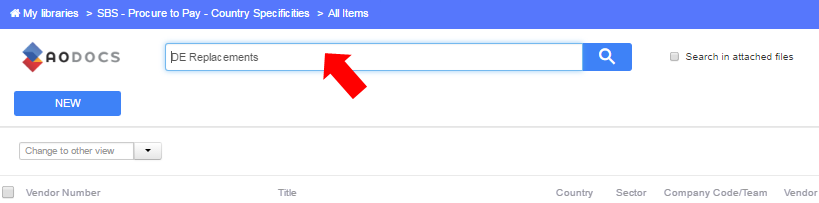
2.1 Using the search bar
Enter the name of the document in the search bar and click 
2.2 Using a predefined view
Select a predefined view:
Views are managed by the administrator of the library

All items to display all items
(note: it corresponds to the view "All items" that was used in the former library in Teamsite)

By Company code to browse by Company code
(note: it corresponds to the view "Company Code" that was used in the former library in Teamsite)

By Country to browse by Country
(note: it corresponds to the view "Country" that was used in the former library in Teamsite)
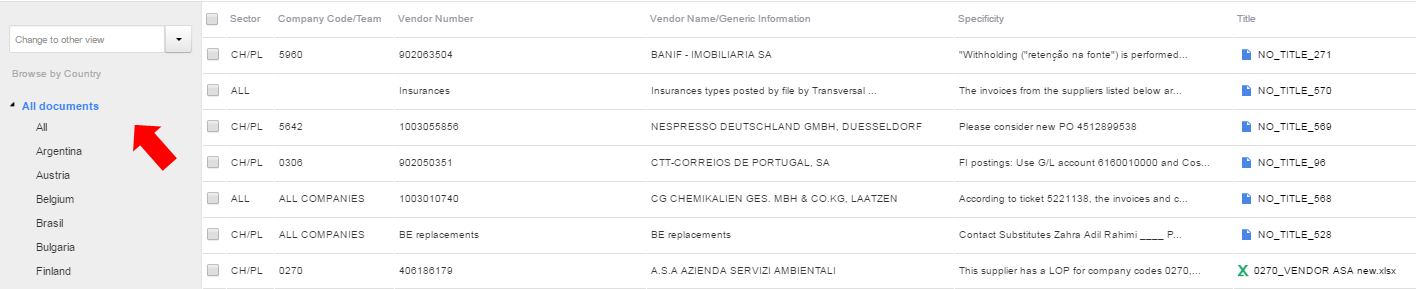
By Vendor name to browse by Vendor name
(note: it corresponds to the view "Vendor name" that was used in the former library in Teamsite)

By Vendor Number to browse by Vendor Number
(note: it corresponds to the view " Vendor Number" that was used in the former library in Teamsite)

Click  to filter the content of your library
Filters are managed by the administrator of the library


Know more
Go to AODOCS to find user guides and trainings
Overview
Content Tools
Tasks