
| HideElements | ||||
|---|---|---|---|---|
|

Page_title
| Info | ||
|---|---|---|
| ||
Lorem ipsum dolor sit amet, consectetur adipiscing elit, sed do eiusmod tempor incididunt ut labore et dolore magna aliqua. |
| Panel | ||||||
|---|---|---|---|---|---|---|
| ||||||
|
| Children Display | ||||
|---|---|---|---|---|
|
You can access to the application from any Google Apps page clicking on the App launcher on the top right, seleccting "More" and scrolling to the icon below.
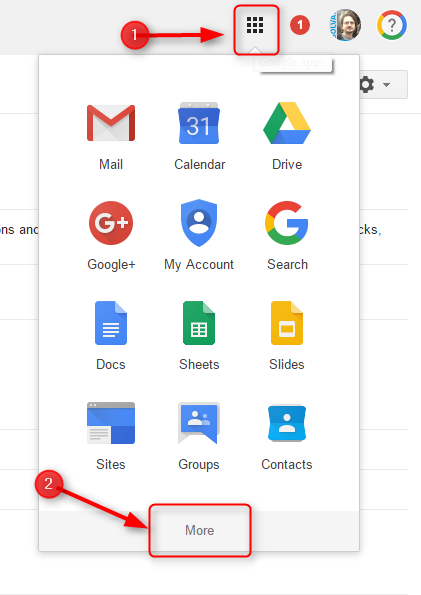

Check How To section below for further instructions
| Panel | ||||||
|---|---|---|---|---|---|---|
| ||||||
|
| Expand |
|---|
| depth | 1 |
|---|---|
| page | EROOM - FAQ |
| first | 4 |
| ||
No. You only need to create the shared contact group, and then add the contact to that group. No need to have the same contact twice. |
| Expand | ||
|---|---|---|
| ||
Yes. Only the people you invite to the shared contact group will have access to that information. |
| Panel | ||||||
|---|---|---|---|---|---|---|
| ||||||
|
| Children Display | ||||
|---|---|---|---|---|
|
You have everything you need for working with Shared Contacts in this link: https://sites.google.com/a/solvay.com/gommunity/other-apps/sharing-contacts-with-the-shared-groups-application
| Panel | ||||||||
|---|---|---|---|---|---|---|---|---|
| ||||||||
|
| Children Display | ||||||
|---|---|---|---|---|---|---|
|
Show More If you encounter any issues using this application, contact your local IS Infrastructure service-desk. Click here for contact information.