
Status colour Blue title Step 1
Open transaction KEFC

Status colour Blue title Step 2
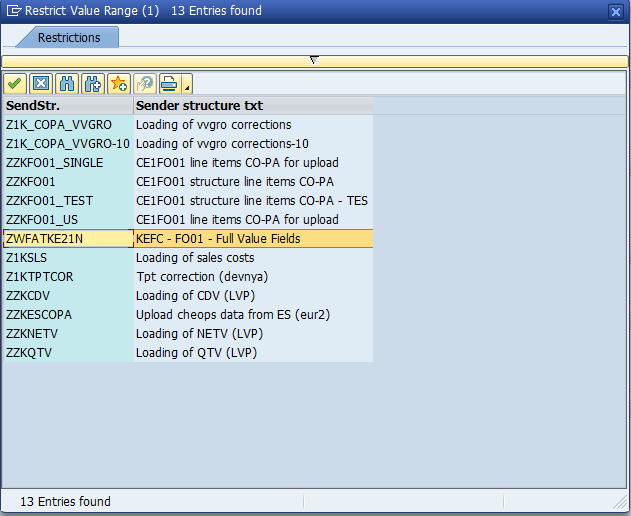
Depending of the company code choose variant in line with the controlling area:
- Z001
- Z006
- Z010
- Z013
- Z025
- Z026
- Z028
-ZWFATKE21N *SPS* ( for PF1)

PF2
 PF1
PF1
Status colour Blue title Step 3
Choose the path where the txt file is located.

Status colour Blue title Step 4
Run in test mode

Status colour Blue title Step 5
If the transaction didn't retrieve any error upload go back and run again without test run.

| Viewtracker | ||
|---|---|---|
|