THE TIME APP AND HOW TO ACCESS ITThe Time App is used by you as an employee to to enter leave and/or time events and requests.
The “Time Management App” can be accessed through “MY HR SERVICES” via Solvay ONETheHub:  Image Removed Image Removed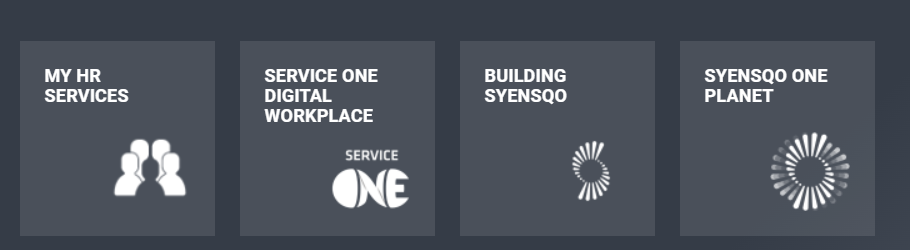 Image Added Image Added
OR via our HR Wiki header above: 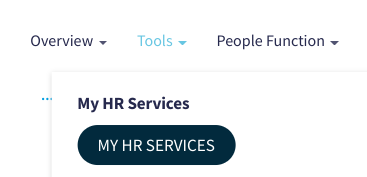
Then, click on the icon labeled “Time Apps”:  Image Removed Image Removed Image Added Image Added
As the manager, the additional tiles to manage time and work schedule of your direct employees in the team as follows: - My Inbox
- My Time Events
- Manage Work schedule
- My Leave and Time Requests
- My Report
- My Time Statement
- Additional Feature in My Team Calendar
Below you will find the procedures and the videos for each of the activities you can perform on the Time App as an Manager: My Inbox| Action Button |
|---|
| new-window | true |
|---|
| text | CLICK HERE TO ACCESS OPERATING PROCEDURE |
|---|
| url | https://docs.google.com/document/d/1QaMNbXBfmJ9e8P2OamjYLM3YOqdwi1wDa1gi3gWuQjA1SNJW9-LnkaE4_asLgXn1RZRzQyyrhSjk/edit?usp=drive_link&ouid=118443107425084411915&rtpof=true&sd=true |
|---|
|
My Time Events | Action Button |
|---|
| new-window | true |
|---|
| text | CLICK HERE TO ACCESS OPERATING PROCEDURE |
|---|
| url | https://docs.google.com/document/d/1AyZVre9_P9yAaeik7SlA1VKGtHPNUavlprDHHTbz6Ys14cUPDKkf7oVVhW5uE78zPRn21bDQbuYX/edit?usp=drive_link&ouid=118443107425084411915&rtpof=true&sd=true |
|---|
|
Manage Work schedule | Action Button |
|---|
| new-window | true |
|---|
| text | CLICK HERE TO ACCESS OPERATING PROCEDURE |
|---|
| url | https://docs.google.com/document/d/1qGwA4YHL6IrXF9GppCt1Rm05WZYX4JEGQ9nZlWYA1-l0lcPaQR7bDBXmmId0jH6FIivqyTdPNWn/edit?usp=drive_link&ouid=118443107425084411915&rtpof=true&sd=true |
|---|
|
My Leave and Time Requests | Action Button |
|---|
| new-window | true |
|---|
| text | CLICK HERE TO ACCESS OPERATING PROCEDURE |
|---|
| url | https://docs.google.com/document/d/1IHjNrFkbMEdXQCfE8A58K5h1h_i5PhSL3qLQ6PTSxsb6i_PoY0FnNaQzd4SO7TfyUvZ7IFvn6DZ/edit?usp=drive_link&ouid=118443107425084411915&rtpof=true&sd=true |
|---|
|
My Report| Action Button |
|---|
| new-window | true |
|---|
| text | CLICK HERE TO ACCESS OPERATING PROCEDURE |
|---|
| url | https://docs.google.com/document/d/1nqN9hpAE-tH3hhRzpsOPbdifZI-vHTg7B49-kAicVHE1UQhifbcTaMCC5_uA4kwQYt5RgBL_OFmC/edit?usp=drive_link&ouid=118443107425084411915&rtpof=true&sd=true |
|---|
|
My Time Statement| Action Button |
|---|
| new-window | true |
|---|
| text | CLICK HERE TO ACCESS OPERATING PROCEDURE |
|---|
| url | https://docs.google.com/document/d/1P8SStnfd4t-G9c6CVK4pXToThaAYCKd5Mj41IHaVyUQ1xaB3M3sAzcwoxU5z6Hoo4pZp3D2eukQt/edit?usp=drive_link&ouid=118443107425084411915&rtpof=true&sd=true |
|---|
|
Additional Feature in My Team Calendar| Action Button |
|---|
| new-window | true |
|---|
| text | CLICK HERE TO ACCESS OPERATING PROCEDURE |
|---|
| url | https://docs.google.com/document/d/18W0uJXObdV5t1Qz_iG2RFBWMSfT6VtiGzxSrBIBYrCE1Js53670039kcI9Dx0cJaju8uMvDaFrvv/edit?usp=drive_link&ouid=118443107425084411915&rtpof=true&sd=true |
|---|
|
Date last updated: | 


