


| check the Google Drive in your account |
|
click on " Authorize With Google Docs " will sign with Solvay account |
|
| Done |
|
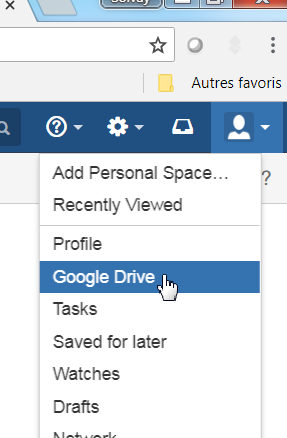
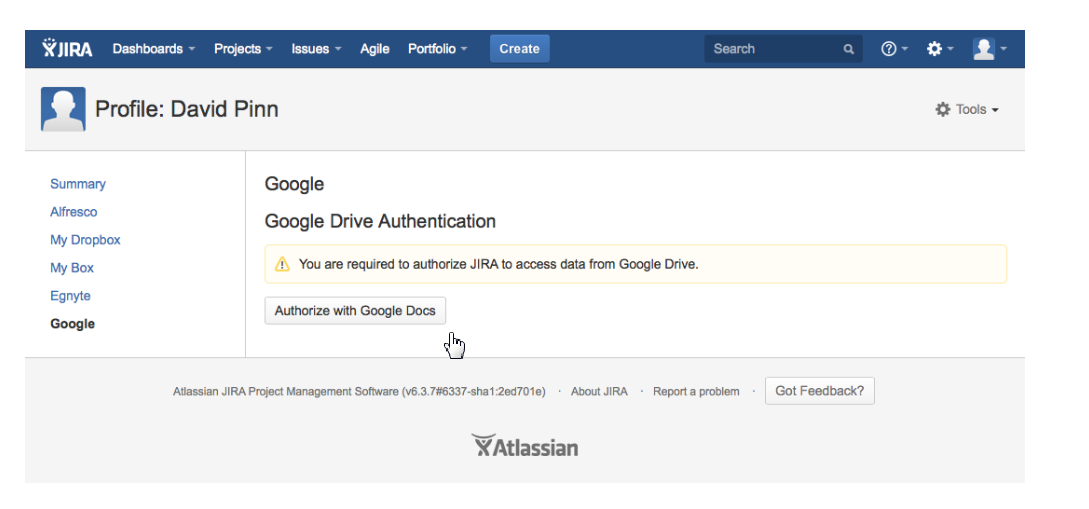

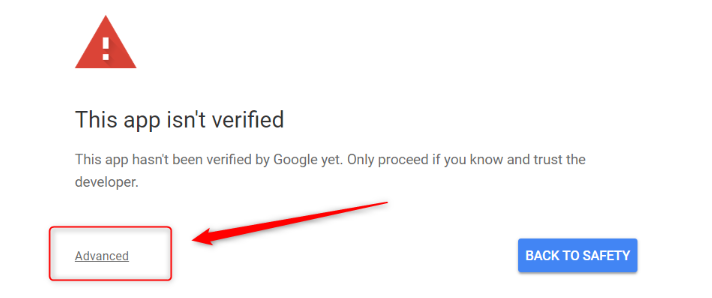
According to Confluence support page, Google Drive plugin is experiencing an unpleasant redirection after you click on the "Authorize with Google Doc" to show another page with "This app isn't verified".
You can follow the steps below to bypass this page.

- Click on the "Advanced" to expand more option.
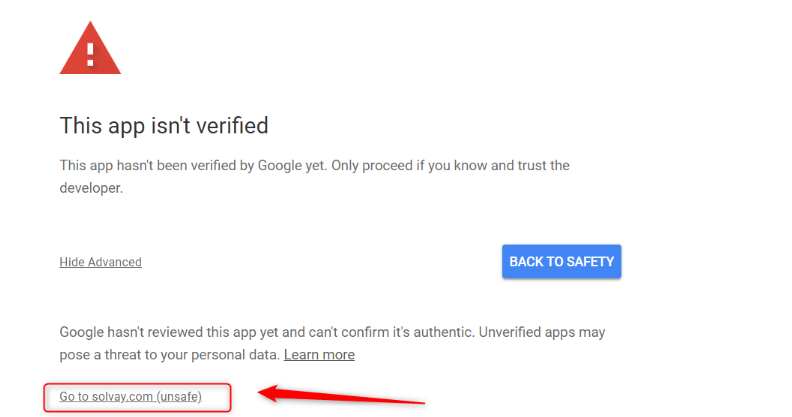
- Click on "Go to solvay.com (unsafe).
- Click on Allow.
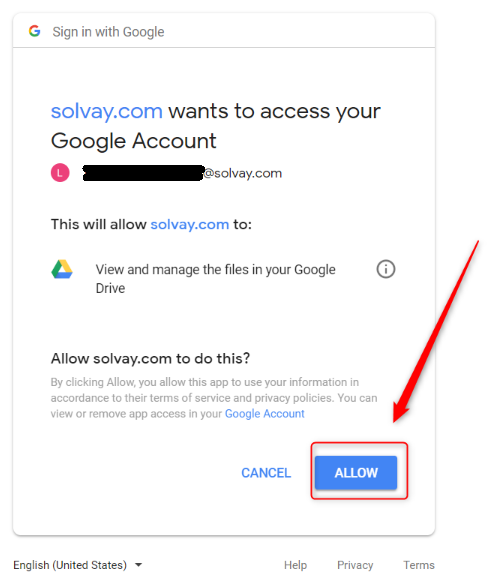
- You should see the success message as in the step "Done" above.
 The best way to get IT support is to use the new
Service One Platform.
The best way to get IT support is to use the new
Service One Platform.