


| Status | |
| Owner | Soumen Laru |
| Stakeholders |
Purpose
The purpose of this document is to define the conversion approach of GL Open Items into S/4 HANA.
GL Open Items are extracted from source ECC as of cut-over date which then is used to prepared open items for migration.
Conversion Scope
Only the accounts which are open item managed both in source and target will be part of migration of GL Open items.
Accounts considered open item managed when for accounts at company code level is open item managed and can be confirmed by checking SKB1-XOPVW = 'X'
An important point to be noted here. No separate take-on account will be used for migration open item managed GL accounts in the migration of TB.
Trial Balance migration will have Open Item managed GL accounts as part of scope for periodic balance migration and opening balance which are part of Trial Balance(TB). ( details of TB migration can be found out in the TB Conversion spec ). Those lines will stay as open items and they need to be cleared to ensure open item lines coming from the object 'CNV-9010 GL Open items' is the only list of open items for those open item managed GL Accounts.
Relevancy Rule:
The agreed Relevancy criteria is applied to the extracted records to identify the records that are applicable for the Target loads.
Basis of relevancy is based on the table below.
| ECC ( SKB1-XOPVW) | S4 ( SKB1-XOPVW) | In Scope? | Strategy |
|---|---|---|---|
| Open Item -Yes | Open Item -Yes | Yes | Migrate as GL Open Items |
| Open Item -No | Open Item -Yes | No | Migrate as GL Balance - Lump sum open item will be created at the profit centre level |
| Open Item -Yes | Open Item -No | No | Migrate as GL Balance - Lump sum open item will be created at the profit centre level |
| Open Item -No | Open Item -No | No | Migrate as part of Trial Balance |
Read all the records from table BSIS for the company codes as listed in the source column of the mapping file of company codes . ( Source company codes can be referred to where check the worksheet 10. Company Code with filter on column "In Scope as S/4 Company Code?" as in "In-Scope")
For BSIS-SAKNR, BSIS-BUKRS read table SKB1, to find values for SKB1-XOPVW.
Map BSIS-BUKRS to find target BUKRS ( Company Code ) and map BSIS-SAKNR to read target SAKNR ( GL Account ) . for the Target GL Account, read SKB1 ( from Target S4 System) to find out value for SKB1-XOPVW for target GL Account and Company Code Combination. Now Based on the above table, take records with 'In Scope' = 'Yes' into scope.
Now, additional considerations to be considered for scoping GL Open items for various Mock Cycles.
As the month-end closing can take some time and therefore, data extraction takes few more days well into the next month, it is important to select right data for each mock cycle(MC) for migrating true month-end open items.
In other words, For MC1, MC2 and MC3, the conversion Cut-Over date will be prior to extraction date. e.g ECC data extraction will happen several days after the cut-over date (March 31st, 2026), for Mock Cycle 1.
Between conversion date and extraction date, some open items may have been cleared or some new open items can appear.
Therefore, it is important to logically identify true open items as of cut-over date for a mock-cycle conversion by following the steps listed below.
- Select documents from BSIS where document posting date is less than or equal to Mock cycle conversion Cut-Over date.
- Select documents from BSAS where the clearing date is greater than the conversion Cut-Over date and the document posting date is less than or equal to the conversion Cut-Over date.
This should not be applicable for Production Cut-Over since there will be a data freeze between the conversion date and extraction date. So, for production cut-over, there is no need to extract data from BSAS and only BSIS is sufficient.
Example for MC1, MC2, MC3 etc:
BSIS.BUDAT <= ‘ conversion Cut-Over date’
BSAS.BUDAT <= ‘ conversion Cut-Over date’ and BSAS.AUGDT > ‘ conversion Cut-Over date’.
Example for Production Cut-Over:
BSIS.BUDAT <= ‘Production Cut-Over Date’
Note: GR/IR Open items is not in scope of GL Open Items and they will be dealt with GR/IR open item data loading.
List of such accounts will be given in an exception list as below
| Source | ECC Company Code | ECC GL Account | Account Type - Desc | Exclude |
|---|---|---|---|---|
| PF2 | * | 2320000000 | GR/IR Clearing Account | Y |
| PF2 | * | 2340000000 | GR/IR Clearing Account | Y |
| PF2 | * | 2330000000 | GR/IR Clearing Account | Y |
| PF2 | * | 2320200000 | GR/IR Clearing Account | Y |
| PF2 | * | 2320002000 | GR/IR Clearing Account | Y |
| PF2 | * | 2330000010 | GR/IR Clearing Account | Y |
| WP2 | * | 40100310 | GR/IR Clearing Account | Y |
| WP2 | * | 40100300 | GR/IR Clearing Account | Y |
| WP2 | * | 46900320 | GR/IR Clearing Account | Y |
| WP2 | * | 40800300 | GR/IR Clearing Account | Y |
| WP2 | * | 40100315 | GR/IR Clearing Account | Y |
| Source | Scope | Source Approx No. of Records | Target System | Target Approx No. of Records |
|---|---|---|---|---|
| PF2 | GL Open Items | 1,042,609 | S4HANA | TBD |
| WP2 | GL Open Items | 1,665,227 | S4HANA | TBD |
Additional Information
Multi-language Requirement
Document Management
Legal Requirement
Special Requirements
Target Design
The technical design of the target for this conversion approach.
Table | Field | Data Element | Field Description | Data Type | Length (Decimals) | Requirement | Requirement ( Mandatory or Optional) R = Required |
| BSIS | BUKRS | BUKRS | Company Code | CHAR | 4
| Described in the Transformation Rules | R |
| BSIS | XBLNR | XBLNR | Reference Document Number | CHAR | 16 | Described in the Transformation Rules | R |
| BSIS | DOCLN | DOCLN | Line Item Number | Number | 6 | Described in the Transformation Rules | R |
| BSIS | HKONT | HKONT | G/L Account | CHAR | 10
| Described in the Transformation Rules | R |
| BSIS | GKONT | GKONT | Offsetting Account | CHAR | 10 | Described in the Transformation Rules | R |
| BSIS | BLART | BLART | Document Type | CHAR | 2 | Described in the Transformation Rules | R |
| BSIS | BLDAT | BLDAT | Document Date | Date | 8 | Described in the Transformation Rules | R |
| BSIS | WWERT | WWERT | Translation Date | Date | 8 | Described in the Transformation Rules | R |
| BKPF | BKTXT | BKTXT | Header Text | CHAR | 25 | Described in the Transformation Rules | R |
| BSIS | SGTXT | SGTXT | Item Text | CHAR | 50 | Described in the Transformation Rules | R |
| BSIS | WAERS | WAERS | Transaction Currency | CHAR | 5 | Described in the Transformation Rules | R |
| BSIS | WRBTR | WRBTR | Amount | Number | 23 | Described in the Transformation Rules | R |
| BKPF | HWAER | HWAER | Company Code Currency | CHAR | 5 | Described in the Transformation Rules | O |
| BSIS | DMBTR | DMBTR | Amount | Number | 23 | Described in the Transformation Rules | R |
| BKPF | HWAE2 | HWAE2 | Group Currency | CHAR | 5 | Described in the Transformation Rules | O |
| BSIS | DMBE2 | DMBE2 | Amount | Number | 23 | Described in the Transformation Rules | O |
| BKPF | HWAE3 | HWAE3 | Freely Defined Currency | CHAR | 5 | Described in the Transformation Rules | O |
| BSIS | DMBE3 | DMBE3 | Amount | Number | 23 | Described in the Transformation Rules | R |
| BSIS | RASSC | RASSC | Company ID of Trading Partner | CHAR | 6
| Described in the Transformation Rules | O |
| BSIS | ZUONR | ZUONR | Assignment Number | CHAR | 6 | Described in the Transformation Rules | O |
| BSIS | RMVCT | RMVCT | Transaction Type | CHAR | 3 | Described in the Transformation Rules | O |
| BSIS | VALUT | VALUT | Value Date | Date | 8 | Described in the Transformation Rules | O |
| BSIS | HBKID | HBKID | Short Key for House Bank | CHAR | 5 | Described in the Transformation Rules | O |
| BSIS | HKTID | HKTID | ID for Account Details | CHAR | 5 | Described in the Transformation Rules | O |
| BSIS | KOSTL | KOSTL | Cost Center | CHAR | 5 | Described in the Transformation Rules | O |
| BSIS | PRCTR | PRCTR | Profit Center | CHAR | 10 | Described in the Transformation Rules | R |
| BSIS | SEGMENT | FB_SEGMENT | Segment | CHAR | 8 | Described in the Transformation Rules | O |
| BSIS | PROJK | PS_PSP_PNR | WBS Element | CHAR | 10 | Described in the Transformation Rules | O |
| BSIS | AUFNR | AUFNR | Order Number | CHAR | 12 | Described in the Transformation Rules | O |
Data Cleansing
Data Privacy and Sensitivity
Extraction
Extract data from a source into . There are 2 possibilities:
- The data exists. connects to the source and loads the data into . There are 3 methods:
- Perform full data extraction from relevant tables in the source system(s).
- Perform extraction through the application layer.
- Only if ; cannot connect to the source, data is loaded to the repository from the provided source system extract/report.
- The data does not exist (or cannot be converted from its current state). The data is manually collected by the business directly in . This is to be conducted using DCT (Data Collection Template) in
Extraction Run Sheet
Req # | Requirement description | Team responsible |
1. | Ensure source tables BKPF, BSIS, BSAS are extracted in tool according to the agreed cut-off date in the project plan | Data team |
2. | Perform preliminary completeness check based on the relevancy details documented in section of Conversion Scope | Data team |
3. | Raise issues as defects if Req # 1 to 2 are not met | Data team |
4. | Repeat Req # 1 to 3 if required | Data team |
5. | Report extraction result to person in charge of APOI conversion | Data team |
Selection Screen
| Selection Ref Screen | Parameter Name | Selection Type | Requirement | Value to be entered/set |
|---|---|---|---|---|
| N/A | ||||
Data Collection Template (DCT)
Note: Option of Data Collection is not expected to be used and therefore, does not need to be considered in migration design. However, if such a scenario arises ( for e.g PI2 system) whereby GL Open collection becomes necessary, a data collection template is attached in this section.
Target Ready Data Collection Template will be created for GL Open Items data with exception of some fields which require transformation as mentioned in the transformation rule.
GL Open Item - DCT Rules
 Source data for FI - GL account balance and openline item (3).xml
Data to be filled into the fields in the template and data will be uploaded as is.
Field Name | Field description | Rule |
| BSIS-BUKRS | Company Code | Copy as is |
| BSIS-XBLNR | Reference Document Number | Copy as is |
| BSIS-DOCLN | Line Item Number | Copy as is |
| BSIS-HKONT | G/L Account | Copy as is |
| BSIS-GKONT | Offsetting Account | Copy as is |
| BSIS-BLART | Document Type | Copy as is |
| BSIS-BLDAT | Document Date | Copy as is |
| BSIS-WWERT | Translation Date | Copy as is |
| BKPF-BKTXT | Header Text | Copy as is |
| BSIS-SGTXT | Item Text | Copy as is |
| BSIS-WAERS | Transaction Currency | Copy as is |
| BSIS-WRBTR | Amount | Copy as is |
| BKPF-HWAER | Company Code Currency | Copy as is |
| BSIS-DMBTR | Amount | Copy as is |
| BKPF-HWAE2 | Group Currency | Copy as is |
| BSIS-DMBE2 | Amount | Copy as is |
| BKPF-HWAE3 | Freely Defined Currency | Copy as is |
| BSIS-DMBE3 | Amount | Copy as is |
| BSIS-RASSC | Company ID of Trading Partner | Copy as is |
| BSIS-ZUONR | Assignment Number | Copy as is |
| BSIS-RMVCT | Transaction Type | Copy as is |
| BSIS-VALUT | Value Date | Copy as is |
| BSIS-HBKID | Short Key for House Bank | Copy as is |
| BSIS-HKTID | ID for Account Details | Copy as is |
| BSIS-KOSTL | Cost Center | Copy as is |
| BSIS-PRCTR | Profit Center | Copy as is |
| BSIS-SEGMENT | Segment for Segmental Reporting | Copy as is |
| BSIS-PSPNR | WBS Element | Copy as is |
| BSIS-AUFNR | Order Number | Copy as is |
Decimal validation - Check table TCURX for the document currency key and if Decimals (TCURX-CURRDEC) is ‘0’, validate that no decimal value is populated.
Extraction Dependencies
Item # | Step description | Team responsible |
1. | Any period / year end close activities have been fully completed | Business |
2. | Reconciliation for intercompany payables have been completed, and adjustment made in legacy SAP system | Business |
3. | Reconciliation of migrated Purchase Order is completed before the extraction of Accounts Payable Open Items | Business and Data |
Transformation
The Target fields are mapped to the applicable Legacy field that will be its source, this is a 3-way activity involving the Business, Functional team and Data team. This identifies the transformation activity required to allow to make the data Target ready:
- Perform value mapping and data transformation rules.
- Legacy values are mapped to the to-be values (this could include a default value)
- Values are transformed according to the rules defined in
- Prepare target-ready data in the structure and format that is required for loading via prescribed Load Tool. This step also produces the load data ready for business to perform Pre-load Data Validation
Transformation Run Sheet
Item # | Step description | Team responsible |
1. | Ensure all the fields that require value mapping, as stipulated Mapping tables, have the latest signed-off mapping files imported into toolMigrate. | Data team |
2. | In tool, select the GL Open Items. | Data team |
3. | Go to Process Area Launch and Process the Object - GL Open Items- GL Open Items. | Data team |
4. | Launch the Objects to execute transformation. | Data team |
5. | Monitor the transformation progress and ensure performance and completion is within allowed timeframe | Data team |
6. | Generate Pre-Load reports . | Data team |
7. | Generate data load count. | Data team |
8. | Log errors as defects, if any and address resolutions. Close defects. | Data team |
9. | Re-transform and re-validate the Pre-load reports if necessary. | Data team |
10. | Validate the transformed file as part of pre-load validation, raise data defects or provide the pre-load sign-off. | Business |
11. | Analyse and resolve any pre-load defects logged by business. | Data team |
12. | Repeat steps 6 to 11 if necessary | Data team |
13. | Proceed to pre-load validations | Data team |
Transformation Rules
Note: for Each GL open line in scope of migration, an offset line to be created with the same GL Account.
In Migration cockpit, offset account number field is set in the same line and therefore, it will create offset line on its own. So, transformed data will be one line for each legacy in-scope line but will be automatically created with an offset line.
Posting Date ( which is generally the cut-over date ) is not part of the template, as posting date will be maintained by the Syensnqo data team in the view FINSV_MIG_CTRL_1. This posting date will be used across all the financial transactions migrations ( exception is Trial Balance ).
Rule # | Source system | Source Table | Source Field | Source description | Target system | Target Table | Target Field | Target description | Transformation logic |
| 1 | ECC | BKPF | BUKRS | Company Code | S/4HANA | BSIS | BUKRS | Company Code | |
| 3 | ECC | BSIS | XBLNR | Reference Document Number | S/4HANA | BSIS | XBLNR | Reference Document Number | Copy as is |
| 4 | ECC | BSIS | BUZEI | Line Item Number | S/4HANA | BSIS | BUZEI or DOCLN | Line Item Number | Copy as is |
| 5 | ECC | BSIS | HKONT | G/L Account | S/4HANA | BSIS | HKONT | G/L Account | |
| 6 | ECC | BSIS | GKONT | Offsetting Account | S/4HANA | BSIS | GKONT | Offsetting Account | Same GL Account as mapped into field HKONT, will be used as offset line. |
| 7 | ECC | BKPF | BLART | Document Type | S/4HANA | BSIS | BLART | Document Type | Default to '9S' |
| 8 | ECC | BKPF | BLDAT | Document Date | S/4HANA | BSIS | BLDAT | Document Date | Copy as is |
| 9 | ECC | BSIS | WWERT | Translation Date | S/4HANA | BSIS | WWERT | Translation Date | To be kept blank Note: By-Default Posting Date BUDAT is used as translation date. |
| 11 | ECC | BKPF | BKTXT | Header Text | S/4HANA | BKPF | BKTXT | Header Text | Header Text will contain the unique key combining legacy fields -, BKPF-BUKRS, BKPF-GJAHR, BKPF-BELNR, BSIS-BUZEI |
| 12 | ECC | BSIS | SGTXT | Item Text | S/4HANA | BSIS | SGTXT | Item Text | Copy as is |
| 13 | ECC | BSIS | WAERS | Transaction Currency | S/4HANA | BSIS | WAERS | Transaction Currency | |
| 14 | ECC | BSIS | WRBTR | Amount | S/4HANA | BSIS | WRBTR/TSL | Amount | This is for currency type 00 Copy as is with Signage as '-' if the posting key is 50 or else '+' |
| 15 | ECC | BSIS | HWAER | Company Code Currency | S/4HANA | BKPF | HWAER | Company Code Currency | Automatic, to be kept blank in load template |
| 16 | ECC | BSIS | DMBTR | Amount | S/4HANA | BSIS | DMBTR/HSL | Amount | This is for currency type 10 Copy as is with Signage as '-' if the posting key is 50 or else '+' |
| 17 | ECC | BSIS | HWAE2 | Group Currency | S/4HANA | BKPF | HWAE2 | Group Currency | Automatic, to be kept blank in load template |
| 18 | ECC | BSIS | DMBE2 | Amount | S/4HANA | BSIS | DMBE2/KSL | Amount | Group Currency 2 This is for currency type 30 ( Global currency / Group currency ) Note: Currently, legacy does not have group currency amount, the plan is let exchange rate to populate this. |
| 19 | ECC | BSIS | HWAE3 | Freely Defined Currency | S/4HANA | BKPF | HWAE3 | Freely Defined Currency | Automatic, to be kept blank in load template |
| 20 | ECC | BSIS | DMBE3 | Amount | S/4HANA | BSIS | DMBE3/VSL | Amount | Group Currency 2 This is for currency type 31 ( Freely Defined currency type 2 ) Note: Currently, legacy does not have group currency amount, This is yet to be confirmed as to how this will be derived, Copy as is with Signage as '-' if the posting key is 50 or else '+' |
| 21 | ECC | BSIS | RASSC | Company ID of Trading Partner | S/4HANA | BSIS | RASSC | Company ID of Trading Partner | to be kept empty |
| 22 | ECC | BSIS | ZUONR | Assignment Number | S/4HANA | BSIS | ZUONR | Assignment Number | Copy as is |
| 23 | ECC | BSIS | RMVCT | Transaction Type | S/4HANA | BSIS | RMVCT | Transaction Type | to be kept empty |
| 25 | ECC | BSIS | VALUT | Value Date | S/4HANA | BSIS | VALUT | Value Date | to be kept empty |
| 26 | ECC | BSIS | HBKID | Short Key for House Bank | S/4HANA | BSIS | HBKID | Short Key for House Bank | to be kept empty |
| 27 | ECC | BSIS | HKTID | ID for Account Details | S/4HANA | BSIS | HKTID | ID for Account Details | to be kept empty |
| 28 | ECC | BSIS | KOSTL | Cost Center | S/4HANA | BSIS | KOSTL | Cost Center | |
| 29 | ECC | BSIS | PRCTR | Profit Center | S/4HANA | BSIS | PRCTR | Profit Center | Map Old Profit Centre to New Profit Centre Mapping File Location: Note: For line items missing profit centres, a generic(across all financial transaction objects) enrichment construct page in ADM containing company code, default profit centre will be used to populate a default profit centre. Further discussions will be necessary on this. |
| 30 | ECC | BSIS | SEGMENT | Segment | S/4HANA | BSIS | SEGMENT | Segment | to be kept empty |
| 31 | ECC | BSIS | PSPNR | WBS Element | S/4HANA | BSIS | PSPNR | WBS Element | to be kept empty |
| 32 | ECC | BSIS | AUFNR | Order Number | S/4HANA | BSIS | AUFNR | Order Number | to be kept empty |
Transformation Mapping
Mapping Table Name | Mapping Table Description |
Company Code | Mapping of legacy company codes to target system value |
GL Account | Mapping of legacy GL accounts to target system value |
Profit Centre | Mapping of legacy Profit Center to target system value |
Cost Centre | Mapping of legacy Cost Center to target system value |
Currency Key | Mapping of legacy currency keys to target system value |
Transformation Dependencies
List the steps that need to occur before transformation can commence| Item # | Step Description | Team Responsible |
|---|---|---|
| 1 | Ensure all the fields that require value mapping, as stipulated. Mapping tables, have the correct values mapped and imported into tool. | Data team |
| 2 | GL Accounts are loaded with right open item management setting at the company code level and Post-Load Verification Completed | Data team |
| 3 | Profit Centres are loaded and Post-Load verification completed | Data team and Business |
Pre-Load Validation
Project Team
Completeness
Task | Action |
Generation of | Mandatory field check.
2. Currency types mapped 3. Profit Centres mapped Check GL Accounts are extended to required company code Check if the GL Accounts extended to the company codes for the records by looking up SKB1. Check signage of amount. Check whether source data (including DCT) has debit and credit entries in the same line. If sign is the same in all the three currency fields, then no action needed. If the sign in the document currency and company code currency field are different, then the document needs to be corrected in the source system or DCT. Ensure all transactions have values in Document Currency and Local Currency |
Reconciliation of total | Record Count Summary at GL Account and Company Code level. Check Amount in Document Currency and Local Currency Check the sum of the amount in Document Currency and Local Currency in load file is the same as source. If any of the sum is different, flag the record as error. |
Accuracy
Task | Action |
Mandatory field mapping and transformation | Obtain a list of the fields to be populated with values from mapping files and ensure all these fields contain S/4HANA values. |
Business
Completeness
| Task | Action |
|---|---|
| Verify record count in Pre-load reports by region | In legacy system, execute report GL Open Items Display (t/code: FBL3n ) with selection parameters stated in section. Group the output of the report by Company Code, GL Account and Profit Centre using subtotal function and compare the count in this GL Open line items report count in the pre-load file. If any of the count is different, raise defect and flag the relevant record as error. |
Accuracy
| Task | Action |
|---|---|
| Conversion accuracy | Verify GL Open Lines are transformed accurately as per endorsed transformation/mapping rules. Review error reports in tool for any mismatch or missing transformed values. In legacy system, execute report FBL3N If any of the sum is different, raise defect and flag the relevant record as error. |
| Business partner balance on Company code and profit center level | Check the total open item amount on Business partner at Company Code and Profit center level, against the total in legacy by Document, Local and Group currency. Apply currency rules where applicable |
Load
Loading will be done through migration cockpit and therefore, data from the transformation export view to be exported into the load file format.
Source data for FI - GL account balance and openline item (3).xml
The load process includes:
- Execute the automated data load into target system using load tool or product the load file if the load must be done manually
- Once the data is loaded to the target system, it will be extracted and prepared for Post Load Data Validation
Load Run Sheet
Item | Step description | Team responsible |
1 | Ensure the load tools are transported into the correct tool instance. | Data team |
2 | Ensure DCTs and all required mappings are submitted and complete | Data team |
3 | Ensure Pre-load sign-offs are obtained. | Data team |
4 | Execute tool Trial Balance Upload | Data team |
5 | Generate the post load reports in tool. | Data team |
6 | Log errors as defects, if any and address resolutions. Close defects. | Data team |
7 | Resolve defects by reupload and re-generate post load reports if necessary. | Data team |
8 | Business to validate the post load files as part of post-load validation, raise data defects or provide the post-load sign-off. | Business |
9 | Repeat steps 5 to 7 if necessary. | Data team |
Load Phase and Dependencies
Configuration
Item # | Configuration item |
1. | Company code-related configuration (posting period variant). |
2. | Finance posting (document types, document number ranges, special gl indicator) |
3. | Currencies (currency keys, decimal places in currencies) |
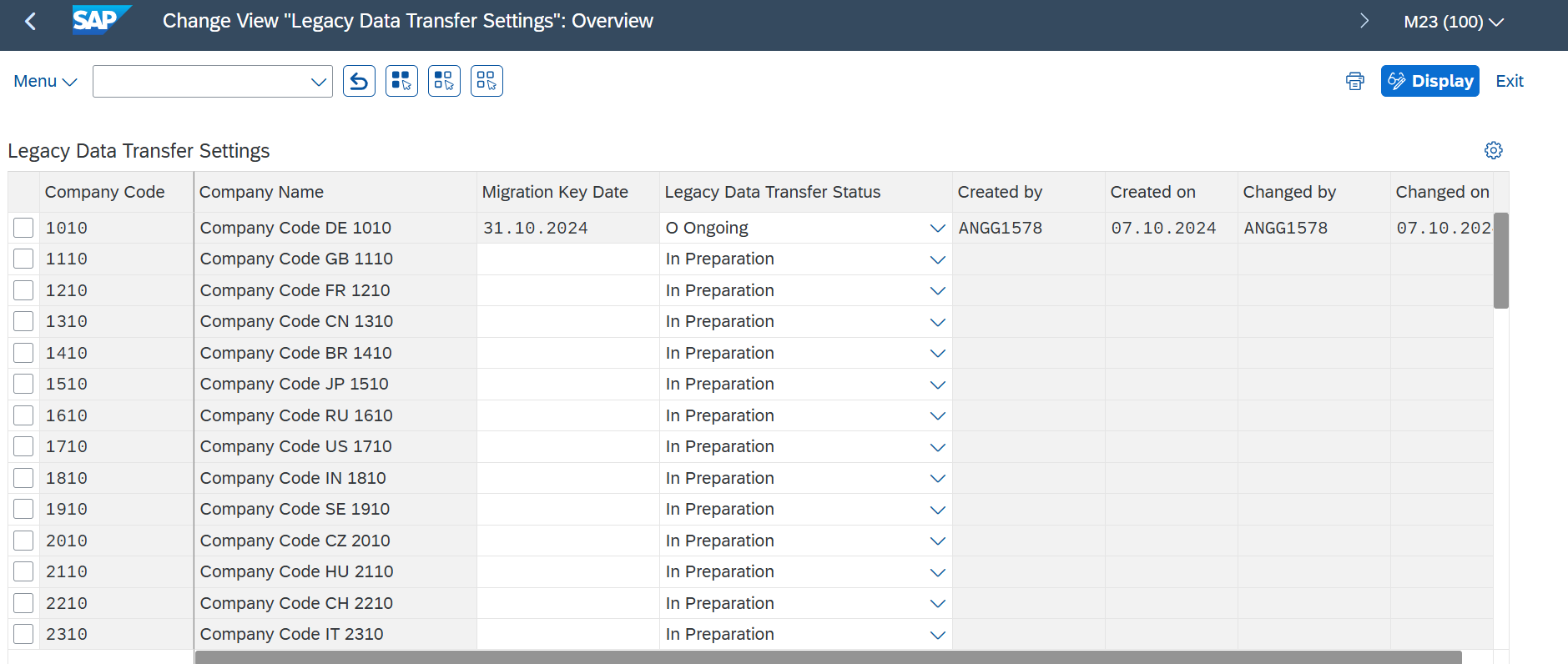
4. | Set Posting Date for the Company Codes in SM30 for the view: FINSV_MIG_CTRL_1 |
Conversion Objects
| Object # | Preceding Object Conversion Approach |
|---|---|
| 1067 | GL Account Operational CoA (incl. secondary CE) |
| 1073 | Profit center |
| 1074 | Cost Centre |
Error Handling
Error type | Error description | Action taken |
Posting Period Error | Posting period is blocked for posting | Review project / cutover plan and ensure posting periods can be opened for postings |
Profit Centre does not exist | Profit centre does not exist in company code | Ensure the profit centre mapping is correct and or create the profit centre if it is valid |
Post-Load Validation
Project Team
Completeness
| Task | Action |
|---|---|
| Reconciliation of Record Count | Total number of records loaded for GL Open Items will be generated in the Post-load reports in tool based on the target table and fields mentioned in the field list section. The reconciliation needs to be executed on the total number of ‘valid’ records and currency amount per company code in the source compared to total number of records and currency amount in S/4HANA Record Count Check the sum of record count of the open items in the load file is the same as S/4HANA. The record count for GL Open items will need to be done. The fields in the group are consist of: Company Code, Vendor Account Check Amount in Document Currency and Local Currency Check on line item level that the sum of the amount in Document Currency and Local Currency in the load file is the same as posted in S/4HANA. If any of the sum is different, flag the record as error. |
Accuracy
| Task | Action |
|---|---|
| Check values in key fields for accuracy | Post-load reports will have the same structure as the load file and some additional columns as required to facilitate the post load validation. Leverage on tool to create a Post Load report that reports S/4HANA loaded records along with the legacy values side-by-side to allow for 100% check of all these fields in the shortest possible time. Any mismatch will be reported under the Post Load - Error report. |
Business
Completeness
| Task | Action |
|---|---|
| Record Count Check | Review the record count report from the Data Team and ensure it is correct by cross-checking with the record count confirmed during Pre-load Business Validations |
Accuracy
| Task | Action |
|---|---|
| Open items totals | Check business partner open item totals by Business partner, Company code, profit centre. Totals should be checked in Document, Local and Group currency. |
| Spot check | Business should choose some business partners and perform comprehensive check of open items, payment terms etc Such partners should have huge number of open items or be critical for payment runs in S4 or have certain complexity in conversion. |
Key Assumptions
- Master Data Standard is up to date as on the date of documenting this conversion approach and data load.
- is in scope based on data design and any exception requested by business.
Change log
Workflow history
| Title | Last Updated By | Updated | Status | |
|---|---|---|---|---|
| There are no pages at the moment. | ||||