


| Status | Edited following Approval |
| Owner | |
| Stakeholders | |
| LeanIX Link | SAP Datasphere |
Introduction
SAP Datasphere (DSP) is a cloud data warehousing solution used by Syensqo to extract, load and transform data from the SyWay transaction data processing systems. The data is made available for SAP generated data reporting and distribution to MS Fabric for Non-SAP reporting.
Reporting from DSP is performed using the tightly integrated SAC. There is also tight integration with PaPM.
Purpose
The purpose of this document is to provide the understanding of the the system architecture that is needed to support the SyWay implementation.The SAP Analytics and Reporting Approach explains what systems are delivered by the project and the methodology of delivery, the SAP Analytics and Reporting Standards provides the application level guidelines governing how it is implemented.
This document explains the landscape and integration of the solution.
Application Architecture
Application Architecture Overview
The diagram below depicts the analytics systems architecture and Datasphere's position in it.
Architectural Decisions and requirements
The table below provides the details of the architectural decisions and the rationale upon which the decisions were based:
| Architectural Decision | Description | Rationale |
|---|---|---|
| SSL and SNC will be configured for DSP to encrypt web and RFC traffic | Based on SyWay implementation approach, all data in transit must be encrypted. | Security is vital |
| Configure SSO for DSP | As part of SyWay project, a common authentication mechanism (e.g., SAML) will be adopted | For ease of access and unified user experience. |
| Seamless planning | To enable seamless planning, Both DSP and SAC must be deployed in the same data centre and hosted by the same hyperscaler | SAP limitation and meeting Syensqo preferences |
| SAC | DSP can only connect to a single SAC tenant | Tight integration |
| MS Fabric | All SAP data fed to MS Fabric will be via DSP | Licencing |
| Consolidation | Consolidate SAP S/4 data from the regional landscape | To provide a unified dataset for further use, eg reporting on SAP data |
| S/4 Extractor | Extract data from S/4 to be used in other systems such as MS Fabric without breaching SAP data export licencing. | Licencing |
| SAP Business Content (BCT) | Start by leveraging the SAP BCT to deliver reports with less effort | Faster implementation |
| CUI data | No CUI data will be loaded into DSP | Nextlabs does not work with DSP to provide CMMC2 |
| Landscape | DSP will mirror the SAC 3 tier landscape | SAC is a subscription model so we have to pay per instance |
| PaPM | Will read data from DSP and write calculations back to DSP PaPM will mirror the DSP 3 tier landscape | This is the model used by the BYOD model |
| Catalogue | We will not use the Collibra option | The cost/benefit does not justify this option |
Application Architecture Components
Datasphere Details
Customer Number | 3008440 |
|---|---|
Cloud Provider | MS Azure |
Cloud Region | Netherlands |
Service model | Software as a Service |
Licence | SAP Cloud Platform Enterprise Agreement (CPEA) |
Deployment model | We are using the Public model |
Database | HANA Cloud |
Datasphere Internal Application Components
The following table describes the Datasphere internal architectural components and their usage in SyWay:
| Datasphere's Architectural Components | Description | SyWay Usage |
|---|---|---|
| Space Management | The critical component for the structuring of Datasphere and the securing of data within it. | Heavily used |
| Data Builder | Developer tool for creation of data models. | Heavily used, is basis for all build |
| Business Builder | Vestigial application to support business owned modelling left over from Data Warehouse Cloud | Not used |
| Data Lake | A dedicated, on-read schema-flexible storage area in SAP HANA Cloud for raw and archived data repository Optimized for ingesting and storing large volumes of raw data and acts as the “landing” zone for unstructured data before any modelling or transformation takes place. | SyWay default for unstructured data is MS Fabric |
| Data Store | Staging area for cleansed, modelled data with defined structures. Intermediate results in a dataflow, ready for analytics or further modelling A Data Builder artefact that captures the result of a transformation flow and writes it to a persistent table. | Used heavily to support harmonization of data from multiple sources in a fashion that allows performant reporting. |
| Premium outbound integration | A lean, high-performance data pipeline from SAP to external object stores. It emphasizes speed, cost-efficiency, and governance alignment | Used for data extraction in all SyWay use cases |
| Catalogue | Lists the data products—tables, views, data flows and SAC stories | Used within Datasphere but not as an end user facing tool |
| BW Bridge | Enables data legacy BW systems to be incorporated into the cloud system | Not used |
| Data Marketplace | Mechanism to share data between Datasphere tenants and customers | Not used |
| Semantic Onboarding | Means of sharing pre-defined Datasphere models | Used to install business content as a guide for SyWay development |
SAP Cloud Connector
The SAP Cloud connector acts as a reverse invocation proxy to establish network connection between SAP RISE systems and SAP BTP services (Integration suite, API management, DSP etc). Due to its reverse invoke capabilities, the network traffic originates from SAP Cloud connector to SAP BTP and once the link as been established, data can be exchanged between SAP RISE systems and BTP. HTTPS or RFC protocols are used between SAP Cloud Connector and S/4HANA, and HTTPS protocol is used between Cloud Connector and SAP BTP.
To enable outbound internet traffic from SAP RISE, SAP has provisioned a customer gateway server (CGS) with a forward internet proxy installed on it. CGS will be configured with a public IP which will be used for SAP Cloud Connector connection to SAP BTP and this public IP will be whitelisted in SAP BTP.
For the proposed landscape see Application Architecture SAP RISE (Rest of the World) and China/US instances
A Replication Flow uses Cloud Connector.
– The dataset you want to replicate (e.g. CDS View). One object = one flow. Max 500 objects per replication flow
– These are background workers (also known as worker graphs) that handle the actual data movement. Each job uses 5 replication threads by default.
– Distributed working. Think of these as the engines moving your data. Max 50 threads per tenant
– How often changes are sent from source to target (0-24hrs and 0-59 mins). Set it to 0h 0m for near real-time.
PaPM
SAP PaPM Cloud integrates with SAP Datasphere by sharing an SAP HANA Cloud runtime database (BYOD), exposing artefacts via the DPA.
Smart Data Access (SDA) and Smart Data Integration (SDI) enable DSP to consume PaPM Cloud database objects as remote sources. The tables, views, and calculation scenarios and exposed within DSP without duplicating data, maintaining real-time consistency across both environments.
SAC
SAP Analytics Cloud (SAC) is the presentation layer for DSP. It is also the planning engine. Planning data created in SAC is stored in DSP. This is known as seamless planning.
DSP can only connect to a single SAC tenant at a time. There is an option to switch tenants, however as there is only a 3 tier landscape for both SAC and DSP, this has not been utilised in the SyWay project.

Data Provisioning Agent
Data Provisioning Agent (DPA) is used for real-time and batch data replication from S/4HANA to SAP Datasphere. The network connection to SAP Datasphere is initiated by DPA and CGS is used to facilitate the internet connection to SAP Datasphere.
DPA uses the HTTPS or RFC protocols to communicate with S/4HANA and uses the HTTPS protocol to communicate with SAP Datasphere.
A DPA agent is required per environment. There is only one active line for the target HANA server name in dpagentconfig.ini.
For the proposed landscape see Application Architecture SAP RISE (Rest of the World) and China/US instances
MS Fabric
There are two integration approaches relevant to the SyWay DSP implementation:
Integration with Fabric Synapse Real-Time Analytics
Mode(s) of Integration: Data from Fabric Synapse Real Time Analytics can be federated into SAP Datasphere remote models using SAP Datasphere's data federation architecture. This approach allows for real-time access to data without the need for physical data movement, ensuring that the most current data is available for analysis.
Connection Configuration: Use the SAP Datasphere connection management interface to configure a new connection to Fabric Synapse Real-Time Analytics. Provide the required connection details such as the endpoint URL, database name, and authentication credentials.
Federation Query: Use SAP Datasphere to create a remote table that references the above table in Fabric Synapse Real-Time Analytics.
Integration with MS Fabric OneLake
Mode(s) of Integration: Replicating data out with Replication Flows, Importing data into SAP Datasphere using Data Flows.
OneLake is a single, unified data lake that serves as a centralized repository for all organizational data. It's built on top of Azure Data Lake Storage (ADLS) Gen2 which is a scalable and secure data lake solution designed to handle large volumes of data in various formats. It supports big data analytics and is optimized for high-performance workloads
Non-SAP data from Azure Data Lake Storage can be imported into SAP Datasphere using the Data Flow feature. This allows organizations to leverage data stored in Azure Data Lake for applications such as financial planning and business analytics in SAP Analytics Cloud.
Configuration: Use the SAP Datasphere interface to create a new data flow. Provide the required connection details such as the storage account name, container name, and authentication credentials.
Any data that is moved out into external targets via SAP Datasphere is done with the help of "premium outbound integration" powered by Replication Flows
The "premium outbound integration" feature ensures that data exported from SAP Datasphere to external targets is done efficiently and securely. This premium service guarantees high performance and reliability for outbound data transfers.
There is a cost for this service provided by SAP.
System Landscape
Mapping to S4
 draw.io
Development Environment
| Application | Primary Role | Hostname |
|---|---|---|
| Datasphere | Central Instance |
Quality Environment
The environment is planned to be provisioned by SAP on 1 August 2026. This document will be updated after this date.
Production Environment
The environment is planned to be provisioned by SAP on 1 January 2028. This document will be updated after this date.
System Access
Users will access the system via SAC. They will log on to SAC, execute a report and SAC will call DSP to access data using principal propagation. DSP should be transparent to them.
Application Security
User Access
System | Users | Access Method |
|---|---|---|
Datasphere | Business users | Web (very limited usage) |
Support users | Web | |
SAP Cloud connector | Admin | Web |
Data Provisioning Agent | N/A | Raise request to SAP to perform changes as access is via OS command line |
Default SAP roles will be used for Web dispatcher and connectors.
Authentication
Authentication is performed using the standard SyWay approach. Each user has an Entra-ID and a global user ID. The end to end Single Sign On is accomplished with SAML 2.0.
This principal propagation approach means that:
- The appropriate roles provisioned via IAS will be automatically allocated.
- The data security implemented in the source system for that user will always be respected for each data access request.
For more detail, please see the SyWay document covering Identity Architecture (to be released).
Authorisation
To avoid duplication, please see the Security Approach for Analytics.
Communication Security
All data in transit will be encrypted.
- SSL is used for all web traffic (Systems are configured to reject HTTP access or redirect to HTTPS).
Potentially a restricted user in S/4 to ensure that only permissible data is extracted.
Data Security
Data at rest and in transit is encrypted for DSP.
Row level security for users is described in the Security Approach for Analytics.
Operation Architecture
Shared Responsibility Model
| Party | Service | Responsibility |
|---|---|---|
| Syensqo | Customization & Configuration | Customers must configure and customize the application per their business requirements |
| Management of identity and access | Customers must manage the complete identity lifecycle, including onboarding and offboarding users, creating and assigning roles, forming user groups, granting and restricting privilege access, and similar functions for their application | |
| Data Integrity Requirements | Customers must define proper data classification, storage, and deletion requirements. Although SAP will execute processes on data, defining data requirements is a big part of the customer’s responsibility. Protection for data at rest will be assigned by SAP based on the data classification | |
| Application Audit logs | Customers are responsible for capturing, monitoring, and analysing the application audit logs | |
| Application compliance | Customers are responsible for industry-specific certification and compliance for data used by or within the application. | |
| SAP | Deploying and configuring Resources | SAP is responsible for deploying and configuring VMs, databases, container images, and the VM operating system. |
| Securing VM and images | SAP is responsible for securing and patching operating systems and container images, as well as hardening configurable items on servers and databases | |
| Logical separation | SAP is responsible for logically segregating applications and data within various environments and between various tenants and customers | |
| Protecting data | SAP is responsible for implementing data protection, backup, and restoration, based on the data classification. The data retention policy is defined by customer but can be executed by SAP | |
| Monitoring and incident reporting | SAP logs all the security and infrastructure events. Logs will be aggregated in a system information and event management (SIEM) tool, and an alert will be generated based on the predetermined trigger. SAP will also monitor for incidents and will follow SAP’s incident response plan as and when needed. | |
| Audit and compliance | SAP is responsible for maintaining and providing certification and compliance for the application and related infrastructure. | |
| Change management | SAP is responsible for managing the maintenance window and other administrative tasks regarding change management | |
| Availability | SAP is responsible for deploying and maintaining the availability and meeting the SLA | |
| IaaS | SAP maintains responsibility for the IaaS that the hyperscaler provides on SAP’s behalf, and for ensuring each hyperscaler performs as per the contractual agreement | |
| Hyperscaler | Physical security | The hyperscaler is responsible for the physical data centre and the safety and security of people in the data centre. This includes the responsibility for background checks of the people who work in the data center and in connection with other hyperscaler- provided services |
| Resiliency | The hyperscaler is responsible for providing the capability of a resilient network and infrastructure across multiple regions and availability zones. | |
| Physical infrastructure | The hyperscaler is responsible for providing a secure network and infrastructure, including hypervisors | |
| Audit and compliance | The hyperscaler is responsible for IaaS compliance with industry standards. |
Additional SAP responsibilities
| Area | Activities |
|---|---|
| Application security | Application security is the heart of the overall security strategy. Application development at SAP follows the secure development lifecycle. The process starts with planning and assessment, which includes a very important security measure: threat modelling. SAP uses the well-known STRIDE threat modelling technique from Microsoft. Developers follow the secure coding guidelines during the development process. The developed code is reviewed under the “Secure code review” step as a part of the process. Next, a static vulnerability scan is performed on any code developed in-house. Any vulnerability found during the review or scan is mitigated – or documented, if not mitigated – before the release. Software is next scanned for open source vulnerabilities, if any open source libraries or components are used. Dynamic application security testing is performed after software is fully developed and compiled. The last step in the application security is unit testing of the security-related functionality to address issues like invalid input parameters. Once the software is developed and the application is deployed in production, vulnerability scanning is performed at regular intervals and after each new release. Vulnerabilities found during the scanning are managed based on their Common Vulnerabilities and Exposures (CVE) score. SAP does not report or disclose vulnerabilities, but a Service Organization Control 2 (SOC 2) audit report lists any unmitigated vulnerabilities. The SOC 2 report can be obtained from SAP. |
| Data Security | The customer defines the data protection, retention, backup, and deletion requirements. SAP is responsible for making sure that tenant data is logically segregated. SAP also makes sure that data is segregated between nonproduction and production environments. Encryption As per the SAP security policy, data in transit and data at rest should always be encrypted. Any communication between the hyperscaler and client uses Transport Layer Security (TLS) with HTTPS. Data at rest is encrypted using disk encryption to prevent data exposure in case of a physical theft of the drive. Other encryption methods, such as volume, backup, or in-application encryption, are used based on the technical, functional, and business requirements of the application and customer. Encryption Key Management SAP does not utilize default keys provided by hyperscalers. SAP is responsible for creating, rotating, and deleting the encryption keys. SAP also manages access to the key. One of the “key” differences between an application hosted by SAP versus third-party hyperscalers is the key storage. When an SAP application is hosted by a third-party hyperscaler, the key is stored with the hyperscaler using the hardware security module (HSM) or other secret management storage that the hyperscaler provides. This key storage or HSM is always FIPS 140-2 compliant. Any access to this storage is logged and audited by SAP. The encryption key is always managed by SAP, regardless of where the key is stored. Retention, Deletion, and Backup Data retention with most SAP applications is automated and customer driven. Customers can create policies or rules in the application stating how long the data should be retained based on their requirements. Data will be deleted at the end of the retention period. Customers can also delete their data at any time they have access. Data backup and deletion processes and schedules are not impacted by the migration to hyperscaler. These processes remain unchanged. It is important to note that SAP and hyperscalers will maintain compliance with laws and requirements around personal data, such as EU access, the General Data Protection Regulation, and other industry and geographic regulations. |
| Infrastructure and Network Security | SAP creates virtual resources using cloud APIs and is responsible for everything between and including virtual resources and the application. SAP will deploy and manage everything from the virtual machine up. This means that SAP has responsibility for managing infrastructure, creating and managing various virtual private clouds, and creating and managing security groups and firewalls. SAP is also responsible for managing and patching the operating system and middleware. SAP will regularly scan the environment for operating system and middleware vulnerabilities. SAP will deploy patches to operating systems and middleware based on the vendors’ specifications. SAP’s architecture blueprint dictates that database servers and application servers are isolated from each other and from the public-facing Web server. DB server and application servers are hosted within a private subnet, while Web servers are in the public subnets behind the Web application firewall (WAF) and security groups. SAP’s strategy is to provide database clusters. High availability will not change as a result of migration to a hyperscaler. Hyperscalers are responsible for providing overall network and infrastructure protection against DDoS and network- or infrastructure-based attacks to the data centres, but it is SAP’s responsibility to provide anti-DDoS, IPS/IDS, WAF, and network monitoring of the resources created by SAP. It is SAP’s responsibility to perform regular penetration testing, and SAP will work with the hyperscaler for network penetration testing. The physical security of the data centres and vetting of the workforce who are working in and around data centres are responsibilities of the hyperscaler. |
| Logging, Monitoring, and Incident Response | The customer has full access to application and audit logs. SAP is responsible for collecting, storing, and analysing infrastructure and security logs. SAP manages the threat triggers and generates alerts from the logs. SAP does not share infrastructure and security logs with customers. SAP aggregates the logs into the SIEM tool and automates the process of analysing and generating alerts. Monitoring various logs and generating alerts when there is a deviation from the baseline is a very time-consuming but essential part of the security – and SAP handles that for you, so you can focus on your customers. The team of seasoned SAP professionals perform infrastructure monitoring, database monitoring, security incident management, secure admin access, regular backups, security scanning and remediation 24x7 to secure the environment for customers. Hyperscaler landscapes pose unique challenges, and SAP’s security incident response team works closely together with GCS multi-cloud security operations to continuously improve security incident response process and automation for SAP’s multi-cloud landscape. Although SAP does not notify customers of every incident, we will provide breach notification report and root cause analysis to customers for any incident that is classified as a personal data breach. |
| Identity and Access Management | The customer is responsible for identity and access management (IAM). SAP provides single sign-on and other IAM-related services as needed. SAP offers solutions that can manage the complete identity lifecycle, integrate on-premise and cloud solutions, work with multi-factor authentication, and simplify the access management process for you. The customer has complete control over who can access the data and to what extent. Most important, the customer has the ability to provide admin or privileged access to the application. This access should be granted only as needed and must be monitored. SAP has access to cloud accounts as well as privileged access to the application and SAP environment within the hyperscaler environment. SAP employees or partners do not have any access to customer’s data or information. |
| Connectivity to Cloud | Azure ExpressRoute allows you to extend your corporate or personal network into the Microsoft cloud over a private connection. Azure ExpressRoute provides Layer 3 connectivity between your site and Microsoft cloud. Azure ExpressRoute provides redundancy for the network connection as well as a guaranteed uptime SLA for connectivity. |
Transport Management
Transports are moved between environment tiers using Cloud TMS. Please see DD-TEC-170 Transport Management for Release 4 for more details.
The governance and control is provided by ActiveControl (documentation to be released) .
Monitoring
Data Loads From S/4
There are two main jobs responsible for moving data from the source system to Datasphere via the Cloud Connector:
- Observer job (/1DH/OBSERVE_LOGTAB) When new data is posted in the base table, the Observer job pushes it from the master logging table to the subscriber logging table.
- Transfer job (/1DH/PUSH_CDS_DELTA) The Transfer job then moves this data into the buffer table, from there the replication flow picks it up and pushes it to the target system.
Transactions used for monitoring in S/4
- DHCDCMON → Monitor delta capture process
- DHRDBMON → View buffer tables properties and operations
- Maximum buffer records
- Current number of records
- Package size
- Packages ready for transfer
The buffer table is important because:
• It splits large datasets into smaller, manageable data packages.
• If a package fails, it can be resent, making replication more resilient and reliable.
• Once a package is successfully written to the target, it’s committed and deleted from the buffer to free up space.
• It also helps in analysing performance throughput and identifying potential bottlenecks.
Data Loads In Datasphere
Many data loads will be delta replication flows which run on a frequency defined per load (usually hourly). Full data loads will be triggered using Task Chains in DSP and tasks in SAC. Currently these SAC tasks are not integrated with the Task Chains in DSP.
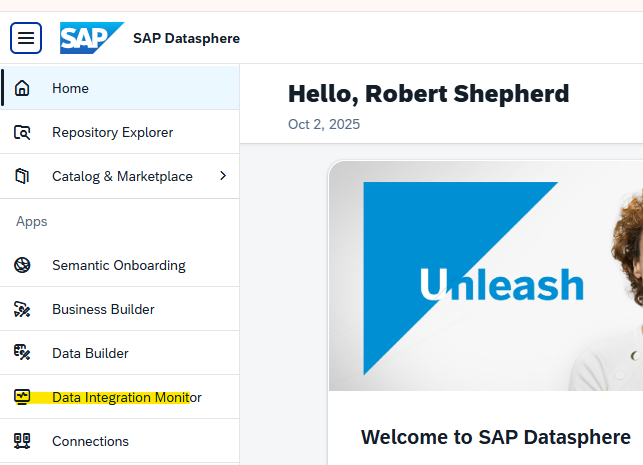
Data loading can be monitored using the Data Integration Monitor
System Monitoring
There is a standard system monitor function used to identify data storage, out of memory, CPU capacity issues, etc:

It is also possible to perform additional monitoring functions E.g.
- Enhanced replication flow analysis
- From $TEC schema, import the REPLICATIONFLOW_RUN_DETAILS
- Get all TASK Related Data from DWC_GLOBAL schema and view TASK_LOCKS_V_EXT
- By building a model on top of these two tables, you can view all the metadata related to your Replication Flows. This helps you track key details like execution time, status, and any errors. So if something goes wrong, you'll be able to quickly identify and understand the issue.
- Early watch reports ( https://me.sap.com/ewa/workspace )
- Integration with Application Lifecycle Monitoring (ALM) where we can review the system loads
- Database Explorer for performance analysis
- Switch on expensive statement tracing in DSP monitor and find the statement in tables M_EXPENSIVE_STATEMENTS or M_REMOTE_STATEMENTS as appropriate. The captured SQL can be analyzed in PlanViz.
Reviewing DPA logs in DSP.
SAC reporting on DSP operations
There are SAP Datasphere monitoring views which help you monitor data integration tasks in a more flexible way. They are built on the V_EXT views, and are enriched with further information as preparation for consumption in an SAP Analytics Cloud story.
Sizing
The estimates in the original CD - SOL - 020 Reporting Approach , chapter 8, are referenced and summarised below:
| Component | Size | CU(Month) | Comments |
|---|---|---|---|
| Compute blocks | 512 GB | 13,315 | |
| Storage | 1,344 GB | 245 | |
| Catalog Storage | 0,5 GB | 0 | |
| Data Integration | 7200 | 5,488 | trade off with using DPA |
| Premium Outbound Integration | 40 GB | 1,000 | |
| BW Bridge | Not considered | ||
| Data Lake | Use MS Azure | ||
| DPA server |
90GB of data a year was suggested
High Availability
The standard default system availability for Datasphere for Public Cloud Services at SAP, which is 99.7%Disaster Recovery
SAP Datasphere's backup and recovery uses the SAP HANA Cloud service resiliency layer in the case of a disaster caused by factors within SAP's control. SAP is not responsible for recovery of customer data lost as a result of the customer’s actions, including accidental deletion of a space or data resulting from inattentiveness or a failure to follow instructions to safeguard their data.
Backup/Restore
Datasphere performs a back-up of tenants every 15 minutes (RPO 15 minutes). There is also no guaranteed RTO for Datasphere but it is leveraging the SAP HANA Cloud service resiliency layer. Please see note 3574161 - SAP Datasphere Tenant Backup
Maintenance Plan - Release Management
- SAP Datasphere runs on continuous delivery in the background: small fixes and security updates can be deployed anytime.
- Major functionality is bundled into Quarterly Release Cycle (QRC) updates.
- Customers can choose if they want to adopt QRC updates immediately or delay them (to test changes first).
Updates include new features, fixes, and security patches, and they’re applied automatically by SAP in the background.
No customer-side installation or downtime planning is needed.