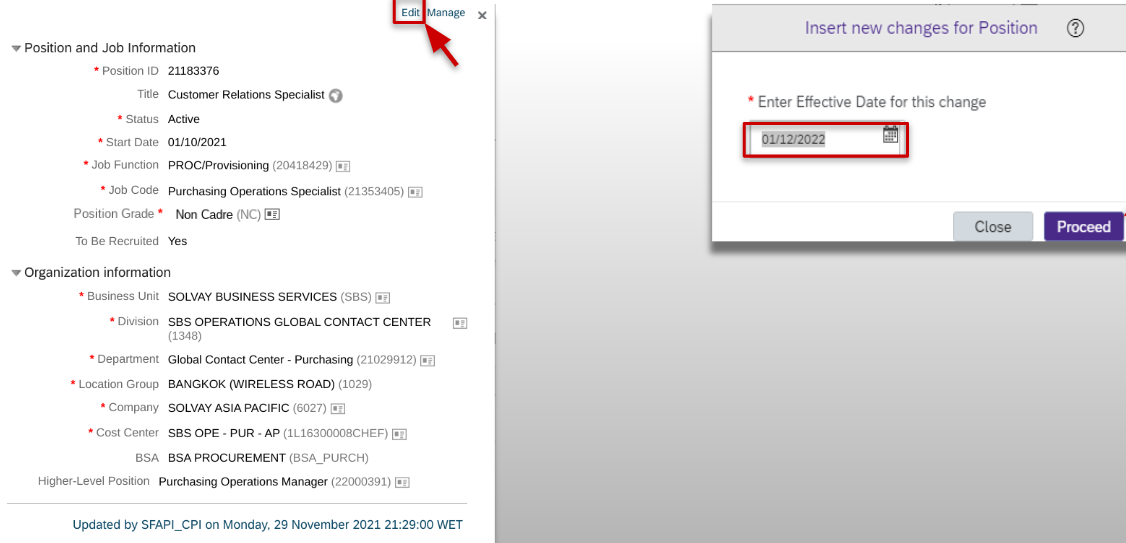
- Modify the necessary details but keep in mind that
- You must never change the Business Unit, Division, Company, or Location Group in the position when it’s assigned
- Cost center can be changed only as of the 1st day this month or in the future. In case of doubts regarding which Cost Center to select or for New cost center to be created, please contact the Controller of your site or entity, or the Call Services
- If you mark the position “To be recruited” for internal or external recruitment, you need to follow the proper steps to initiate a recruiting process.
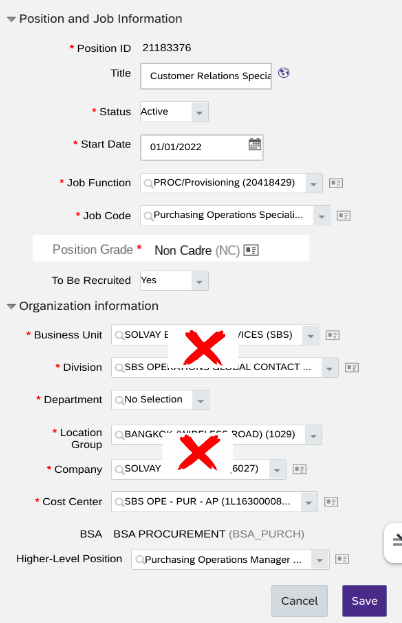
Deactivate a Position A regular clean-up of all the positions is automatically made in the tool when a role disappears from your team (i.e., restructuring, reorganization) after the incumbent leaves the position or if it has stayed vacant for 4 months and no recruitment process is ongoing
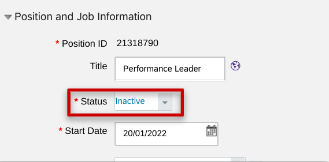
If you do not want to wait for the automatic clean-up, you can edit the position, set the Status to Inactive and Save. The position is no longer visible in the OrgChart.
Correct the higher-level position (hierarchy) of the position In case the position is not assigned to the correct manager in your hierarchy, you can edit the higher-level position - Search first for the correct manager’s position ID in the OrgChart
- Enter that ID in the Higher-level Position field and Save

Important note: If you change the “Position S-Grade” or “To be recruited”, an approval workflow is triggered. |