What is Talend
Talend is a leading ETL and big data integration software with an open-source environment for data planning, integration, processing, and cloud storage. It benefits organisations heading towards becoming data-driven by facilitating faster data movement to the preferred location for real-time data-driven decision-making. Through various other ETL tools available in the market, Talend is considered to be the next generation leader in the cloud and big data integration software.
What Solvay uses Talend for
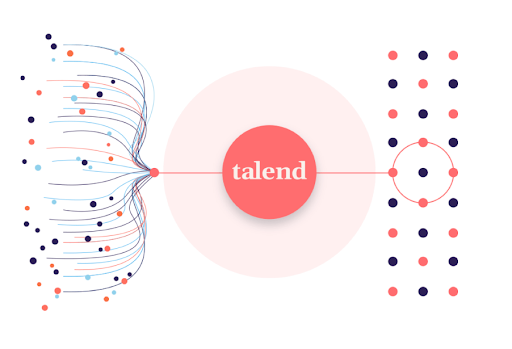
Solvay uses Talend for dealing with heterogeneous data which is a tedious task and as the volume of data increases, only gets more tiresome. Talend helps in transforming this data into homogeneous data which can be useful for the business to analyse and derive the necessary information from it.
Talend acts as a one stop solution to enable data integration strategies by allowing us to gather data from multiple sources and consolidate it into a single, centralised location. It is the main ETL tool used at Solvay for batch processing, thanks to its many connectors which allows it to easily connect to various data sources on-premise and on-cloud and do data transformations.
Talend is used on the following projects:
Consolidate RnI data coming from ELN into Big Query
Analysis of the carbon footprint of our products
Retrieving BW data to feed Tableau dashboards
Extract some MES data that allows machine learning models to optimize the efficiency of our Soda Ash plants
Who should use it
Data Scientists and Data Engineers who develop and implement ETL solutions at Solvay.
When should you use Talend
When you want to:
- transform and load data from any source system to Google BigQuery
- extract data from Google BigQuery to deliver the extracts to downstream systems
- process large volumes of events continuously coming from source system(s) and store into Google BigQuery
What outputs it will give you
It helps in taking real time decisions and becoming more data driven:
- Easily connect to various data sources (Excel, SQL databases, Google Drive)
- Perform data transformations using a no-code/low-code approach that simplifies maintenance
- Store the results in various databases or data warehouses
- Create standard job templates that can be re-used by other developers to fasten and standardize the development of data pipelines in the company
- Integrate with version control systems (GitLab, BitBucket…) allowing multiple developers to work at the same time on a same project and easily revert to previous versions in case of problems
