Principles behind the Agile Manifesto
We are uncovering better ways of developing software by doing it and helping others do it. Through this work we have come to value:
Individuals and interactions over processes and tools
Working software over comprehensive documentation
Customer collaboration over contract negotiation
Responding to change over following a plan
That is, while there is value in the items on the right, we value the items on the left more.
We follow these principles:
Our highest priority is to satisfy the customer through early and continuous delivery of valuable software.
Welcome changing requirements, even late in development. Agile processes harness change for the customer's competitive advantage.
Deliver working software frequently, from a couple of weeks to a couple of months, with a preference to the shorter timescale.
Business people and developers must work together daily throughout the project.
Build projects around motivated individuals. Give them the environment and support they need, and trust them to get the job done.
The most efficient and effective method of conveying information to and within a development team is face-to-face conversation.
Working software is the primary measure of progress.
Agile processes promote sustainable development. The sponsors, developers, and users should be able to maintain a constant pace indefinitely.
Continuous attention to technical excellence and good design enhances agility.
Simplicity--the art of maximizing the amount of work not done--is essential.
The best architectures, requirements, and designs emerge from self-organizing teams.
At regular intervals, the team reflects on how to become more effective, then tunes and adjusts its behavior accordingly.
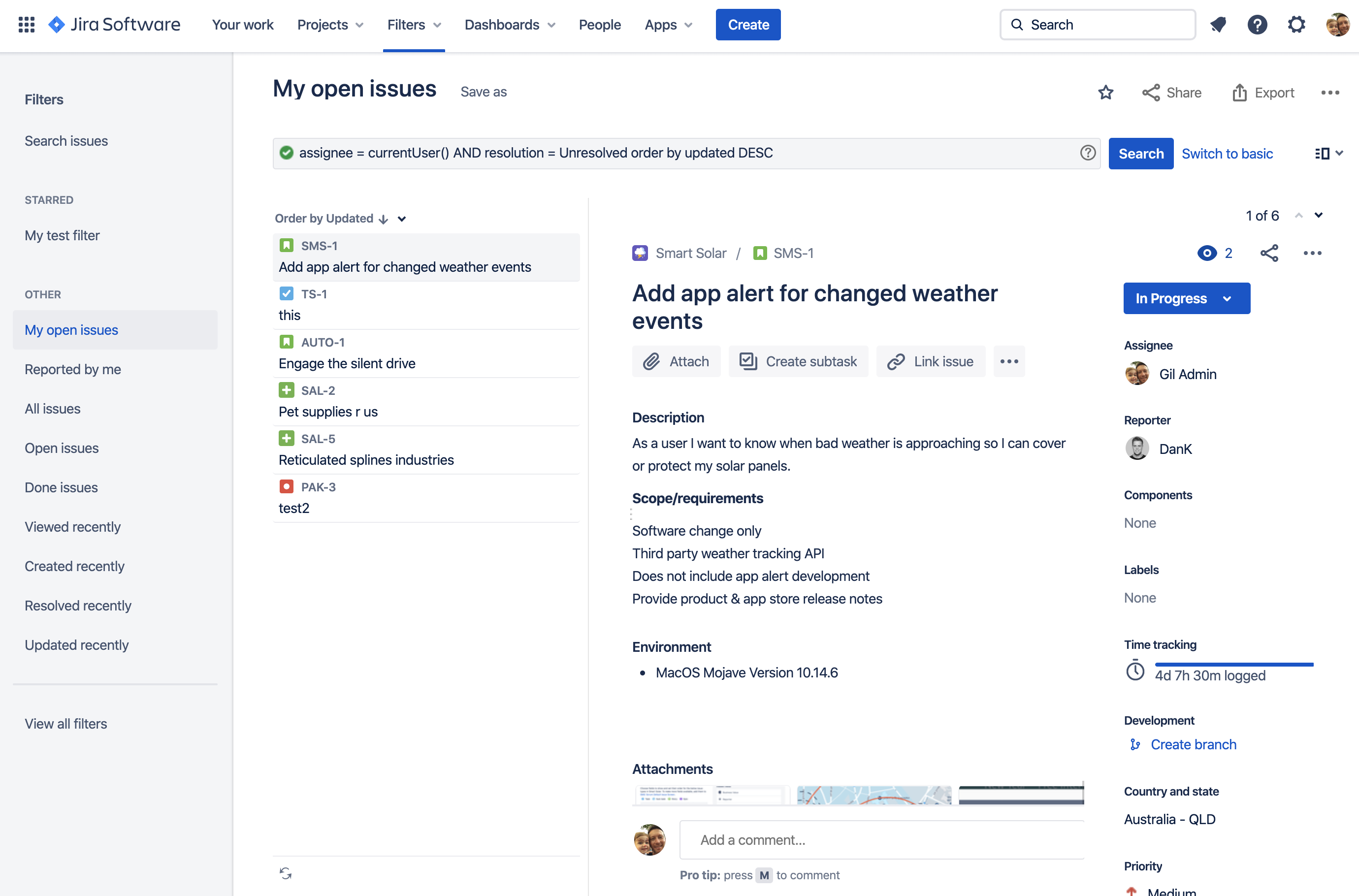
The navigation bar

Product switcher: Switch to other Atlassian cloud products, like Bitbucket and Confluence, and go to recent projects.
Jira logo and product name
Your work: Get an overview of the things you care most about in Jira. Find issues, projects, boards, and queues you’ve visited, work assigned to you, and your starred items.
Projects, Filters, and Dashboards: Quickly find and resume work on the things you use most. You starred items appear at the top of each menu, followed by your recently visited items.
People: See the people and teams you work with, and create new teams.
Plans: See and manage your plans (premium users only).
Apps: See and manage apps installed on your Jira site.
Create: Create issues.
Search: Find issues, projects, boards, queues, filters and people.
Notifications, help, Jira settings, and your profile and settings: See what's happening in Jira, get help, and customize Jira’s settings (Jira admins only) and your personal settings.
Find specific issues
Use basic search to find specific issues. The basic search provides a user-friendly interface that lets you define complex queries, without needing to know how to use JQL (advanced searching).
If you don't have complex search criteria, try quick search instead.
If you're comfortable with the Jira Query Language (JQL), you can try the advanced search.
To use basic search:
Select Search () > View all issues.
If you see JQL (advanced search), instead of basic search, select Switch to basic.Set your search criteria, like Project, Status, and Assignee.
Optionally, enter text to search for and add more criteria by clicking +More.
Select Search.
If you're searching against a field and can't find the field you want, or the field is displaying greyed-out text, see the Troubleshooting section below.
When searching for text, you can use special characters and modifiers in your search text, such as wildcards and logical operators. See Search syntax for text fields.