

| Procedure | Screenshot |
|---|---|
Problem Local admin get 403 Error when click on "Edit User Profile" |  |
Solution The admin user must be appointed as the "local admin" of the Tenant site.
1) Go to "Administer" > "Full Tenant List", check if the admin user is the appointed local admins of the tenant site. | 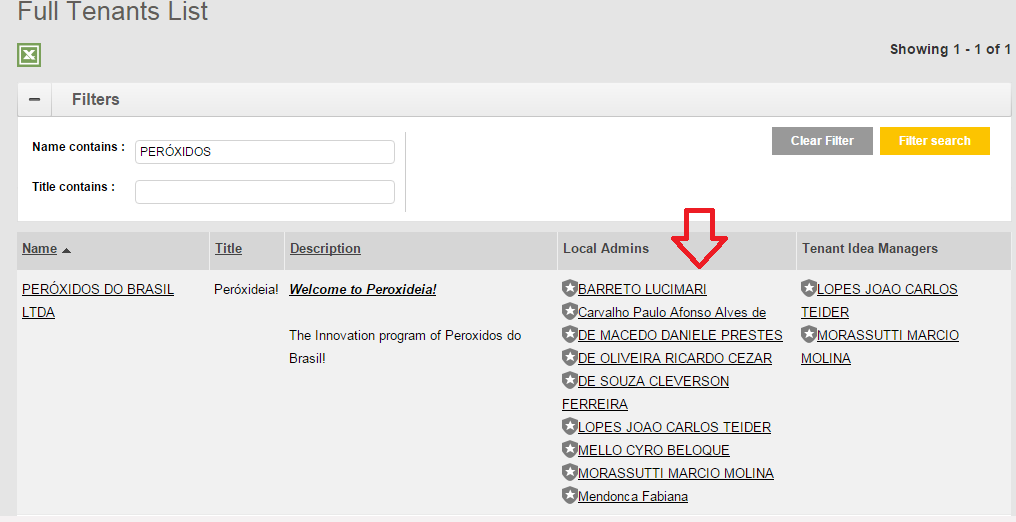 |
| 2) Check if the admin user belong to the Tenant which he/she want to update. Search the admin user and view the profile. | 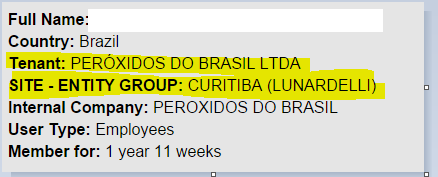 |
| 3) If "SITE-ENTITY GROUP" is empty, update the SITE-ENTITY GROUP to Tenant Site name. |  |
 The best way to get IT support is to use the new
Service One Platform.
The best way to get IT support is to use the new
Service One Platform.